
Your Ultimate Guide to the Data Extraction API
Think about the last time you tried to pull data from a website. Was it a mind-numbing copy-and-paste marathon into a spreadsheet? If you've been there, you know it’s slow, full of mistakes, and just doesn't scale for any serious business need. This is exactly where a data extraction API steps in.
Simply put, it’s a service that does the heavy lifting for you. Instead of wrestling with messy web pages or writing complicated code, you use the API to point at a website and get clean, structured data—like JSON—back. It's ready to plug straight into your app.
A quick note on authorized use: this guide assumes you are collecting public data you have permission to access, in line with each site's terms and applicable law.
Why Do You Even Need One?
For a long time, gathering web data was a purely manual job. An analyst could easily burn an entire afternoon copying product prices, stock levels, or contact info. It’s a tedious process that’s completely out of sync with the speed of modern business.
Naturally, developers started building custom scripts, or "web scrapers," to automate the work. This was a step up, but it came with its own set of headaches:
-
Constant Breakdowns: Websites are always changing. A tiny tweak to a site's layout can completely break a custom scraper, sending developers scrambling to fix it.
-
Failed Requests: Many major websites use bot detection systems and CAPTCHAs. Without clean, well-formed requests and sensible pacing, scripts run into HTTP 429 (rate limited) and HTTP 403 responses that are tedious to debug.
-
Infrastructure Overload: Scraping successfully at a large scale isn't simple. It means managing pools of rotating IP addresses (proxies) and using special browsers that can correctly render all the JavaScript on a page.
A data extraction API neatly solves these problems by becoming a reliable layer between you and the web. You tell the API what page you want, and it handles all the messy, behind-the-scenes work of fetching it, rendering it correctly, and parsing the content. This frees you up to focus on what actually matters: using the data to make smart decisions.
To see how these tools fit into the broader landscape, it's worth checking out some of the top financial data extraction tools, as many of them rely on similar principles.
A data extraction API effectively turns the entire web into a structured database. It manages all the complexity of bot detection systems and dynamic content, giving you a reliable way to access public information at scale.
The demand for these services is absolutely exploding. The global data extraction market was valued at USD 5.287 billion in 2024 and is on track to hit a staggering USD 28.48 billion by 2035. You can dig into the numbers yourself over at Market Research Future.
This massive growth tells a clear story: businesses have moved past asking if they should use web data and are now focused on how to get it as efficiently as possible.
Manual Data Collection vs Data Extraction API
To put it all in perspective, let's do a quick side-by-side comparison. It really highlights the shift from old-school manual methods to modern, automated solutions.
| Aspect | Manual Data Collection | Data Extraction API |
|---|---|---|
| Speed | Extremely slow, one page at a time. | Near-instant, capable of thousands of requests per minute. |
| Scalability | Not scalable. Limited by human hours. | Highly scalable. Can handle massive data volumes on demand. |
| Accuracy | Prone to human error (typos, missed data). | Highly accurate and consistent. |
| Maintenance | N/A (but requires constant human effort). | No maintenance required from the user. |
| Cost | High labor costs for repetitive tasks. | Low operational cost, pay-as-you-go models. |
| Reliability | Unreliable, dependent on individual focus. | Reliable, automated, and built for uptime. |
As the table shows, while manual collection might work for a tiny, one-off task, an API is the only practical solution for anyone who needs timely, accurate, and scalable web data.
How a Modern Data Extraction API Works
Think of a modern data extraction API as a specialized black box. You tell it what website you want data from, and a moment later, it hands you back clean, structured information. Your single API call kicks off a whole sequence of steps designed to handle the usual headaches of web scraping. It’s not just fetching a webpage; it’s about sending clean, well-formed, consistent requests to bring back usable data reliably, every single time.
The whole process is an automated workflow that renders pages with a real browser, so you get the complete content without having to manage any of the complicated parts.
This flow diagram gives you a clear picture of how the API turns messy website code into organized, ready-to-use data for your projects.
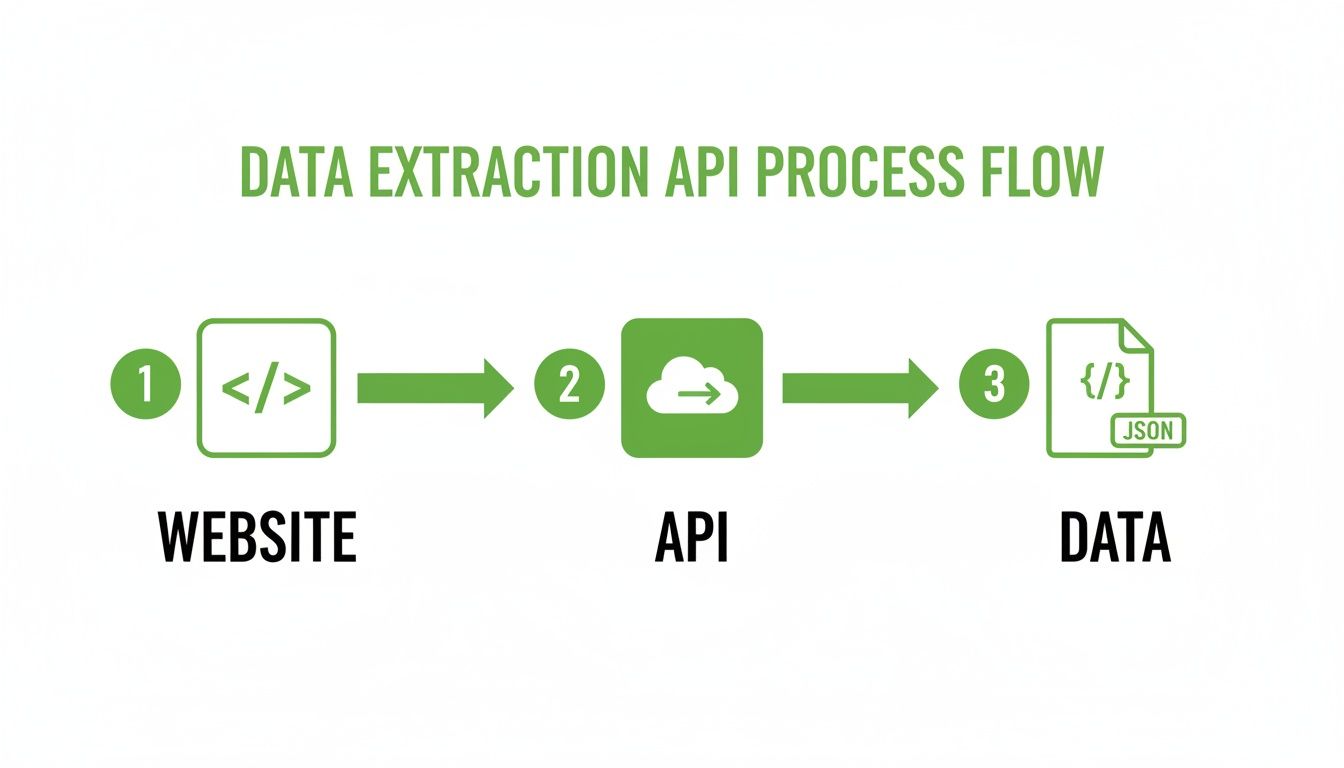
As you can see, the API is the critical go-between, translating raw web content into a clean JSON format that your applications can easily understand.
The Power of Proxies and Headless Browsers
A key building block for reliable extraction is a proxy network. A solid data extraction API has access to a large, worldwide pool of IP addresses. When you send many requests, they don't all come from one server. Instead, the API distributes them across a rotating IP pool, so each IP makes fewer requests over a given window.
This helps you stay within each site's per-IP rate limits and reduces HTTP 429 (too many requests) and other failed responses. It also lets you choose IPs in specific regions for geo-accurate results when a site serves different content by location.
But what about modern websites that lean heavily on JavaScript to load content? That’s where headless browsers come into play. A headless browser is a real web browser—think Chrome or Firefox—but it runs on a server without any visual interface.
A headless browser loads the page, executes all the JavaScript, and renders the final HTML just as it would appear on your screen. This ensures you get the complete data, not just the initial, pre-rendered source code.
This is absolutely essential for scraping today's web applications, especially single-page applications (SPAs) where content appears dynamically. Without it, you’d miss out on huge chunks of crucial information.
Understanding Bot Detection and CAPTCHAs
Even with a proxy network and a real browser, you’ll sometimes encounter bot detection systems. Websites use CAPTCHAs and challenge pages (such as Cloudflare's) for legitimate reasons: to limit automated load, protect against abuse, and confirm a request is coming from a real client. When you see one, it’s usually a signal to slow down and reconsider your approach.
The most reliable, long-term answer is to respect these systems rather than fight them:
-
Slow down: Reduce your request rate, add delays between requests, and honor any Retry-After header the server returns.
-
Request official access: Many sites offer an official API or a data-licensing program. This is the most stable way to get the data you need at volume.
-
Stay within authorized use: Collect only public data you have permission to access, and follow each site's terms.
A good data extraction API helps here by sending clean, well-formed, consistent requests and rendering pages with a real browser, which means fewer unnecessary challenges in the first place. The industry stats show how mainstream this work has become: developers overwhelmingly prefer Python (at 69.6% usage), with proxies (39.1%) and APIs (34.8%) being central to their toolkits. The latest AI integrations are now delivering 30-40% faster extraction with accuracy rates as high as 99.5%.
By taking care of the heavy lifting—proxies, rendering, and request hygiene—the API handles the most tedious parts of web scraping. To get a feel for how these requests are put together, you can dig into Scrappey's detailed API reference for making requests. This lets you focus on the data you need, not the mechanics of how to get it.
4. What Are The Essential Features of a Data Extraction API?
Picking the right data extraction API isn't just about getting data—it's about getting the right data, in a clean format, and at a scale that actually works for your project. The tech under the hood, like proxies and headless browsers, is definitely important. But what really separates a basic tool from a genuine data powerhouse are the features designed for precision and efficiency.
Think of these as the non-negotiables. They’re what allow you to tackle complex, real-world jobs, whether you’re tracking prices across continents or navigating a tricky user login. This is where you see the real value of a top-tier data extraction API.
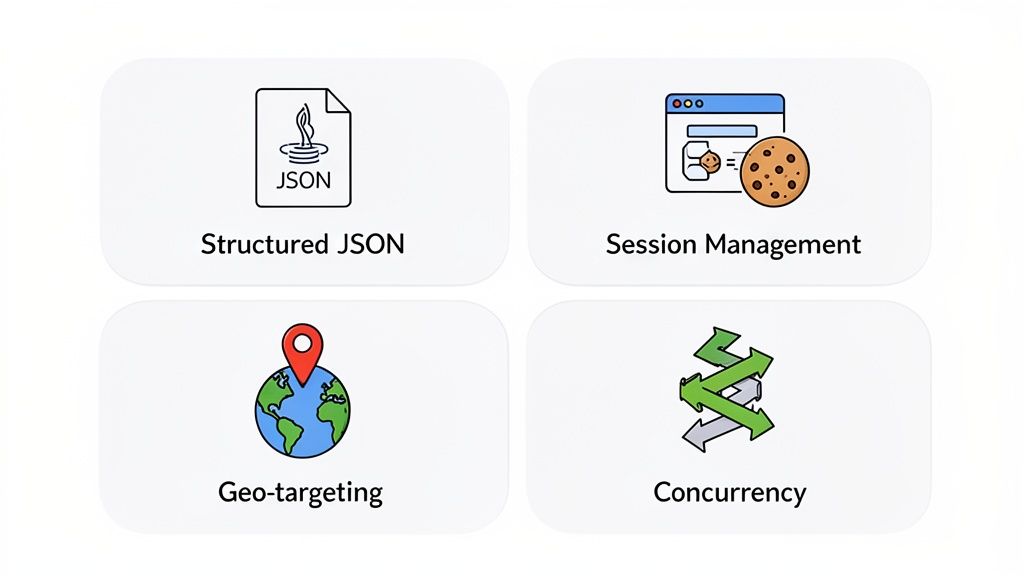
Structured JSON For Instant Use
Let's be honest: raw HTML is a chaotic mess. Trying to parse it yourself is a huge time sink. A good data extraction API handles this heavy lifting for you by delivering the data in clean, structured JSON (JavaScript Object Notation). This format is lightweight, easy for humans to read, and plays nicely with pretty much every programming language out there.
So, instead of fighting with complex CSS selectors and parsing libraries, you get data that's already neatly organized into keys and values. This means it's ready to be dropped straight into your database, analytics tool, or application, which radically speeds up your whole development process.
JSON output is widely used for a reason. It turns messy, unpredictable web content into a reliable, machine-readable format, completely removing the need for you to build and maintain a fragile parsing layer.
This single feature can save your team countless hours of tedious data cleaning. It’s easily one of the most valuable things to look for.
Session Management For Tricky Workflows
A lot of data gathering jobs involve more than just fetching a single webpage. Sometimes you need to log into an account, pop a few items into a shopping cart, or click through a multi-step form. All of these actions require a consistent user session to work.
That’s where session management comes in. It’s the feature that lets the API "remember" what it's doing across several requests by automatically managing cookies and session tokens. You can think of it as giving the scraper a consistent, persistent session, letting it perform a multi-step sequence of actions in order. This is absolutely critical for tasks like:
-
E-commerce Scraping: Navigating the entire checkout process to collect final shipping costs.
-
Account Data Retrieval: Getting behind a login wall to access order histories or user-specific info.
-
Form Submissions: Filling out search filters or forms to unlock specific datasets.
Without solid session management, you're stuck scraping only public, single-page content.
Geo-Targeting For A Local Perspective
The web looks different depending on where you are in the world. A shopper in Tokyo sees different prices and products on Amazon than a user in New York. Geo-targeting solves this by letting you send requests from IP addresses located in specific countries, cities, or even smaller regions.
This feature is a must-have for any business that operates globally. It lets you see a website exactly as a local customer would, giving you crucial insights you'd otherwise miss.
-
Price Monitoring: Track regional pricing and how it changes with currency fluctuations.
-
Ad Verification: Make sure your international ad campaigns are actually showing up where they're supposed to.
-
Content Localization: Check how a website’s language, promotions, and content adapt for different markets.
-
SERP Analysis: See how search engine results change for the same keyword in different countries.
Geo-targeting gives you the context you need to make smart decisions in a global market.
Concurrency For High-Speed Extraction
When it comes down to it, scalability is all about speed and volume. Concurrency is simply the ability to run many data extraction requests at the same time. Instead of making requests one by one, waiting for each to finish, you can run dozens or even hundreds in parallel.
This feature acts like a smart traffic controller, massively boosting your data collection throughput. A high-quality API will give you clear controls over your concurrency limits, so you can find the sweet spot between speed and not overloading the target website’s servers. Controlled concurrency is how you scale up your operation while staying within rate limits and keeping failed requests to a minimum.
Here's a quick look at how these core features translate into tangible benefits for your projects.
Essential API Features and Their Impact
| Feature | Primary Benefit | Best Use Case |
|---|---|---|
| Structured JSON Output | Eliminates manual parsing, speeding up development and integration. | Any project where data needs to be quickly ingested into a database or application. |
| Session Management | Enables consistent multi-step interactions across requests. | Scraping e-commerce sites, accessing data behind logins, or navigating forms. |
| Geo-Targeting | Provides access to localized content and pricing information. | Global price monitoring, ad verification, and international SERP tracking. |
| Concurrency | Drastically increases data collection speed for high-volume tasks. | Large-scale market research, real-time data feeds, and comprehensive site crawls. |
Ultimately, these features work together to create a robust system. They ensure that the data you get is not only accurate and clean but also collected in a way that respects website infrastructure and scales with your needs.
Putting Your Data Extraction API to Work
Understanding the nuts and bolts of a data extraction API is one thing, but seeing it in action is where the real value clicks. Let's move past the technical specs and dive into how businesses are using this technology to carve out a serious competitive edge. These aren't just abstract ideas; they're strategic moves that drive revenue, boost efficiency, and deliver market intelligence.
From e-commerce giants to nimble marketing agencies, companies are turning the public web into a core business asset. The right API transforms the internet into a stream of real-time, actionable insights that were once impossible to gather at scale.
Dominating E-Commerce with Price Monitoring
Imagine trying to keep up in the crowded online electronics market. Manually checking competitor prices on hundreds of products every single day? It's a losing battle. By plugging in a data extraction API, a retailer can automate the whole show, running scheduled checks on key competitors multiple times a day.
When a rival slashes the price on a popular camera, the retailer’s system gets an instant alert. This triggers an automated rule in their pricing engine to adjust their own price, making sure they stay competitive without needlessly sacrificing margin. It's a dynamic strategy that helps them capture sales they would have otherwise missed.
This goes way beyond just pricing. The same logic applies to:
-
Stock Availability: Keeping an eye on competitor inventory to predict supply chain hiccups or jump on an opportunity when a rival is out of stock.
-
Product Assortment: Tracking new products competitors add to their lineup, giving you ideas for your own catalog expansion.
-
Customer Reviews: Pulling together reviews for specific products from multiple retail sites to get a clear picture of market sentiment.
Powering SEO and Marketing Intelligence
Think about an SEO agency juggling dozens of clients. A huge part of their job is tracking keyword rankings and figuring out what’s happening on search engine results pages (SERPs). A data extraction API is the engine that lets them do this at scale, without drowning in manual work.
The agency can programmatically query Google for their clients' target keywords from different geographic locations. They get more than just the ranking; they pull the entire SERP—competitor ads, featured snippets, "People Also Ask" boxes, the works. This rich data helps them spot new content opportunities and fine-tune ad campaigns with surgical precision.
By automating SERP scraping, an agency can graduate from spot-checking a few keywords to analyzing thousands. This gives clients a panoramic view of their digital footprint and a clear roadmap for climbing the ranks.
Enriching Leads for B2B Sales
A B2B software company lives and dies by its stream of qualified leads. Their sales team can supercharge its outreach by using a data extraction API to enrich basic lead info (like a name and company) with publicly available data.
For example, when a new lead lands, an automated workflow kicks off. The API can scrape the lead's company website for recent news, pull their professional profile from business networking sites to understand their role, and even identify the company's tech stack from its job postings. Armed with all this context, a salesperson can craft a highly personal and relevant message that actually gets read.
While most people think of scraping web pages, the need to pull data from documents is also exploding. The PDF data extraction market is projected to hit USD 2.0 billion by 2025 as businesses automate invoice and report processing. You can learn more about the growth in API-driven data extraction and see how this trend is evolving. These examples are just the tip of the iceberg, showing that a data extraction API is less a tool and more a strategic partner for any modern business.
Integrating the API Into Your Application
Knowing all the features of a powerful data extraction API is one thing, but the real magic happens when you plug it into your own applications. This is where you turn raw web data into business intelligence that can actually drive decisions. The good news? Modern APIs are built for speed and flexibility, offering a few different ways to get up and running, often in minutes, no matter what your tech stack looks like.
Whether you're the kind of developer who loves the granular control of direct RESTful endpoints or you prefer the plug-and-play simplicity of a dedicated library, there’s an integration path that fits your workflow. Let's walk through the most common ways to bring the power of a data extraction API into your project.
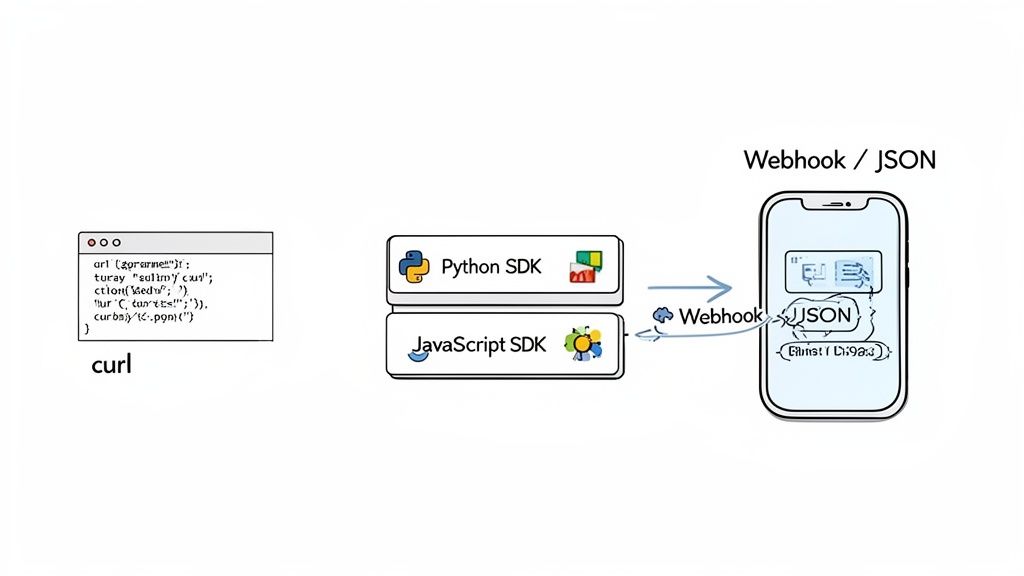
This diagram shows how different methods, like SDKs and direct API calls, act as the bridge connecting the data source to your final application, making it all work together seamlessly.
Making Direct REST API Calls
The most fundamental way to talk to any data extraction API is through its REST API endpoints. This approach is completely universal, meaning you can use it with any programming language or tool that can make a standard HTTP request. If you're just running a quick test or writing a simple script, tools like cURL or Postman are perfect for this.
A typical request involves sending a POST request to the API's main endpoint along with a JSON payload. This payload tells the API what you need—the URL to scrape, plus any extra parameters like geo-targeting or session settings.
Here’s a simple cURL example to see it in action:
curl -X POST 'https://publisher.scrappey.com/api/v1?key=YOUR_API_KEY' -H 'Content-Type: application/json' -d '{ "cmd": "request.get", "url": "https://example.com/products/123" }'
Once the API gets the request, it does its job and sends back a structured JSON response. Inside, you’ll find the scraped data, status codes, and other helpful metadata. This direct method gives you total control over every single part of the request.
Using Client Libraries and SDKs
While direct API calls offer maximum flexibility, they also mean you have to handle authentication, request formatting, and error logic all by yourself. To make life easier, many API providers offer client libraries, also known as Software Development Kits (SDKs). Think of these as convenient wrappers that hide all the messy, low-level details of making HTTP requests.
Using an SDK just feels more natural inside your chosen programming language. Instead of manually building out JSON payloads, you simply call a function and pass in the parameters you need.
-
Simplified Code: SDKs drastically cut down on boilerplate code, making your application cleaner and much easier to read.
-
Built-in Best Practices: They often come with smart features baked in, like automatic retries and proper error handling.
-
Faster Development: You can get the API integrated into your project way faster without having to constantly reference the raw API docs for every little detail.
An SDK is like a specialized toolkit. You could build a house with general-purpose tools, but a kit with pre-cut pieces and clear instructions makes the job faster, easier, and way less prone to error. That's exactly what an SDK does for API integration.
For developers working in popular languages, these libraries are an absolute game-changer. You can find a whole range of official and community-built SDKs and wrappers for Scrappey to see just how much they can streamline integration in different environments.
Implementing Webhooks for Asynchronous Data
For big, long-running scraping jobs, sitting around and waiting for an API response to come back just isn't practical. This is where webhooks come in, offering a much more efficient, event-driven way to get your data. Instead of your application constantly bugging the API, "Is it done yet?" (a process called polling), you just tell the API where to send the data when the job is finished.
Here’s the breakdown of how it works:
-
You send an API request but include a special webhook_url in your payload. This URL is an endpoint on your own server that's ready to listen.
-
The data extraction API immediately confirms it got your request and then gets to work in the background.
-
As soon as the data is scraped and processed, the API sends a POST request with the complete JSON payload directly to your webhook URL.
This "push" model is way more efficient for your infrastructure. It gets rid of all that unnecessary polling, reduces your server load, and is perfect for building real-time data pipelines where you need to process information as it comes in. At the core of any solid data strategy are good financial data integration techniques, where APIs and patterns like webhooks are crucial for combining different data sources into powerful applications.
Navigating Data Extraction Ethics and Legality
Using a data extraction API is a powerful move, but it’s not the Wild West. It comes with some serious ethical and legal responsibilities that you just can't ignore. The line between smart data collection and outright misuse is drawn by a mix of laws, website rules, and good old-fashioned best practices. Getting this right is key to building data pipelines that last.
Blowing off these rules isn't just about getting your IP address blocked. You could face hefty legal troubles and do real damage to your company's reputation. Responsible data extraction is all about respecting your data sources and being upfront about what you're doing.
Public vs. Private Data
First things first, you need to understand the huge difference between public and private data. Publicly available data is the stuff anyone can see without logging in or needing special permission—think product prices on an e-commerce site or headlines on a news portal. Generally, this data is fair game.
On the other hand, private data is anything locked behind a login. We're talking user account details, private messages, or personal files. Trying to access this stuff without explicit permission is a major privacy violation and often flat-out illegal. A data extraction API should never be used to get information that isn't meant for public eyes.
Understanding Key Regulations
A few landmark data privacy laws have completely changed the game. Regulations like the General Data Protection Regulation (GDPR) in Europe and the California Consumer Privacy Act (CCPA) give people specific rights over their personal data. Even if you're only scraping public information, you have to be careful not to scoop up personally identifiable information (PII) without a solid reason.
A core ethical principle is to operate with the lowest possible impact. This means scraping at a considerate pace to avoid overloading a website's servers and always honoring the robots.txt file, which outlines a site's rules for automated bots.
Following these guidelines isn't just about staying compliant; it's about being a good digital citizen. The goal is to get the data you need without wrecking the service for everyone else. For a much deeper dive, our detailed legal guide to web scraping in 2025 has you covered.
Frequently Asked Questions
Getting into the world of web data can feel a bit overwhelming, especially when you're trying to pick the right tools. Let's clear up some of the most common questions people have about data extraction APIs.
Should I Build My Own Scraper or Just Use an API?
Building a scraper from scratch definitely gives you total control, and for some really niche, one-off tasks, it might seem tempting. But that path is loaded with hidden costs. You’re suddenly on the hook for managing proxies, handling rate limits and failed requests, dealing with bot detection systems, and rewriting your code every single time a website tweaks its design. It can easily turn into a full-time job.
On the other hand, using a data extraction API means you get to offload all that grunt work. You're paying for a service that already has the infrastructure and a team dedicated to keeping things running smoothly. This frees up your developers to focus on what actually matters: using the data. For most businesses, the API is a faster, more scalable, and ultimately cheaper way to get the job done.
How Do You Get Data from JavaScript-Heavy Websites?
Modern websites, especially those built as single-page applications (SPAs), lean heavily on JavaScript to pull in content after the initial page loads. A basic scraper that just grabs the first chunk of HTML is going to miss almost everything important.
A good data extraction API handles this by using headless browsers. These are real browsers, like Chrome, running on a server. They load a page and execute all the JavaScript, so the final, fully-rendered content is captured. All you have to do is flip a switch in your API call, and the service handles the rest.
Think of it this way: a basic scraper reads the recipe, but a headless browser actually bakes the cake. You get the final, complete product without having to do any of the complex work yourself.
Is It Actually Legal to Scrape Data from Any Website?
This is a big one, and the answer isn't a simple yes or no. The legality of web scraping really comes down to what you’re collecting and how you’re doing it. In general, scraping publicly available information is considered legal. But things get tricky if you start trying to access private data behind a login or scrape copyrighted material.
Ethical scraping is all about being a good internet citizen. Respect a site's robots.txt file, don't hammer their servers with requests, and never, ever collect personal data without consent. It's always a good idea to check a website's Terms of Service and talk to a lawyer if you have any doubts.
What's the Best Way to Keep API Costs Under Control?
Keeping an eye on your budget is a must, especially on bigger projects. Most API providers charge based on the number of successful requests you make. To get the most bang for your buck, here are a few tips:
-
Cache your results: Don't scrape the same page over and over. Store the data you’ve already pulled.
-
Pick the right tool for the job: If a simple HTML request will work, don't fire up a resource-heavy headless browser. Save it for when you really need it.
-
Watch your usage: Check your API dashboard regularly to see how many requests you're making and adjust your scraping frequency if needed.
Ready to stop wrestling with broken scrapers and start getting clean, reliable data? Scrappey handles the complex infrastructure, from rotating proxies to headless browsers, so you can focus on building great products. Start your free trial, make your first successful request in minutes, and start collecting the data you're authorized to access at https://scrappey.com.