
Web Scraping for Lead Generation a Modern Playbook
Web scraping for lead generation is just a techy way of saying you're using smart software to pull public contact and business info from websites. It lets you build super-targeted prospect lists, fast, from places like industry directories and company websites.
Think of it as the modern answer to manual prospecting. It’s designed to slash what you spend on acquiring leads and keep a steady flow of high-quality opportunities coming your way.
One note up front: this playbook is about lawful B2B lead generation from public business data on sites you are authorized to access. Personal data is subject to privacy laws like GDPR and CCPA as well as individual site terms of service, so confirm you have a lawful basis to collect and process any contact information before you build a pipeline around it.
Building a Modern Automated Lead Generation Engine
Forget about the soul-crushing grind of manual prospecting. The old way of building lead lists—copying and pasting info from websites for hours on end—is painfully slow, riddled with errors, and impossible to scale.
Smart businesses are ditching that approach for an automated one. Using web scraping, they're building powerful, self-sustaining lead generation engines. This isn't just about grabbing a bunch of emails. It’s about creating a systematic workflow to find, pull, and organize valuable business intelligence.
The whole idea is to move from random data gathering to an actionable pipeline. It starts with identifying the right sources—niche industry directories and public company websites are gold mines. Once you know where to look, you can unleash automated tools to collect specific data points like names, job titles, company info, and contact details without any manual effort.
This is the basic flow: find your targets, scrape the data, and plug it right into your sales workflow.
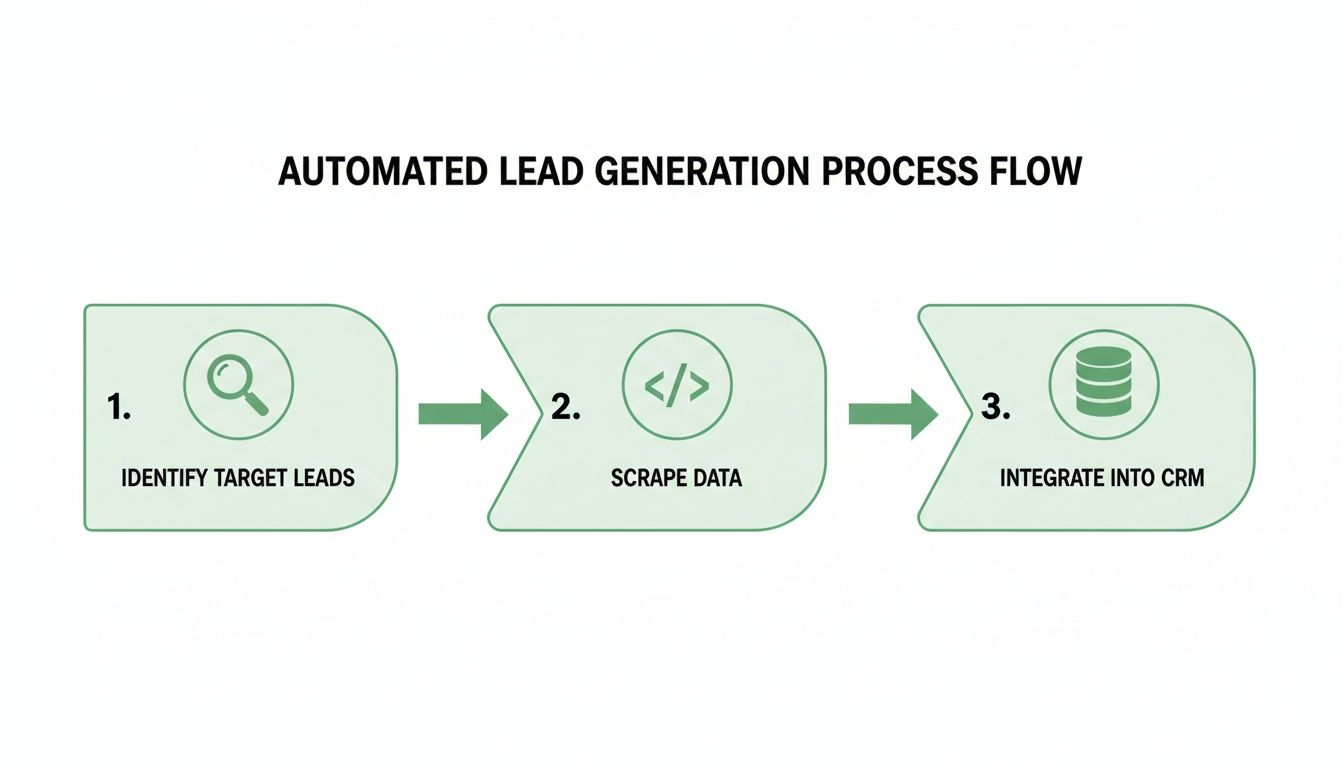
It’s a simple concept, but it completely replaces tedious manual work. You get a straight, efficient path from raw web data to leads your sales team can actually use.
The Strategic Value of an Automated Engine
An automated engine does a lot more than just save you time. It hands you a strategic advantage by feeding a consistent, predictable stream of high-quality prospects directly into your sales pipeline. This consistency lets your sales team do what they do best: build relationships and close deals, not hunt for contact info.
Here are a few of the biggest wins:
-
Drastically Reduced Lead Acquisition Costs: Automation wipes out the massive labor costs tied to manual prospecting.
-
Highly Targeted and Relevant Leads: You can zero in on specific industries, job titles, or locations, making sure every lead actually fits.
-
Real-Time Data Accuracy: Scraped data is fresh off the web, unlike those stale, purchased lists that are often months out of date.
-
Scalability on Demand: Need to break into a new market or target a different vertical? Just tweak your scraping parameters and scale up instantly.
The Growing Market for Web Scraping
The market numbers back this up. The global web scraping market has hit a staggering $1.03 billion valuation, and it's projected to double by 2030. What's driving that growth? A huge part of it is lead generation.
Businesses are catching on, using scraping to pull large volumes of public business data from industry directories and company websites they are authorized to access. They're turning messy web information into clean, actionable sales pipelines.
Key Takeaway: An automated lead generation engine isn't just another tool; it’s a fundamental change in how you approach prospecting. It puts efficiency, data quality, and scalability first, giving you a serious competitive edge.
Of course, web scraping is just one piece of the puzzle. It’s always smart to explore other proven lead generation strategies to build a well-rounded sales funnel.
And as you get more serious, you'll find that a resilient scraping operation requires some sophisticated infrastructure. Before we dive into the nitty-gritty, check out our guide on the best proxy services for 2025 to see how you can avoid the common rate-limit and IP issues that trip people up.
Choosing Your Scraping Toolkit and Infrastructure
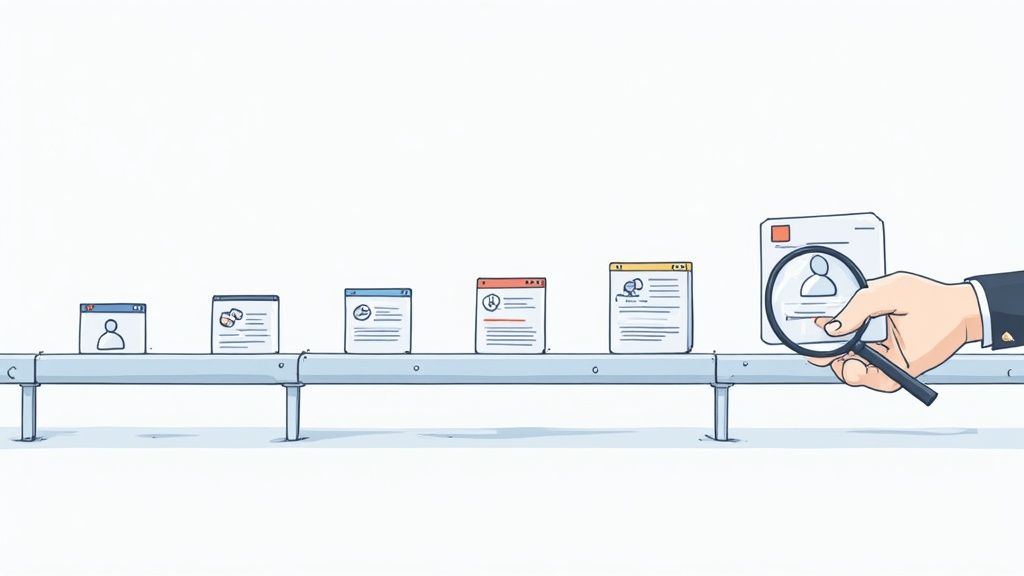
Alright, you've pinpointed your ideal lead sources. Now for the fun part: picking the right tools to actually go out and get that data. This is a big decision, one that sets the foundation for your entire web scraping for lead generation pipeline. The route you take will hinge on your team's technical chops, your budget, and just how tricky the target websites are.
You’ve got two main paths. You can either build a custom scraper from the ground up using open-source libraries, or you can plug into a managed web scraping API. Each has its own trade-offs when it comes to control, cost, and the sheer amount of maintenance you'll have to deal with.
The DIY Scraping Route
For developers who are comfortable getting their hands dirty with code, building a scraper from scratch offers the ultimate in flexibility. This approach puts you in the driver's seat, giving you total control over every tiny detail of the data extraction process.
The usual suspects here are Python libraries like BeautifulSoup and Scrapy. BeautifulSoup is a fantastic tool for parsing HTML and works great for simpler, static websites. When you need more firepower for bigger projects, Scrapy is a full-blown framework built for creating scalable, asynchronous web crawlers.
But here’s the catch: this path comes with a lot of responsibility. You’re on the hook for managing all the infrastructure—servers, IP rotation, and browser rendering. That means when you get blocked, hit a CAPTCHA, or a website changes its layout, it's on you to fix it.
Managed Scraping APIs and No-Code Tools
If you’d rather spend your time analyzing lead data than wrestling with infrastructure, a managed web scraping API is a much more direct route. Services like Scrappey handle all the messy backend stuff for you. This includes managing proxy networks, rendering JavaScript-heavy pages, and automatically retrying failed requests so you don’t have to.
You just send an API request with the URL you want to scrape, and the service hands back clean, structured data. This approach slashes development time and gets rid of the ongoing maintenance headache, making it a smart choice for teams that need to move quickly.
Key Insight: The decision isn't just about code vs. no-code. It's about where you want to invest your time—in building and maintaining scraping infrastructure, or in analyzing the lead data you collect. For most businesses, a managed API provides a faster path to ROI.
No-code tools offer an even simpler entry point, letting non-developers build scrapers with a visual, point-and-click interface. While they're easy to get started with, they can lack flexibility and often struggle with highly complex or heavily protected websites.
To help you decide, let's break down the most common technology stacks.
Comparing Web Scraping Technology Stacks
Choosing the right technology stack is a critical first step. The table below compares popular tools and frameworks to help you find the best fit based on your project's complexity and your team's skillset.
| Technology | Best For | Key Features | Handles JavaScript? | Requires Proxies? |
|---|---|---|---|---|
| BeautifulSoup + Requests | Beginners, static sites | Simple HTML/XML parsing | No (natively) | Yes (manual setup) |
| Scrapy | Scalable projects, complex sites | Asynchronous, middleware support | No (integrates with others) | Yes (manual setup) |
| Puppeteer/Playwright | Dynamic sites, automation | Headless browser control | Yes (natively) | Yes (manual setup) |
| Managed API (e.g., Scrappey) | All levels, speed to market | Proxies, JS rendering, auto-retries | Yes (built-in) | No (built-in) |
Ultimately, a DIY approach offers maximum control but requires significant expertise. For most businesses focused on getting lead data quickly, a managed API is the more pragmatic and scalable solution.
Essential Infrastructure Components
No matter which path you take, two pieces of infrastructure are absolutely non-negotiable for any serious lead gen scraping project: rotating proxies and headless browsers. Modern websites are built to spot and shut down automated traffic, and these tools are your first line of defense.
Rotating Proxies are your ticket to distributing request volume across many IPs and staying within rate limits. Sending thousands of requests from a single IP address quickly hits rate limits. A rotating proxy service distributes your origin by funneling your requests through a large pool of different IP addresses, smoothing out your request volume.
-
Residential Proxies: These are the gold standard. They're IPs from real consumer devices, giving your traffic a high-reputation origin. They are the most effective but also the priciest.
-
Datacenter Proxies: These are cheaper and faster, but they're also easier for sophisticated bot detection systems to detect since they come from known commercial servers.
Headless Browsers are the secret to scraping modern, dynamic websites. So many sites today use JavaScript to load their content, meaning the data you want isn't even in the initial HTML. A headless browser, like a behind-the-scenes version of Chrome or Firefox, can be controlled by tools like Puppeteer or Playwright to render these pages just like a real person would.
This lets your scraper interact with dynamic elements, click buttons, and wait for content to appear before grabbing it. For a deeper technical comparison, check out this Puppeteer and Playwright comparison guide. Of course, a managed service like Scrappey handles all this browser automation for you, making the whole process much simpler.
By pairing the right scraping tool with a solid infrastructure, you’ll build a resilient system that reliably handles verification and consistently delivers the high-quality lead data your business needs to grow.
Mastering Data Extraction and Handling
Once your infrastructure is humming along, it's time to get into the heart of the operation: pulling the exact data you need reliably and without overloading the target site. This is where precision and careful configuration come together.
Your success hinges on two things: navigating a site’s structure like a pro and keeping your request behavior predictable and respectful so your workflow stays reliable. First up, you have to tell your scraper exactly what to look for, whether that's a name, job title, email, or company details. This is all about pinpointing the unique digital "address" for each piece of data hiding in the website's HTML.
Pinpointing Data with Precision Selectors
Think of a website's code as a building's blueprint. To find a specific room (your data), you need the right address. In web scraping, we call these addresses "selectors." The two most common workhorses are CSS selectors and XPath.
CSS selectors are usually my first choice. They're readable, fast, and pretty intuitive if you have any familiarity with web development. A simple selector like div.contact-info p.email can cleanly grab an email address nested inside specific containers. It gets the job done quickly for straightforward layouts.
XPath, on the other hand, is the heavy-duty tool you pull out for trickier jobs. It’s incredibly powerful, letting you navigate the entire code structure—up, down, and sideways. This is a lifesaver when the data you need isn't cleanly labeled or is buried in a messy part of the page. An XPath expression can do things like, "find the phone number that comes right after the 'Contact Us' heading," which is something CSS just can't handle.
Pro Tip: Start with CSS selectors. They’re fast and easy. If you hit a wall because the HTML is a tangled mess, switch over to XPath for its advanced navigation. It’ll save you a ton of headaches.
Handling Dynamic Content and Modern Web Tech
Here's a curveball: many modern sites don't load all their content at once. They use JavaScript to pull in data as you scroll or click. If your scraper just grabs the initial HTML, you'll miss out on a goldmine of lead info. This is where a headless browser becomes absolutely essential.
By rendering the page in a headless browser, your scraper runs all the JavaScript, just like a real user's browser would. This makes sure all the content, especially those dynamically loaded leads, is present and accounted for before you start extracting.
For really tough nuts to crack like Single Page Applications (SPAs) or infinite-scroll pages, you might need to explore more specialized techniques. This article on Capturing Dynamic Web Content from SPAs and Infinite-Scroll Pages offers some great insights. While its main focus is on screenshots, the core principles of rendering dynamic content are directly applicable to data extraction.
Reliable Request Behavior: Session Handling
Websites have gotten pretty smart about spotting and rate-limiting automated traffic. Simply hammering a site with rapid-fire requests from a single IP is the fastest way to get your workflow throttled or blocked.
Instead, you need to keep your scraper's behavior consistent, predictable, and respectful of the target site. This isn't a single trick but a layered strategy.
-
Rotate Your IP Address: Using a pool of high-quality rotating proxies distributes your activity across many addresses, which keeps you within reasonable rate limits and improves reliability for authorized workflows.
-
Set a Consistent User-Agent: A User-Agent is a small string that tells the server what browser you're using. Use realistic, current values that match the rest of your request configuration so the server receives a coherent, predictable client profile.
-
Implement Realistic Delays: Build random delays between your requests—anything from a few seconds to more—to keep a natural browsing pace. This "polite" scraping reduces the load on their server, which is just good etiquette.
-
Manage Sessions and Cookies: Websites use cookies to track user sessions. A well-built scraper needs to accept, store, and send cookies back with subsequent requests to maintain a consistent session.
These techniques are the bedrock of any reliable scraping operation. If you want to get into the really advanced stuff, the Scrappey documentation offers a deep dive into methods to handle bot detection systems.
Mastering these strategies is what separates a fragile, easily-throttled scraper from a robust data engine that fuels your pipeline day in and day out.
Turning Raw Data Into Actionable Sales Intelligence

Pulling data from a website is really just the beginning. Right now, you've got a digital pile of raw material—a messy collection of names, partial phone numbers, and company snippets. This stuff has potential, but it's not yet powerful.
The real magic happens next. This is where you transform that raw data into polished, actionable sales intelligence your team can use right away. We call this process data hygiene, and it’s what separates a frustrating list of dead ends from a high-value lead pipeline. Honestly, skipping this is one of the biggest mistakes I see people make.
From Messy Text to Clean Data
First things first: you have to bring some order to the chaos. Raw scraped data is notoriously inconsistent. You’ll find phone numbers in a dozen different formats, company names with and without legal suffixes like "LLC," and job titles that are all over the map. Data cleaning and standardization are how you fix this.
This isn't just busywork; it's a critical foundation. The process usually involves a few key moves:
-
Parsing Unstructured Text: This is all about breaking down chunks of text to isolate what you need. Think about pulling a first name and last name out of a single "Full Name" field.
-
Standardizing Formats: You need to get everything looking the same. All phone numbers should follow a consistent pattern (like (555) 123-4567), and addresses should be standardized so they can be properly mapped.
-
Normalizing Company Names: This means tidying up company names by stripping out variations like "Inc.," "Corp.," or "Ltd." This step is crucial for accurately grouping leads by their employer.
Getting this initial cleanup right makes your data uniform and reliable, setting you up for the more advanced steps.
Eliminating Duplicates for a Cleaner Pipeline
When you're scraping from multiple sources, you're going to end up with duplicates. It’s unavoidable. But sending the same prospect multiple emails from different reps isn't just embarrassing—it actively hurts your brand's reputation and wastes your sales team's time.
This is where deduplication comes in. By using a unique identifier—usually an email address or a combination of name and company—you can merge duplicate records into a single, clean profile. This ensures every prospect has one source of truth in your system, preventing those awkward double-contacts and keeping your CRM from becoming a mess.
A clean, deduplicated database is the foundation of any effective sales workflow. It ensures your team operates with maximum efficiency and maintains a professional image during outreach.
The Power of Data Enrichment
With your data clean and unique, it's time for the real value-add: data enrichment. This is the process of taking your initial scraped data and beefing it up with info from other sources. A simple name and email is a good start, but an enriched profile is a strategic weapon.
Think about it. You might start with a name, title, and company. Through enrichment, you can layer on crucial context that fuels truly personalized outreach:
-
Firmographic Data: Add details like company size, industry, annual revenue, and the technology they use.
-
Professional Context: Use publicly available, authorized sources to add context about a contact's professional role and background, within the limits of applicable privacy laws.
-
Contact Information: Cross-reference other authorized databases to find a direct-dial phone number or a secondary email address, where you have a lawful basis to do so.
Let’s say you scraped a list of attendees from a tech conference website. By enriching that list, you could identify which attendees work for companies that use a specific software your product integrates with. Suddenly, a generic list becomes a hyper-targeted segment for a campaign that speaks directly to their needs.
This level of detail allows your sales team to ditch the generic templates and craft messages that actually resonate. It’s the difference between a cold email that gets instantly deleted and a thoughtful message that starts a real conversation—which is the entire point of using web scraping for lead generation.
Getting Your Scraped Leads into the Sales Workflow
You've done the hard part—you’ve collected a ton of high-quality data. That’s a huge win, but data alone doesn’t close deals. The real magic happens when you bridge the gap between that dataset and your sales team.
Think about it: a CSV file gathering dust in a folder is a missed opportunity. But a lead that instantly syncs into your CRM? That’s an asset your team can act on immediately.
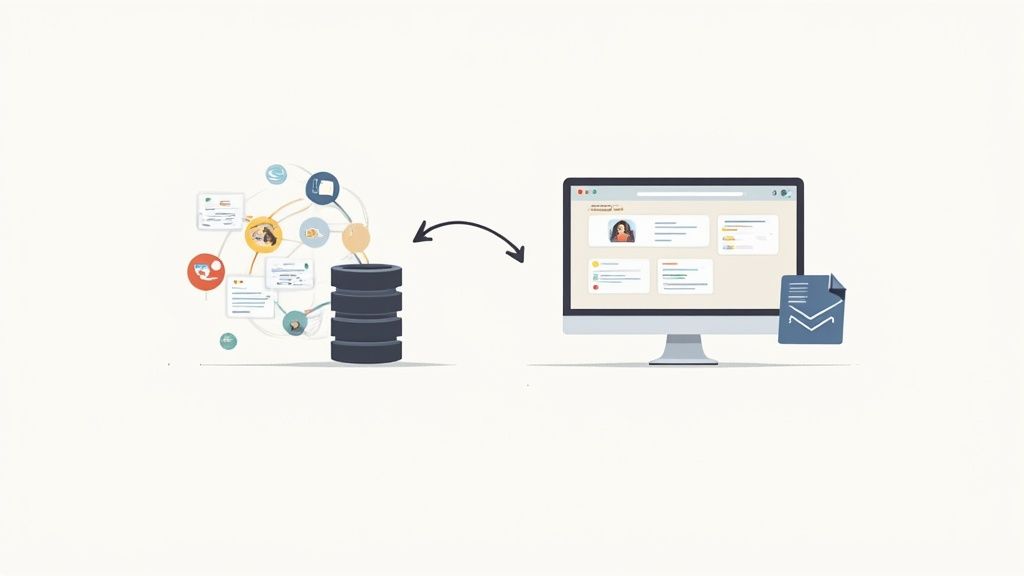
The goal is to build a pipeline so smooth it feels invisible, feeding your sales reps fresh leads without anyone lifting a finger. When a new prospect moves from your scraper to your CRM in seconds, your team can engage while the lead is still hot. That kind of speed is a serious competitive advantage.
How to Pipe Data into Your CRM
There are a few ways to get your data into a CRM like HubSpot or Salesforce, from dead-simple uploads to real-time, hands-off connections. The right choice really boils down to your lead volume, your team's tech skills, and how fast you need to pounce on new opportunities.
-
Manual CSV Uploads: This is as straightforward as it gets. You just export your clean, enriched data into a CSV and use your CRM's built-in import tool. It’s perfect for smaller batches or if you're just testing the waters, but it won’t scale as a long-term strategy.
-
Third-Party Automation Tools: Platforms like Zapier or Make are fantastic middlemen. You can set them up to watch for new rows in a Google Sheet or new files in a cloud drive, then automatically create or update contacts in your CRM. Best part? No coding needed.
-
Direct API Integration: For a truly automated, set-it-and-forget-it workflow, connecting directly to your CRM's API is the way to go. This lets your scraping system push new leads into the sales process the moment they’re found, creating an engine that just runs itself.
Building a Real-Time Lead Engine with APIs
A direct API integration is where you unlock some serious power. By writing a script that formats your scraped data and pings your CRM's API endpoint, you create a system that works around the clock. The second your scraper sniffs out a new, qualified lead, it can be sitting in a sales rep's queue.
This instant handoff is a game-changer. It means you can enroll leads into automated outreach sequences right away.
For instance, say you scrape a new lead for a CMO in the fintech space. That discovery could automatically trigger a whole cascade of events:
-
An introductory email zips out from the assigned sales rep.
-
The lead is added to a nurture segment for relevant content.
-
A task pops up for the rep to make a follow-up call in two days.
This kind of automation ensures no lead ever falls through the cracks and every single prospect gets timely, consistent follow-up. It turns your scraping operation from a simple data collection project into a machine that actively generates revenue.
Key Takeaway: The ultimate aim is a "scraper-to-sales" pipeline that requires zero manual touchpoints. A direct API integration is the most bulletproof way to get there, enabling real-time lead delivery and immediate engagement.
Proving the ROI of Your Scraping Efforts
Plugging scraped leads directly into your CRM does more than just make things efficient; it gives you a crystal-clear view of the entire lead lifecycle. You can track a prospect from the moment you found them on a website all the way to the moment they become a paying customer. That end-to-end visibility is exactly what you need to prove the ROI of your web scraping.
By tagging every scraped lead with a unique source, you can build dashboards that show exactly how many meetings, opportunities, and closed deals came from your scraping efforts. This hard data makes it easy to show the value of your automated engine and justify putting more resources behind it. The demand for this kind of intelligence has exploded, with companies increasingly collecting public business data from industry directories and company websites they are authorized to access. In fact, data requests for lead generation have nearly doubled year-over-year, making it a top use case right alongside SEO and market research. You can dig into more of these industry trends in this 2025 report.
Common Questions About Web Scraping for Leads
If you're diving into web scraping for leads, you're bound to run into a few recurring questions. Let's tackle them head-on so you can build an effective and responsible pipeline from the get-go.
One of the biggest concerns is always about legality and ethics. Is this stuff even allowed? Generally, collecting publicly available data you are authorized to access is lawful in many jurisdictions, but the details matter. The key is to be respectful: check a site’s terms of service and robots.txt file first. Stick to public business data and be especially careful with personal information covered by privacy laws like GDPR and CCPA, which require a lawful basis for collection and processing. A good rule of thumb is to scrape at a reasonable pace so you don’t overload their servers.
Another common headache is hitting bot detection measures. When it happens—and it will—you need a solid game plan.
-
Use High-Quality Rotating Proxies: Proxies distribute your requests across many IP addresses, keeping your traffic within reasonable rate limits.
-
Leverage Headless Browsers: These tools render JavaScript so dynamically loaded content is available, which improves reliability on modern sites.
-
Practice "Polite" Scraping: Be a good guest. Add random delays between requests and try to run your scrapers during the target site’s off-peak hours to minimize server strain.
Finally, a lot of people ask what to do with the data once they have it.
Data Storage and Platform Choice
The best format for your data really depends on what you plan to do with it. If you're doing a quick analysis or sharing it with team members who aren't developers, CSV is fantastic. It's simple and opens right up in any spreadsheet software.
But for any kind of automated workflow, JSON is almost always the better choice. Its structured format is a breeze to parse and map directly into a CRM or database, which is exactly what you need for a smooth, automated pipeline.
What about collecting data from large consumer platforms that require an account? It’s a common question, and the short answer is to be cautious. Accessing data behind a login, or in ways that conflict with a platform's terms of service, can create account and legal exposure. It's much safer to stick to public business directories and company websites you are authorized to access, and to confirm your collection of any personal data has a lawful basis under GDPR and CCPA.
Ready to build a powerful, automated lead generation engine without the technical headaches? Scrappey handles all the complex infrastructure—from rotating proxies to session handling—so you can focus on getting high-quality lead data. Start building your pipeline today at https://scrappey.com.