
Proxy IP Rotation: A Guide to Scalable, Reliable Web Scraping
Trying to use a single, static IP for any serious web scraping project quickly runs into rate limits. Modern websites apply rate limits and traffic-management systems that throttle repetitive requests coming from the same place. To collect the data you are authorized to access reliably, you need well-distributed traffic, and that means rotating your IP address.
A quick note on authorized use: the practices below assume you are scraping public data you have permission to collect, in line with each site's terms of service and applicable law.
Why IP Rotation Is a Must-Have for Modern Web Scraping
Let's walk through a common scenario: you've built an e-commerce price tracker. It works great at first, pulling down a few hundred product pages. But then, it stops. Dead in its tracks. Your single IP address crossed the site's rate limit, and now your data stream is throttled to nothing. The tool is useless.
This isn't a rare problem. It happens all the time across different industries:
-
SEO Tools: Scraping search engine results pages (SERPs) from one IP quickly runs into rate limits and verification challenges, which throws off your data and makes it unreliable.
-
Market Research: Gathering public market data at any meaningful volume from a static IP will hit per-IP rate limits almost immediately, leaving you with an incomplete dataset.
-
Lead Generation: Your efforts to pull public data for lead enrichment stall out, limiting the effectiveness of your campaigns before they even get started.
From Battling Infrastructure to Focusing on Data
A static IP concentrates all of your traffic on a single address, which is easy for rate-limiting systems to flag. When you proxy rotate ip addresses, you distribute that load. By cycling through different IPs for each request (or for small batches of them), your traffic is spread across many sources instead of hammering a site from one point. You can check out our guide on the best proxy services for 2025 to see the different types of proxy pools available.
This dynamic approach is everything when it comes to reliability and scale. It lets you stop worrying about constantly running into rate limits and allows you to focus on what actually matters—getting clean, valuable data. The demand for this capability isn't just growing; it's exploding.
The market for rotating proxy services is on a trajectory to hit an incredible $16,337.5 million by 2030. That’s a compound annual growth rate of 24.6%, a clear sign of just how essential IP rotation has become for businesses everywhere.
To put it in perspective, residential rotating proxies were already valued at $2,014.9 million back in 2022. They're dominating the market because their IPs come from real homes, so they carry the reputation of ordinary consumer connections. This massive growth signals a clear shift: companies are all-in on rotating proxies to keep their authorized data pipelines flowing without a hitch.
Static IP vs Rotating IP for Web Scraping
To really understand the difference, let's break down how these two approaches stack up against each other for any serious data extraction work.
| Feature | Static IP | Rotating IP |
|---|---|---|
| Rate-Limit Risk | High. A single IP is easily rate-limited. | Low. Requests are spread across many sources, reducing per-IP load. |
| Scalability | Poor. Limited by rate limits and the high probability of being throttled. | Excellent. Can handle large request volumes without overloading a single address. |
| Reliability | Low. Prone to frequent interruptions and throttling, leading to incomplete data. | High. Ensures a continuous, stable data stream by cycling through a pool of healthy IPs. |
| Traffic Distribution | None. All activity is tied to one address. | High. Load is balanced across the pool, keeping per-IP request rates modest. |
| Use Case | Limited to very small, low-frequency tasks or accessing internal resources. | Essential for e-commerce, market research, SEO, and large-scale data gathering. |
The takeaway is simple: while a static IP might seem okay for a tiny, one-off task, it’s a non-starter for anything that requires scale, consistency, and reliability. For that, a rotating IP pool isn't just an option—it's the only way forward.
Designing Your IP Rotation Strategy
Crafting a smart IP rotation strategy is less about brute force and more about surgical precision. Just randomly cycling through IPs isn’t going to cut it. The real key is to make your rotation behavior match the task at hand, which starts with understanding your proxy pool and how to manage it.
Your proxy pool is the foundation—think of it as your inventory of available connections. The type of proxy you choose directly impacts your success rate, cost, and speed. You've basically got three main flavors.
-
Datacenter Proxies: These are the fast and cheap workhorses, coming straight from cloud servers. They’re a good fit for sites with light traffic controls, though their IP ranges are well known and more likely to be rate-limited.
-
Residential Proxies: Sourced from real home internet connections, these IPs offer a fantastic balance of consistency and performance, though you'll pay a bit more for them.
-
Mobile Proxies: The top-tier option for reliability on demanding workflows (and also the priciest). These IPs come from cellular networks, making them well suited to mobile-first sites that apply strict rate limits.
When you don't rotate correctly, you hit a wall—fast. This diagram shows exactly how that happens.
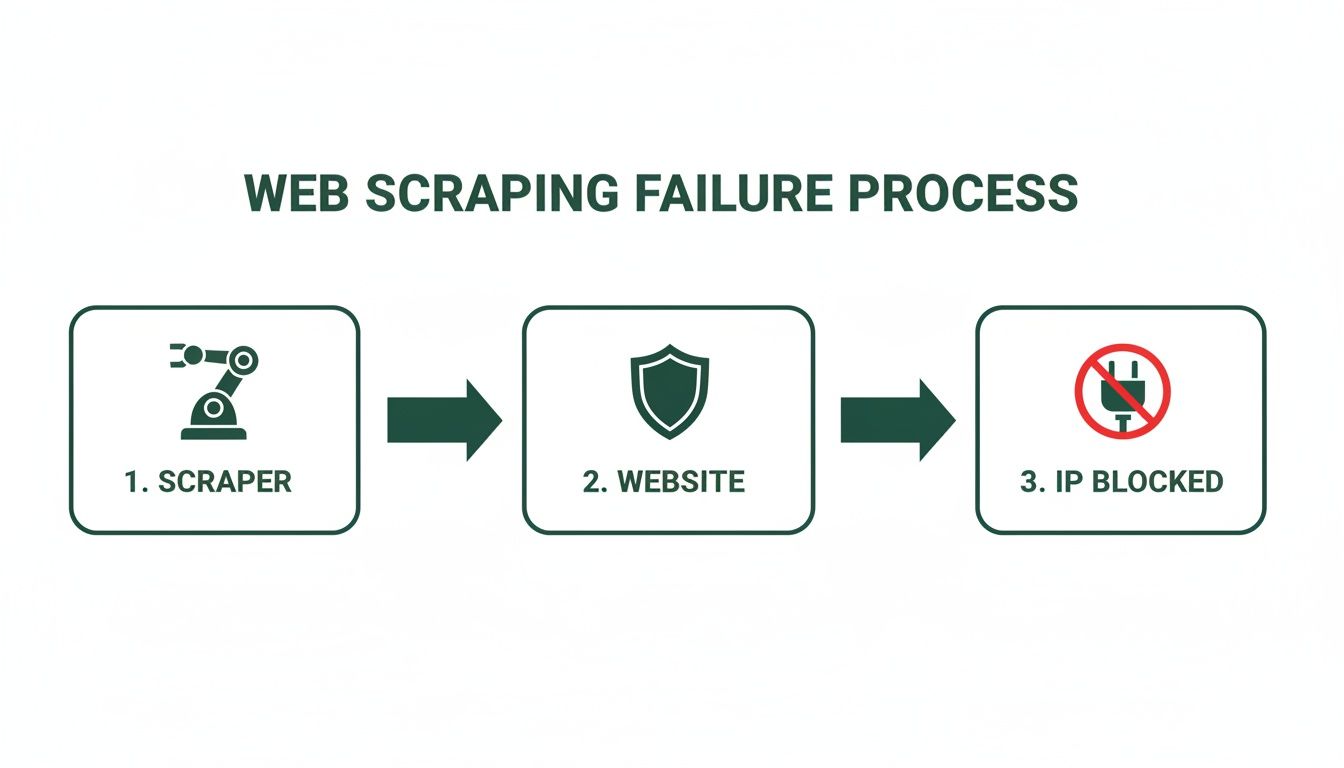
Without a rotation plan, a single IP sending a high volume of requests quickly crosses the site's per-IP rate limit, and your throughput grinds to a halt.
Session Management Strategies
Once your proxy pool is ready, the next big question is how to rotate. This really boils down to your scraping workflow. Are you firing off thousands of independent requests, or do you need a single consistent session to complete a multi-step journey?
A common mistake is rotating IPs on every single request while trying to complete a multi-step process like an e-commerce checkout. Switching IPs mid-flow makes the requests inconsistent, breaks the session state the site expects, and usually causes the workflow to fail. Keep one IP for the duration of the session instead.
For something like scraping search engine results—high-frequency, single-page data grabs—you'll want high-rotation proxies. With this approach, you use a brand-new IP for every single request. This spreads your footprint across a huge IP range and keeps the request rate on any one address low.
On the flip side, tasks that need a consistent user session, like logging into an account or completing a purchase, call for sticky sessions. This method assigns a single proxy IP to your scraper for a set amount of time (say, 10 minutes), letting you finish the whole process over one consistent connection.
Building In-House vs. Using a Managed Service
Ambitious data engineers might be tempted to build an in-house rotation system. It sounds good in theory: buy proxies from different vendors, code up some health checks to weed out dead IPs, and build your own failover logic. While you get total control, it's a massive engineering headache filled with hidden costs and endless maintenance.
The sheer scale of the proxy market highlights this challenge. For example, residential proxies alone now command a 44% market share, with over 5.5 million IPs active and 1.2 billion daily rotations. You can find more details about the expansive proxy server service market and its projected growth, which is being fueled by the massive data needs of AI.
This is exactly why managed services are often the smarter play. A platform like Scrappey handles all the heavy lifting—procurement, health checks, and complex rotation logic—so you can focus on what actually matters: getting the data, not wrestling with infrastructure.
How to Implement IP Rotation with a REST API
Theory is one thing, but putting it into practice is where you see the real results. You can skip the engineering overhead of building your own proxy rotator from scratch by using a simple REST API. This hands off all the heavy lifting—like getting IPs, checking their health, and managing rotation logic—to a managed service. This frees you up to focus on what you're actually after: the data.
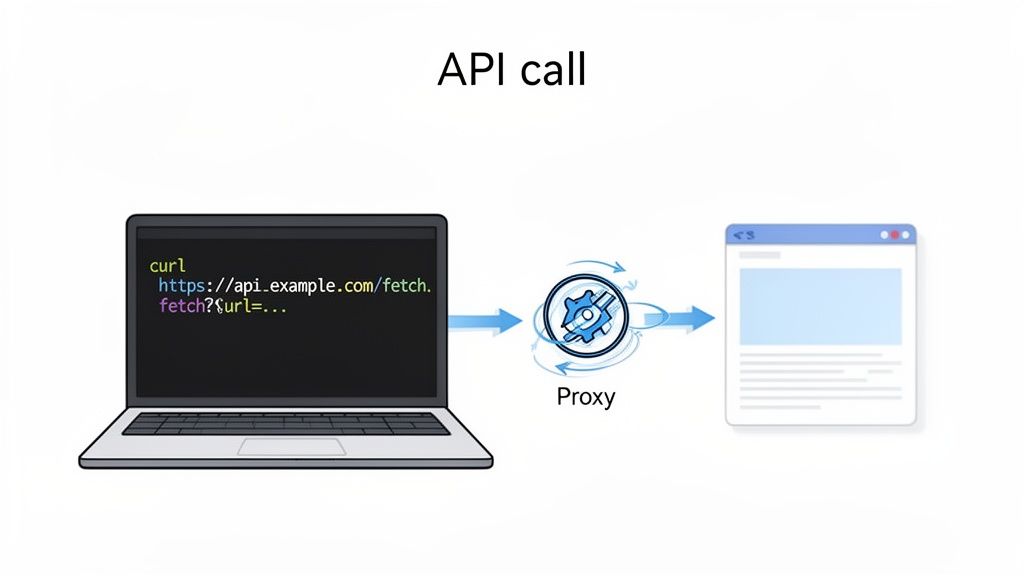
With a service like Scrappey, a task that would normally demand a dedicated team and a hefty infrastructure budget shrinks down to a single, clean API call. The idea is simple: you send your request to the API endpoint, tell it which URL you want to scrape, and the service handles everything else behind the scenes. It grabs a healthy proxy from its massive pool, sends your request through it, and shoots back the clean HTML content.
This approach literally turns the entire proxy rotation process into a single line of code.
Making the API Call
Let's walk through a real-world scenario. Say you need to scrape product info from an e-commerce site that’s heavy on JavaScript for loading prices and reviews. If you were doing this on your own, you'd need a headless browser plus a bulletproof proxy system. An API makes this unbelievably simple.
When you're designing the API for your own systems, picking the right architectural style is a big decision. Digging into a comparison like GraphQL vs REST can help you figure out what makes the most sense for your project's needs, especially when balancing flexibility and structure.
Here’s a Python example using the requests library. It makes a single call that takes care of both JavaScript rendering and IP rotation:
import requests import json
payload = { 'cmd': 'request.get', 'url': 'https://example.com/product/123' }
response = requests.post('https://publisher.scrappey.com/api/v1?key=YOUR_API_KEY', json=payload)
Print the HTML content of the target page
print(response.text) The request.get command fires up a real browser to fully render the page, making sure you capture all that dynamic content—no extra flags required. The API automatically grabs a fresh residential proxy for the request, no extra work required on your end.
If you're more of a command-line person, the equivalent cURL command is just as straightforward:
curl -X POST "https://publisher.scrappey.com/api/v1?key=YOUR_API_KEY" -H "Content-Type: application/json" -d '{"cmd": "request.get", "url": "https://example.com/product/123"}'
Pro Tip: The best part of this model is how easily it scales. Need to scrape 10,000 pages? Just loop the API call. The service automatically handles the proxy rotation logic, distributing each request across the pool and sharply reducing failed requests and HTTP 429 responses.
Adding Geo-Targeting and Sessions
Sometimes, basic rotation isn't enough. You might need to see a website as if you were in a specific country, or maybe you need to keep the same IP for a few minutes to complete a multi-step process. An API handles this with simple parameters, too.
This is a perfect illustration of how a well-designed, API-driven service can take powerful features and make them dead simple for developers to use.
The interface here shows how complex tasks like geo-targeting and session management get boiled down into clean, accessible options.
Here’s how you’d actually put these features to work:
-
Geo-Targeting: Need to scrape localized pricing or content? Just add a proxyCountry parameter to your call (for instance, 'proxyCountry': 'Germany'). The API will automatically route your request through a proxy located in that country.
-
Sticky Sessions: If you’re dealing with a workflow that takes multiple steps, like logging into an account, you need a consistent IP address. By creating a session, you can make several requests that all come from the same proxy. You can learn more about how to manage sessions with an API to keep a consistent connection when it counts.
This API-first approach transforms IP rotation from a huge infrastructure challenge into a simple, flexible tool that any developer can pick up and use right away.
Advanced Reliability Strategies
When you use proxies to rotate your IP, you're solving the most obvious problem: concentrating all of your traffic on a single address. But bot detection systems also look at more than just your IP. They check whether the details of each request are internally consistent and well-formed. To keep your authorized workflows reliable, you want every request to present a coherent, predictable browser configuration.
This goes beyond just cycling through IPs. It’s about keeping a consistent set of request attributes across all your traffic. This includes everything from the User-Agent string your browser sends to the screen resolution it reports. Think about it: if your rotating IP is in Germany, but your browser headers report a US locale, that mismatch can trigger a failed request.
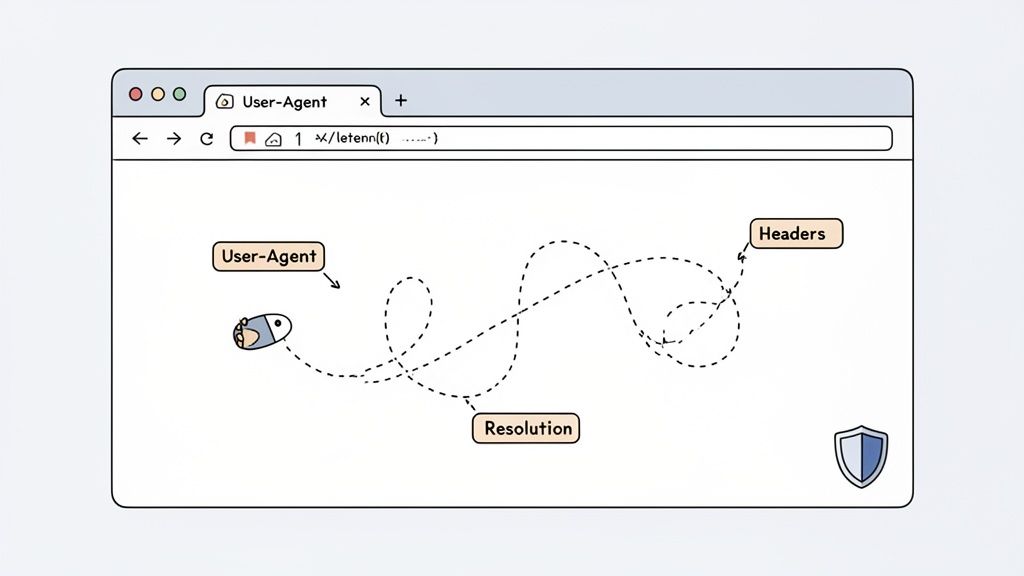
True consistency means making sure every piece of your browser configuration lines up. This is where managed services really shine, since they automatically harmonize these details for you, creating a coherent and consistent browser profile for each request.
Keeping Browser Configurations Consistent
Your browser fingerprint is a mix of configuration details that websites read on every request. To keep authorized workflows reliable, you have to manage these elements with care so they stay internally consistent.
Here are the key components of a browser fingerprint you need to watch:
-
User-Agent Strings: This header tells the server about your browser and OS. It's important that this matches the type of device the rest of your configuration describes. A request sending a desktop User-Agent from a mobile proxy IP is an obvious inconsistency.
-
HTTP Headers: Beyond the User-Agent, headers like Accept-Language, Accept-Encoding, and Connection build out your profile. Inconsistent or malformed header combinations often cause requests to fail.
-
Screen Resolution and Fonts: Modern verification systems can check for screen resolution and installed fonts using JavaScript. These details need to stay consistent within a single scraping session.
Trying to manage all this by hand is a lot of work. For a deeper look into handling these systems, you can learn more about Scrappey's approach to comprehensive session handling, which keeps all these configuration details consistent automatically.
Implement Intelligent Retry Logic
Even with a consistent configuration, requests can still fail. A server might be down for a moment, or a specific proxy IP might be temporarily rate-limited. How you deal with these failures is just as important as the first request you send. Aggressively hammering a failed request from the same IP is a sign of a poorly designed client and tends to make things worse.
A much smarter strategy is to use exponential backoff. This just means waiting for a progressively longer period between retries. For instance, if a request fails, you might wait two seconds before trying again. If it fails a second time, you wait four seconds, then eight, and so on.
This simple technique stops your scraper from pounding on a server that's already struggling or has put you in a temporary time-out. It signals that your script is "polite" and can adapt to server feedback, which is exactly how a well-behaved client should act.
Combining this with your IP rotation strategy is the real key. On a failed request, you shouldn't just back off—you should also rotate to a new IP before you try again. This spreads retries across the pool so you don't keep loading the same address that just returned an error.
Advanced Session Management
Finally, you need to think about the lifecycle of your session. Sometimes you need to keep the same configuration across multiple steps, but other times each request is fully independent.
For multi-page workflows, like browsing a category page and then clicking on a product, maintaining a sticky session is a must. This means using the same IP and browser configuration for the entire journey. Abruptly changing the IP mid-flow can break a logged-in state or get the session reset.
On the other hand, for high-volume, single-page scraping jobs, it's often best to start fresh after each request. This keeps the load on any one IP low and spreads your activity across the whole pool. Knowing when to hold onto a session versus when to start a new one is the final piece of the puzzle for reliable scraping at scale.
How to Monitor Performance and Scrape Responsibly
Getting your IP rotation system up and running is a huge step, but it’s really just the starting line. A truly bulletproof data extraction pipeline is one that runs smoothly, stays healthy over the long haul, and operates on the right side of ethical lines. This is where your focus needs to shift to continuous monitoring and responsible scraping.
If you skip this part, even the most sophisticated proxy rotate ip strategy is eventually going to hit a wall. Or worse, it could cause real problems for the sites you’re targeting.
Think of it like flying an airplane. You wouldn't just take off and hope for the best, right? You’d be glued to your instruments the whole way. The same exact principle applies here. Keeping a close eye on key performance indicators (KPIs) is absolutely non-negotiable for understanding how your scrapers are actually behaving out in the wild.
Key Performance Metrics to Track
To get a real, honest picture of your operation's health, you need to be logging and visualizing a few critical metrics. These numbers are your early warning system, telling you when your proxy pool is struggling or when you’re scraping just a bit too aggressively.
-
Success Rate: This is your north star metric. What percentage of your requests are actually coming back with the data you want (like a 200 OK status code)? A sudden drop here is the classic first sign of trouble, usually pointing to IPs that have hit a rate limit.
-
Average Response Time: How long are you waiting for a response? A sudden spike in response times can mean your proxies are slow, overloaded, or the target server is starting to throttle your requests.
-
Rate-Limit Percentage: You should specifically track the rate of status codes like 403 Forbidden or 429 Too Many Requests. This metric tells you how often your current request pattern is running up against a site's limits, so you can dial back volume before it becomes a problem.
Monitoring these metrics isn't just about spotting problems—it's about optimizing your entire scraping budget. By identifying underperforming proxy providers or overly aggressive request patterns early, you can make smart adjustments that save money and seriously improve your data quality.
A Checklist for Responsible Scraping
Beyond pure performance, scraping responsibly is what makes your operations sustainable and legally defensible. It all comes down to being a good digital citizen and showing respect for the resources you're accessing.
A solid commitment to ethical data collection protects your project from legal headaches and helps keep the web open for everyone. Here’s a practical checklist I always follow:
-
Always Respect robots.txt: Think of this file as the website owner’s stated preferences. While it's not technically legally binding, honoring it is a basic courtesy and helps keep your access to the site stable. Always check it and follow the Disallow directives.
-
Manage Your Request Rate: Don't fire hundreds of requests at a server all at once. Introduce reasonable delays between requests and keep your concurrency modest. This simple step avoids overwhelming the target's infrastructure, which matters for their real users and keeps you well within their rate limits.
-
Identify Your Scraper: This is a pro move. Use a custom User-Agent string that identifies your bot and ideally provides a way to contact you (like a URL or email). This bit of transparency can go a long way in helping website admins understand what you're doing and reach out if there’s an issue.
-
Understand Legal Frameworks: You absolutely have to be aware of data privacy laws like GDPR and CCPA, especially if you're touching any personally identifiable information (PII). Make sure your data collection practices are fully compliant, because the legal consequences for getting this wrong are no joke.
Your Top IP Rotation Questions Answered
Even with a solid plan in place, you're bound to run into questions when you start putting a proxy IP rotation system into action. Let's tackle some of the most common ones I hear from developers and data engineers trying to scale up their web scraping.
Think of this as your go-to cheat sheet for clearing up any confusion and getting you back on track.
Before we dive deep, here’s a quick rundown of the most frequent questions that pop up.
Quick Answers to Your IP Rotation Questions
| Question | Short Answer |
|---|---|
| How often should I rotate my IP address? | For single-page scraping, rotate on every request. For multi-step tasks (like logins), use a sticky session for several minutes. |
| What's the difference between datacenter and residential proxies? | Datacenter proxies are fast and cheap, with well-known IP ranges. Residential proxies come from real home internet connections and tend to have higher success rates against strict rate limits. |
| Why is IP rotation important for web scraping? | It distributes your requests across many IPs so no single address exceeds a site's rate limits, reducing failed requests and HTTP 429 responses. |
| What is a sticky session? | Keeping the same IP address for a set period (e.g., 5-10 minutes) to complete a multi-step workflow with a consistent connection. |
| Can I rotate IPs without a proxy service? | It's technically possible but extremely difficult and impractical to manage at scale. A proxy provider handles all the complexity for you. |
This table gives you the essentials, but let's explore a couple of these topics with a bit more detail. Getting this right is what separates a successful scraping project from a frustrating one.
How Often Should I Rotate My IP Address?
Honestly, there’s no magic number here. The best rotation schedule depends entirely on your target website and what you're trying to accomplish.
For high-volume, quick-hit tasks like scraping search engine results, rotating your IP on every single request is usually the way to go. This strategy spreads your activity across a large pool of IPs, keeping the per-IP request rate well under typical limits.
But, if you're dealing with a multi-step process like logging into an account or going through a checkout flow, you absolutely need a sticky session. This just means you hold onto the same IP address for a few minutes to keep the connection consistent. Swapping IPs in the middle of a login often resets the session and gets you logged out.
The golden rule is simple: match your rotation behavior to the demands of the specific task. Abrupt changes mid-workflow are what break a session.
What Is the Difference Between Datacenter and Residential Proxies?
The real difference boils down to where they come from, which directly impacts how trustworthy they appear to websites.
-
Datacenter Proxies: These IPs come from servers in a data center. They're fast, cheap, and work well for sites with light traffic controls. The downside? Their IP ranges are well-known and more likely to be rate-limited by sites with stricter controls.
-
Residential Proxies: These are genuine IP addresses assigned to homeowners by Internet Service Providers (ISPs). Because they originate from ordinary consumer connections, they tend to have higher success rates and are less likely to be rate-limited. They are the standard choice for sites with stricter traffic controls.
Yes, residential proxies cost more, but their much higher success rate often delivers a better return on your investment, especially for those really challenging scraping jobs. The choice is a classic trade-off: budget versus the demands of your target site.
Ready to collect the data you're authorized to access, reliably and at scale? Scrappey handles all the complexities of IP rotation, browser configuration, and request consistency with a single, simple API call. Get started with Scrappey today!