
How to Extract Data From Websites A Developer's Guide
Learning how to extract data from websites is a foundational skill, but it’s more than just fetching a webpage and parsing its HTML. It’s about pulling out specific, valuable information, whether that means grabbing static text from a simple page or navigating a complex system that renders JavaScript to get to dynamic content.
Why Data Extraction Is a Critical Developer Skill
Knowing how to pull data from websites isn't just some niche technical trick—it's a serious competitive advantage. In a market where every decision is driven by data, the ability to programmatically gather, structure, and analyze public web information gives developers a powerful role in shaping business strategy. It's the engine behind countless modern applications.
Think about the real-world scenarios where this skill is invaluable. An e-commerce business might build a tool to monitor competitor pricing in real-time, allowing them to adjust their own strategies on the fly. SEO professionals absolutely depend on data extraction to track search engine results pages (SERPs), analyze backlink profiles, and spot content gaps.
From Simple Scripts to Complex Challenges
The journey often starts with basic HTML parsing, where you might grab titles or product names from a static page. But the modern web is built on JavaScript, with content loading dynamically as you scroll or interact with the page. This is where things get tricky, as a simple HTTP request won't see the fully rendered content a user sees in their browser.
This guide is your playbook for overcoming these common roadblocks. We’ll walk through the practical solutions for challenges that every developer hits eventually:
-
Dynamic Content: Dealing with sites that rely heavily on JavaScript frameworks like React or Vue.
-
IP Blocks: Navigating rate limits and other access restrictions websites use to stop automated traffic.
-
CAPTCHAs: Responding to verification prompts the right way—by slowing down, easing concurrency, and pacing requests so challenges stay rare in the first place.
Mastering these skills allows you to build sophisticated tools for lead generation, market research, and content aggregation, turning you into an indispensable asset.
The ability to programmatically access and interpret web data is no longer optional for data-driven organizations. It’s the foundational skill for building intelligent systems that can react to market shifts instantly.
The demand for these skills is exploding. The global web scraping market, which is the core of extracting data from websites, was valued at USD 754.17 million and is projected to hit USD 2,870.33 million by 2034. This growth shows just how critical automated data collection has become for business intelligence. You can dig into these market trends in this detailed report.
Your Foundational Toolkit for Web Scraping
Before you can pull data from websites at scale, you have to get familiar with what you're working with. Every website is built on HTML, which lays out the structure and content you see in your browser. Your first, and arguably most important, tool isn't a fancy script—it's your browser's own developer tools.
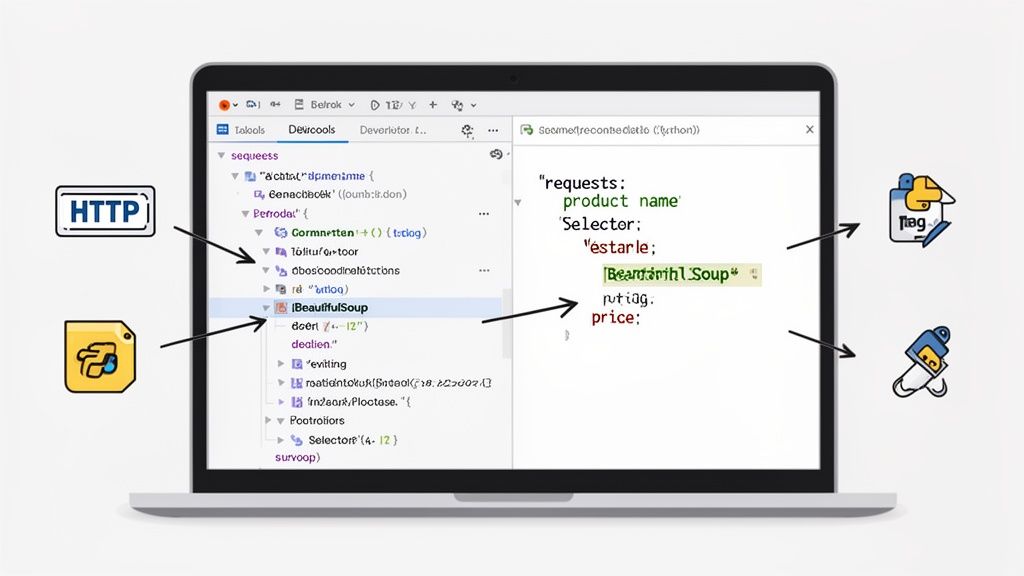
Just right-click any element on a webpage and hit "Inspect." This little trick opens a window showing the site's live Document Object Model (DOM), revealing the HTML tags, CSS classes, and IDs that organize everything. Peeking under the hood like this is how you start planning a scrape; it's like getting the blueprint of a building before you try to find a specific room.
You can instantly identify the exact "address" of the data you want, like a product price nested inside a <span> with a class of "product-price".
Making Your First Request With Python
Once you’ve mapped out the structure, the next move is to grab the page's HTML programmatically. This is where Python shines, thanks to its powerful and easy-to-use libraries. For this initial step, you'll lean on two workhorses: Requests and BeautifulSoup.
-
Requests: This library does the heavy lifting of sending an HTTP request to the website's server and fetching the raw HTML. It boils down what could be a messy networking task into just one line of code.
-
BeautifulSoup: This is where the magic happens. BeautifulSoup takes the raw, often chaotic, HTML from Requests and transforms it into a clean, searchable object. It makes hunting for specific elements a breeze.
This duo is a powerhouse for static sites—the kind where all the content loads in the initial HTML response. For a practical walkthrough with code you can actually run, our guide on how to web scrape with Python has you covered.
A Practical Example Targeting Specific Elements
Let's say you want to grab the title and price of a product from a simple e-commerce page. You inspect the page and find this HTML structure:
With BeautifulSoup in hand, you can zero in on this data using a few different selectors.
-
By Tag: You could grab all <h2> tags, but that's a wide net. You might pull in other headings from the page, making it too broad for precise extraction.
-
By ID: The id attribute is designed to be unique. Targeting #product-title is a rock-solid way to get the product name and nothing else. It’s your most reliable option.
-
By Class: A class can be used on multiple elements for styling. Selecting .price-tag is a great way to isolate the price, assuming that class is used consistently for that purpose.
Key Takeaway: Always start with the most specific selector you can find. IDs are the gold standard, followed by unique and descriptive class names. This simple rule dramatically reduces the chance of your scraper breaking when a site's layout gets a minor update.
When you put it all together, you can write a simple but powerful script. You use Requests to get the page content, then you let BeautifulSoup parse it to find the h2 with the ID product-title and the span with the class price-tag. This approach delivers a tangible result—your first piece of structured data—and builds the confidence you need to take on more complex scraping challenges. Mastering this basic workflow is the true starting line for any serious data project.
So, You Want to Scrape a Modern, JavaScript-Heavy Site?
Remember the good old days? You could just fire off a Requests call, pipe the HTML into BeautifulSoup, and call it a day. Those days are mostly over.
Try that same trick on a modern e-commerce site, a social media feed, or an interactive dashboard. What do you get back? Often, it’s a nearly empty shell—a page full of loading spinners but none of the actual content you see in your browser. This happens because the data isn't baked into the initial HTML document. Instead, it's pulled in and pieced together by JavaScript after the page first loads.
This is the biggest hurdle for anyone learning to scrape websites today. A simple HTTP request doesn't run JavaScript, so your scraper never sees the final, fully-rendered page that a user does. To get that juicy data, you need to think like a browser. That means executing all the JavaScript, letting it fetch data from its APIs, and letting it build the final HTML structure, known as the Document Object Model (DOM).
Headless Browsers to the Rescue
The secret weapon here is a headless browser. Picture a web browser like Chrome or Firefox, but without any of the visual parts—no windows, no buttons, no address bar. It runs silently in the background on your server, programmatically loading pages, running all the necessary JavaScript, and then handing you the fully-rendered HTML.
With a headless browser, your scraper finally sees the exact same content a human user would.
You've got two main ways to go about this:
-
The DIY Route: You can grab automation libraries like Selenium or Puppeteer and control a headless browser yourself. This gives you ultimate control to simulate clicks, scrolls, and typing into forms.
-
The Managed API Route: You can lean on a specialized web scraping API like Scrappey. These services take care of the entire headless browser circus for you—managing updates, rotating proxies, and handling bot detection, all hidden behind a simple API call.
Building your own solution gives you a ton of control, but it also saddles you with a mountain of maintenance. Suddenly, you're the one responsible for juggling browser versions, plugging memory leaks, and figuring out how to scale it all. It gets complicated, fast.
From my experience, while building a scraper with Puppeteer or Selenium is a fantastic learning exercise, it's rarely a practical choice for a real production system. The hours you'll burn debugging Chrome instances and managing proxy lists are almost always better spent analyzing the data you've collected.
Comparing Data Extraction Approaches for Dynamic Websites
Deciding whether to build it yourself or use a managed service really comes down to your project's scale, its complexity, and your team's sanity. Let's break down the trade-offs.
| Feature | DIY (Selenium/Puppeteer) | Managed API (Scrappey) |
|---|---|---|
| Initial Setup | Requires installing browsers, drivers, and libraries. | Simple API call with an endpoint and API key. |
| Maintenance | High; you manage browser updates and infrastructure. | Zero; the service handles all backend maintenance. |
| Reliability Handling | You have to manually implement proxies and user agents. | Often built-in with automatic proxy rotation, consistent browser configuration, and automatic retries that reduce failed requests on well-formed, authorized workflows. |
| Scalability | Complex; requires managing a whole fleet of browser instances. | High; designed for thousands of concurrent requests out of the box. |
| Cost | Seems cheaper at first, but engineering time and server costs add up. | Subscription-based, but often a lower total cost of ownership. |
For most use cases, the managed approach lets you focus on what actually matters: getting the data, not wrestling with the infrastructure.
Let's See It in Action with a Scraping API
Here's how ridiculously simple this becomes with an API. Using Scrappey, rendering a JavaScript-heavy page is just one request. No more writing complex automation scripts—you just point the API at the URL you want to render.
Here’s a quick Python example:
import requests import json
payload = { 'cmd': 'request.get', # request.get renders the page in a real browser by default 'url': 'https://example.com/dynamic-product-page' }
response = requests.post( 'https://publisher.scrappey.com/api/v1?key=YOUR_API_KEY', json=payload )
The response contains the fully rendered HTML
result = json.loads(response.text) rendered_html = result['solution']['response']
Now you can parse this clean, rendered HTML with BeautifulSoup
...
This completely abstracts away the messy parts. With request.get, the service spins up a browser by default, loads the page, waits for everything to finish, and sends back the final HTML. It's an incredibly powerful and efficient way to pull data from just about any modern site.
Still, it's worth remembering that you don't always need to bring out the heavy artillery. For simpler targets, why you probably don't need JavaScript with a scraper is an important read.
The shift towards these dynamic, interactive websites is a huge reason the web scraping industry is growing so fast. The web scraper software market, which was valued at USD 568.2 million, is projected to hit USD 1,628.6 million by 2031. A big driver for this is that 70% of firms are now chasing real-time data from these kinds of sites. You can dig into the numbers in this market research from Verified Market Research.
How to Navigate and Handle Bot Detection Systems
Once you get the hang of rendering JavaScript, you’re stepping into a whole new arena. This is where the real cat-and-mouse game begins. Websites don’t just sit back and serve up content; they actively defend it with bot detection systems designed to spot and shut down scrapers just like yours.
At this stage, your strategy has to evolve. It's no longer just about fetching content—it’s about intelligently mimicking human behavior. The most basic defense you'll hit is IP rate limiting, where a site blocks you for sending too many requests too quickly. But the more advanced systems use sneaky techniques like browser fingerprinting, analyzing tiny signals like your screen resolution, fonts, and plugins to figure out if you're a real person or a script.
Your First Line of Defense: Rotating Proxies
The number one reason a scraper gets blocked is its IP address. Firing off hundreds of requests from the same IP is a massive red flag. For any serious data extraction project, rotating proxies are non-negotiable. By funneling your requests through a pool of different IP addresses, each one looks like it's coming from a new user, making it much harder for a site to block you.
You'll generally choose between two types of proxies:
-
Datacenter Proxies: These IPs come from servers in data centers. They're fast and pretty affordable, making them great for sites with basic protections. The downside? Their IP ranges are well-known, so sophisticated bot detection systems can sniff them out.
-
Residential Proxies: These are the real deal—IP addresses from actual user devices, like a home Wi-Fi network. They are incredibly difficult to detect and are a must-have for hitting heavily protected websites, but they do come with a higher price tag.
Getting a grip on concepts like how to change your IP address is a good starting point. It helps you understand the fundamental principle that makes proxy rotation so effective in the first place.
Blending In With User Agents and Session Management
After your IP, the next biggest giveaway is your user agent. It's a string of text your browser sends with every request to identify itself (think "Chrome on Windows 10"). Using the default user agent from a library like Python's Requests is like wearing a giant sign that says, "I'm a bot."
To looking consistent, you need to rotate through a list of common, real-world user agents. A solid practice is to keep an updated list for browsers like Chrome, Firefox, and Safari across different operating systems and pick one at random for each request.
Managing browser sessions is just as critical. A real person doesn't send a bunch of disconnected requests. They use cookies to keep a session going, hold items in a shopping cart, and move through a site in a logical way. Your scraper needs to do the same by holding onto cookies across a series of requests to maintain a coherent, authorized session.
If you're ready to go deeper, our docs have a detailed guide on implementing a robust session-management strategy.
The goal is a well-formed, consistent client that behaves predictably across requests on authorized workflows. This means sensible request pacing, consistent headers, and a stable browser configuration rather than erratic request loops.
When you're up against JavaScript-heavy sites with these kinds of defenses, you'll often hit a "build vs. buy" crossroads. This infographic lays out a simple decision tree to help you make that call.
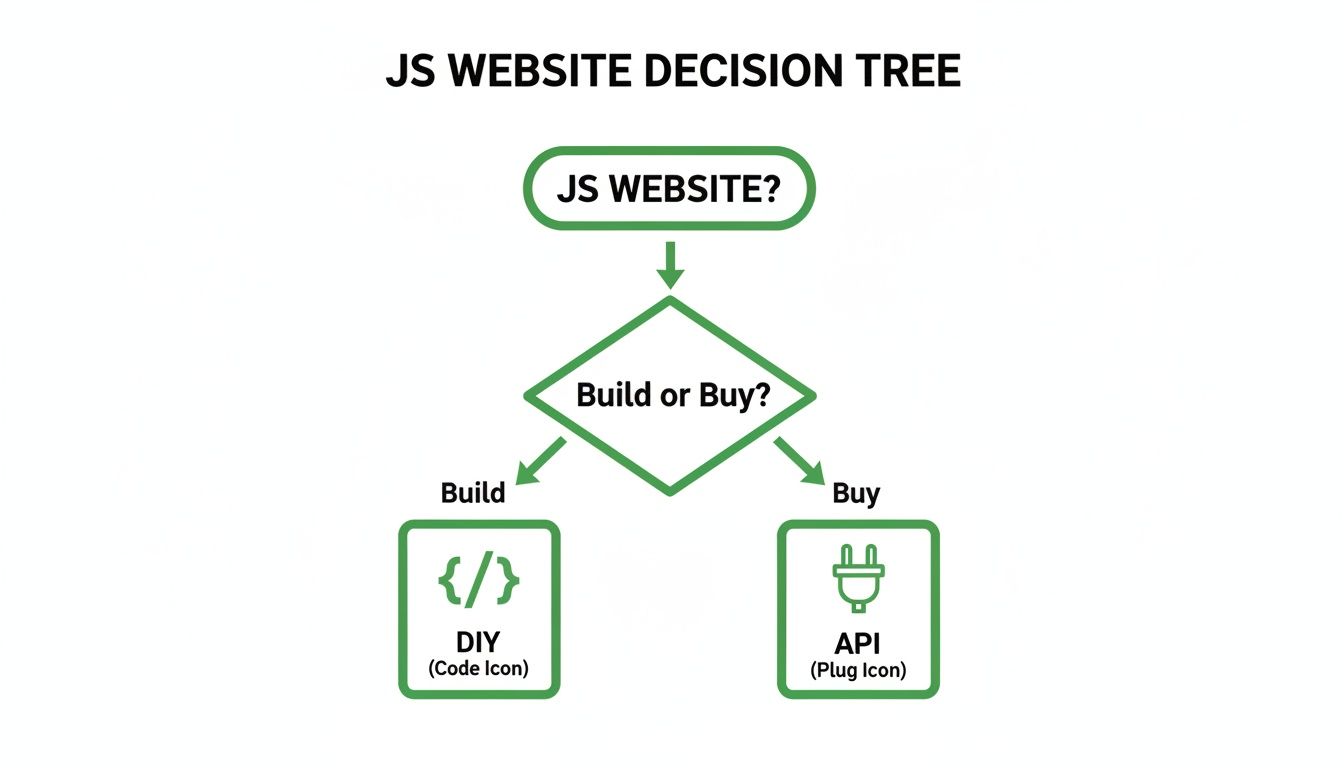
The big takeaway here is that while a DIY approach gives you total control, a specialized API can save you a massive headache by handling all the complex bot detection measures for you.
The Rise of AI in Bot Detection
The fight to get data has gotten so intense that it's pushing technology forward in big ways. The market for AI-powered web scraping is expected to jump by USD 3.16 billion, almost entirely because of the need to handle these tough bot detection puzzles.
This isn't surprising when you learn that bad bots make up nearly 37% of all internet traffic, forcing websites to get smarter about defense. As a result, scrapers have to evolve, too. North America is leading the charge in adopting AI-based solutions to keep up.
Ultimately, getting past bot detection systems demands a multi-layered approach. You can't just rely on one trick. A successful, scalable scraping operation combines rotating residential proxies, randomized user agents, smart session handling, and realistic request timing to stay reliable and respectful. A good scraping API automates most of these tedious but vital tasks, letting you focus on the data instead of the fight to get it.
Scaling Your Scrapers and Ensuring Data Quality
Getting a scraper to work on a single page feels great, but that’s just the starting line. The real game begins when you need to pull data from thousands, or even millions, of pages. This is where you graduate from writing a simple script to architecting a resilient, production-grade system.
At scale, you have to assume that anything that can go wrong, will go wrong. Moving from a prototype to a large-scale operation demands a complete mindset shift. You’re not just building a scraper anymore; you’re building a data pipeline. That means thinking about efficiency, error handling, and data integrity from the get-go. The goal is a system that just runs without you having to constantly babysit it.
Building for Concurrency and Throughput
If you want to extract data at any meaningful volume, sending requests one after another is a non-starter. A sequential approach is painfully slow. The secret to speed is concurrency—making multiple requests at the same time. This is how you turn a process that could take days into one that finishes in a few hours.
Of course, concurrency brings its own headaches. You have to manage your resources carefully to avoid overwhelming your own system or, just as importantly, the target website's servers. A solid approach is to use a request queue and a pool of worker threads or processes to manage the flow of tasks.
Thankfully, most modern scraping frameworks have this baked in. With a tool like Scrapy, for example, you can configure the exact number of concurrent requests you want to run. It handles all the scheduling and execution for you, letting you dial in that perfect balance between speed and responsible scraping.
Implementing Smart Retry Logic
When you’re scraping at scale, failures aren’t an exception; they’re a guarantee. You’ll run into network timeouts, temporary server errors (like the dreaded 503 Service Unavailable), or a proxy that suddenly gives up. A basic script would just crash and burn, but a robust system needs to handle these hiccups with grace.
This is where retry logic with exponential backoff is your best friend. Instead of giving up after one failed request, you teach your scraper to try again, but smartly.
-
Retry: If a request fails with a temporary error, don't just discard it. Wait a moment and send it again.
-
Exponential Backoff: Don't just retry immediately. Increase the delay between each attempt—say, 2 seconds, then 4, then 8. This keeps you from hammering a server that’s already struggling and gives it time to recover.
-
Max Retries: You can't retry forever. Set a limit on how many times you’ll attempt a single request before marking it as a permanent failure and moving on.
By building in smart retry mechanisms, you transform a brittle script into a resilient data collection engine. It's one of the biggest differentiators between an amateur project and a professional system that actually delivers complete, accurate datasets.
Ensuring Data Quality and Cleanliness
Extracting data is only half the job. The other half—the one people often forget—is making sure that data is accurate, clean, and actually usable. Raw scraped data is almost always messy. You'll find missing fields, inconsistently formatted text (like prices with and without currency symbols), or random HTML tags that snuck into your text fields.
Your pipeline needs a dedicated validation and cleaning stage. This starts with defining a clear schema for your data. What fields do you expect? What are their data types (string, integer, float)? Are they required? After scraping, every single item should be run through a validator that checks it against this schema.
Here are a few practical cleaning steps you should always consider:
-
Normalize Text: Strip leading/trailing whitespace, get rid of unwanted HTML tags, and convert text to a consistent case (like all lowercase).
-
Validate Data Types: Make sure a price field actually contains a number, not text. Check that a date string is in a valid, parsable format.
-
Handle Missing Values: Figure out your strategy for incomplete records. Are you going to discard them, or fill in the missing fields with a default like null?
The way you store your data is also a key part of maintaining quality. A simple CSV file is fine for small jobs, but larger operations need something more robust. A relational database like PostgreSQL or a NoSQL database like MongoDB can enforce schemas and make querying massive datasets far more efficient.
Responsible Scraping: Ethical and Legal Guidelines
When you're pulling data from websites, you're taking on a big responsibility. It's a powerful capability, for sure, but you have to balance it with ethical considerations and a solid understanding of legal boundaries. This isn't just about keeping your scraper from getting blocked; it's about being a good citizen of the web.
Think of it this way: your first, most fundamental rule is to respect a site's robots.txt file. This is a simple text file you'll find at the root of a domain, and it lays out the rules of engagement for bots like yours. It tells you exactly which pages you can and can't crawl. Ignoring it is a red flag that you're not scraping in good faith.
Adhering to Terms of Service
Beyond robots.txt, you absolutely have to review a website's Terms of Service (ToS). These documents often have specific clauses that flat-out prohibit automated data collection. Violating a site's ToS can lead to some serious headaches, from a permanent IP ban all the way to potential legal action, depending on what you're scraping and where you are.
Here are a few core principles to live by for ethical scraping:
-
Throttle Your Requests: Don't ever bombard a server with rapid-fire requests. It's crucial to build delays between your calls so you don't tank the website's performance for actual human users.
-
Identify Your Bot: Be transparent. Set a descriptive User-Agent string in your request headers that identifies your scraper and maybe even provides a way to get in touch.
-
Scrape Off-Peak Hours: If you can, try to run your scrapers when the target website has low traffic. This minimizes your impact and is just a considerate thing to do.
The golden rule is simple: do not harm the website you are scraping. Your activities should never degrade the service for human visitors.
Finally, always be mindful of the data you're collecting. If you're handling information that could be considered personal or private, your responsibilities just multiplied. To make sure your scraping practices are sound, especially when dealing with personal data, it's a good idea to look into various data anonymization techniques. While this guide isn't a substitute for legal advice, following these ethical principles gives you a strong foundation for responsible data extraction.
Questions That Always Come Up About Web Data Extraction
Even with the best plan in hand, you're bound to run into a few questions when you start pulling data from websites. Let's go over some of the most common ones that pop up as developers shift from theory to actually getting their hands dirty.
Is It Actually Legal to Scrape Data From a Website?
This is the big one, and the answer isn't a simple yes or no. The legality really boils down to a few things: the kind of data you're after, the website's own terms of service, and the way you go about scraping.
Generally speaking, scraping publicly available data that isn't copyrighted or personally identifiable is fine.
Where you can run into trouble is by violating a site's terms of service or hammering its servers with too many requests. The best way to stay out of hot water is to always check the robots.txt file first. From there, be a good citizen and limit your request rate so you don't cause any disruptions.
How Do I Choose Between Residential and Datacenter Proxies?
Your choice here really depends on how tough your target website's defenses are.
-
Datacenter Proxies are your workhorse for speed and affordability. They're perfect when you're scraping sites with basic protection and need to pull a high volume of data from less sophisticated targets.
-
Residential Proxies become essential when you're up against websites with serious bot detection systems. These IPs come from real user devices, which makes them incredibly difficult to detect and block. The trade-off is that they're usually a bit slower and cost more.
Think of it this way: datacenter proxies are obviously commercial IPs, while residential proxies look like ordinary home connections.
The proxy you pick has a direct impact on your scraper's success and how long it stays operational. For any mission-critical project targeting a well-defended site, the higher cost of residential proxies is almost always worth it for reliable, long-term data collection.
What Is Browser Fingerprinting and How Do I Deal With It?
Browser fingerprinting is a sneaky technique websites use to identify and track users (and bots!) without cookies. They do this by collecting a unique combination of details about your browser and device—things like your user agent, screen resolution, installed fonts, and even your browser plugins.
Getting around it means you have to match a real browser profile's browser environment as closely as you can. This goes way beyond just rotating user agents. You need to use headless browsers that can accurately replicate the signatures of popular browsers like Chrome or Firefox.
Honestly, the most effective way to stay reliable and respectful is to use a service that handles all these complex fingerprinting variables for you. It's the best way to ensure your scraper isn't easily singled out and blocked.
Ready to build robust, scalable data extraction pipelines without getting bogged down by proxies and headless browsers? Scrappey handles all the hard parts—like JavaScript rendering, proxy rotation, and retries—so you can just focus on the data. Start scraping any website with our powerful API today!