
How to Extract Data from Website: A Developer's Guide
So, you want to pull data from a website. At its simplest, this means sending an HTTP request to get the raw HTML, digging through that content to find what you need, and saving it all in a structured format. But with modern, dynamic websites, you'll often need a tool that can render JavaScript first.
Your Starting Point for Website Data Extraction
Welcome to your practical guide on how to extract data from a website. In a world swimming in data, the ability to gather information from the web is an essential skill. Whether you're building a price tracker, sourcing training data for an AI model, or just analyzing market trends, web data is where it all begins. Think of this guide as your roadmap for the journey ahead.
We’ll kick things off with the fundamentals, comparing the core methods to help you choose the right tool for the job. You'll also get a real-world snapshot of the challenges you'll face, from dynamic JavaScript-heavy pages to bot detection systems. Throughout, the assumption is that you're collecting data from sites you're authorized to access, within their Terms of Service and applicable law.
Core Extraction Philosophies
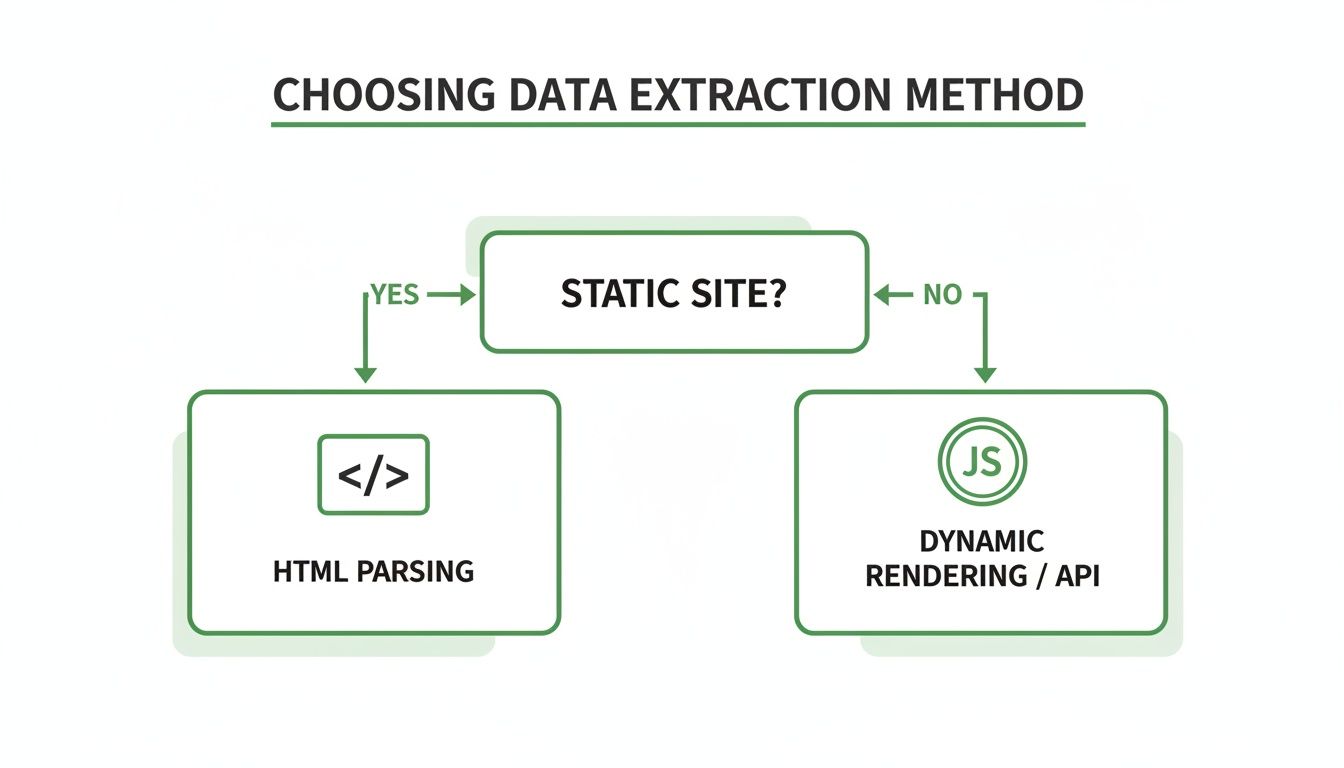
The very first decision you'll make on any project is your approach. This almost always boils down to the nature of the target website: are you dealing with a simple, static HTML page, or a complex, interactive web application?
Getting this right from the start saves a massive amount of time and headaches down the road.
The demand for this skill is exploding. The global web scraping market, valued at over $1 billion in 2025, is expected to more than double by 2030. Right now, roughly 65% of global enterprises are using data extraction tools, a trend driven by industries from e-commerce to finance that simply can't function without fresh web data.
At its core, data extraction is about translation. You are translating the unstructured, human-readable format of a webpage into a structured, machine-readable format like JSON or CSV that you can analyze and act upon.
Why This Skill Matters
Knowing how to properly extract data from a website unlocks countless opportunities. You can monitor competitor pricing in real-time, track public sentiment on social media, or aggregate news from thousands of sources automatically. For a more modern application, just look at how companies are using this data for AI brand monitoring to keep tabs on their brand's presence across the web.
This guide isn't just about theory. We're giving you a practical framework so you can confidently tackle any data extraction project, no matter how big or small.
Choosing Your Data Extraction Method
To help you decide on the best path forward, here’s a quick comparison of the three main approaches to web data extraction. Each has its place, and choosing the right one depends entirely on your project's specific needs and the complexity of your target site.
| Method | Best For | Complexity | Key Challenge |
|---|---|---|---|
| Direct HTTP & Parsing | Static websites, simple APIs, high-volume scraping | Low to Medium | Does not execute JavaScript; ineffective on modern dynamic sites. |
| Browser Rendering | Dynamic sites, single-page applications (SPAs), complex user interactions | Medium to High | Slower and more resource-intensive than direct requests. |
| Web Scraping APIs | Handling bot detection, scaling without infrastructure management | Low | Can be more costly; relies on a third-party service. |
Ultimately, the method you pick is a trade-off between speed, complexity, and cost. Start simple with direct HTTP requests and only move to more complex solutions like browser rendering or APIs when the target site's technology demands it.
Getting Your Hands on the Data: Core Extraction Techniques
When it comes to pulling data from a website, you need to pick the right tool for the job. Your choice really boils down to how the website you're targeting was built. We'll walk through the most common methods, starting with the simplest and working our way up to the more powerful solutions for those tricky, complex sites.
The most straightforward way to get data is to make a direct HTTP request to a website's server and then parse the raw HTML it sends back. This is the bread and butter of web scraping. It works like a charm for static websites—pages where all the content is already baked into the initial HTML document.
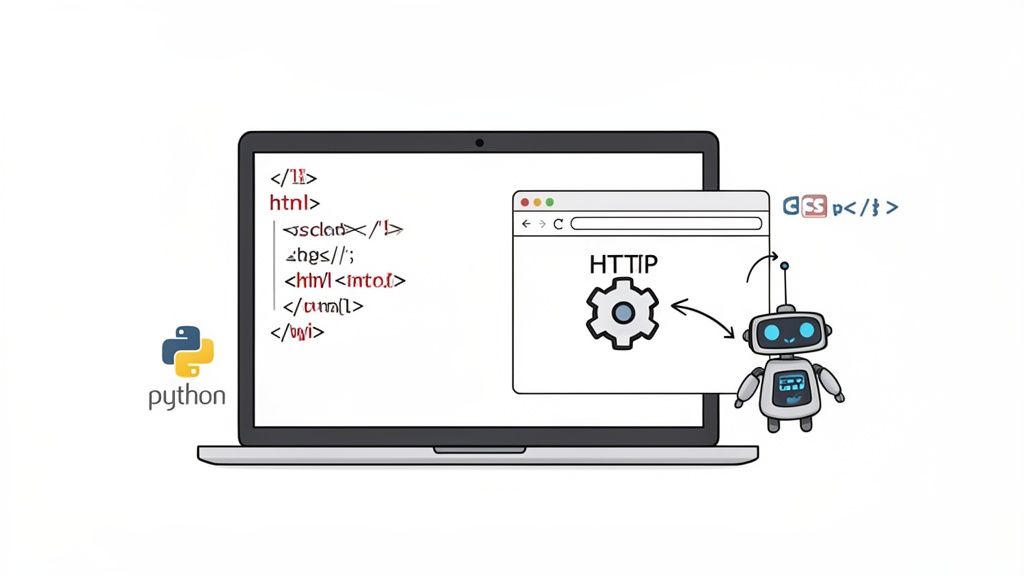
Python is king here, thanks to its fantastic and incredibly user-friendly libraries. The dynamic duo you'll hear about most are Requests for handling all the HTTP communication and BeautifulSoup for digging through the HTML structure. You can dive deeper into the nitty-gritty in our comprehensive guide on how to web scrape with Python.
The Classic Approach: Parsing Static HTML with Python
Let's say you want to grab all the product names from a simple e-commerce page. Your script would kick things off by using the Requests library to send a GET request to that page's URL. If everything goes well, the server will hand you the page's entire HTML source code.
This raw HTML is just a massive, messy string of text. To make any sense of it, you feed it into BeautifulSoup, which neatly transforms it into an object you can actually navigate. From there, you can use CSS selectors to zero in on the exact elements holding the data you're after. For instance, if all the product titles are tucked inside an <h2> tag with a class of "product-title", your selector would simply be h2.product-title.
The image above gives you a good idea of how BeautifulSoup creates a "parse tree." This lets you move through the document, isolating specific tags and pulling out their content. It’s this structured approach that turns chaotic HTML into clean, usable data.
Dealing with Dynamic, JavaScript-Heavy Websites
But what happens when the content you want isn't in that initial HTML file? Modern websites, especially those built with frameworks like React, Vue, or Angular, often load their data dynamically using JavaScript after the page first loads. A simple HTTP request will just give you a bare-bones HTML shell, missing all the good stuff.
This is where browser automation tools enter the picture. Libraries like Selenium or Puppeteer let you control a real web browser with your code.
It’s a different ballgame altogether:
-
Launch a Headless Browser: Your script fires up a browser instance (like Chrome or Firefox) that runs in the background, no visible window needed.
-
Navigate and Wait: You tell the browser to go to the target URL and, crucially, wait for all the JavaScript to run and render the full page.
-
Extract the Final HTML: Once the content finally appears, you can grab the fully rendered HTML and parse it just like you would with a static site.
The key difference is that you're no longer just fetching raw source code; you're interacting with a live web page, almost like a human would. This method is definitely slower and chews up more resources, but it's essential for any site that relies on JavaScript.
The Easiest Route: Using a Web Scraping API
While browser automation is incredibly powerful, trying to manage it at a large scale opens up a whole new can of worms. You’re suddenly dealing with browser updates, memory consumption, and the sophisticated bot detection systems designed to shut you down. A web scraping API offers a much cleaner alternative by taking all those headaches off your plate.
Instead of building and maintaining your own fleet of automated browsers, you just make a single API call to a service like Scrappey. You give it the URL you want to scrape, and the service handles everything else behind the scenes:
-
Managing a massive pool of headless browsers.
-
Running all the necessary JavaScript to fully render the page.
-
Automatically rotating through proxies to distribute requests responsibly and reduce blocked requests.
-
Maintaining a consistent browser configuration and managing sessions and cookies to reduce failed requests on well-formed, authorized workflows.
This approach dramatically simplifies the process of how to extract data from a website, turning a complex engineering challenge into one simple API request. It frees you up to focus on what you actually care about: parsing the data you get back.
The rise of AI is pushing this even further. For a powerful way to understand user behavior and extract insights, check out Mastering Google Analytics for website data. The AI-driven web scraping market is on a tear, projected to add USD 3.15 billion in value between 2024 and 2029, growing at an incredible 39.4% compound annual growth rate. AI helps these systems interpret website structures on the fly, ensuring data extraction keeps running smoothly even when a site's layout changes. This shift points to a clear future of smarter, more automated data extraction solutions.
Navigating Bot Detection Protections Like a Pro
So, your basic scraper works for a bit, but then it just stops. Welcome to the real world of web scraping. Modern sites are armed with an entire arsenal of bot detection measures designed to shut down automated scripts like yours. Think of this section as your playbook for building scrapers that can actually withstand the fight.
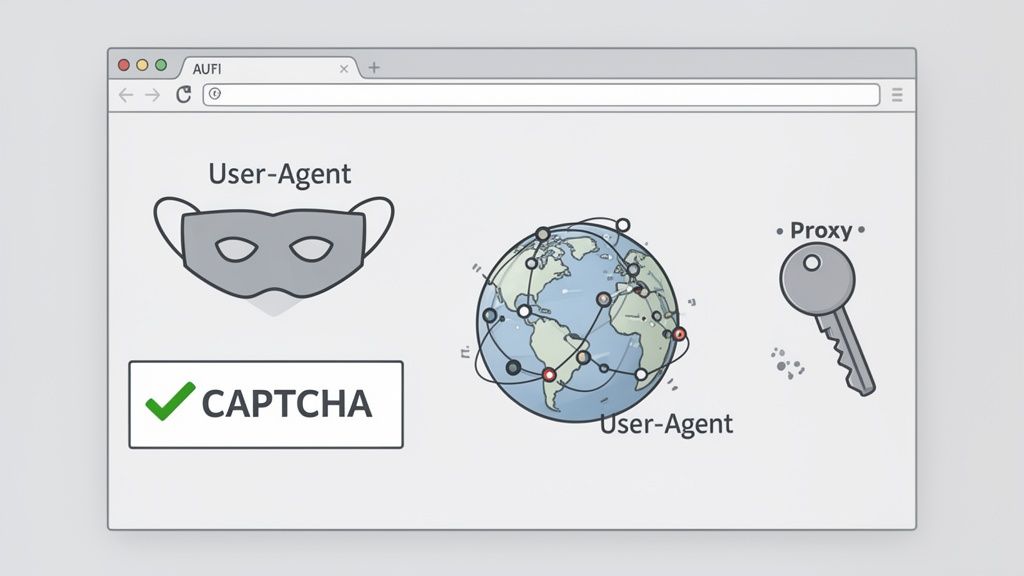
The moment your scraper gets blocked, the first culprit is almost always your IP address. Firing off hundreds of requests from a single IP in just a few minutes will quickly trip rate limits on any website. This is where rotating proxies become absolutely essential. They act as go-betweens, distributing your requests across many addresses around the globe so no single IP carries all the load.
The Foundation: IP Rotation
Your first line of defense is a solid proxy pool. Without one, you’re not just making your job harder—you're making it nearly impossible on any site with even basic security. You'll generally run into two main types.
-
Datacenter Proxies: These are fast, cheap, and come from servers in, you guessed it, data centers. They're great for sites with minimal protection but are pretty easy for advanced bot detection systems to spot since their IP ranges are well-known.
-
Residential Proxies: These are the real deal—IPs from actual home internet connections. They are pricier, but they are crucial for getting past tougher security because your traffic is almost indistinguishable from a legitimate visitor's.
The right choice really depends on your target. It's often smart to start with datacenter proxies, but have a plan to switch to residential ones if you find yourself getting blocked repeatedly. Your goal is to distribute load and keep per-IP volume low.
Sending Consistent Browser Headers
Beyond your IP, websites look closely at the HTTP headers in your requests. Inconsistent or default headers are a common cause of failed requests. A simple Python Requests call, for example, sends a very basic, generic User-Agent.
For reliable results, send headers consistent with a real browser. That means setting a realistic User-Agent string—something from a recent version of Chrome or Firefox running on a common OS. Even better, rotate through a list of different User-Agents to match the connection each request is sent from. It's also a good idea to include other standard headers like Accept-Language and Referer so the request is complete and well-formed.
Think of it this way: your IP is your location, and your headers describe your client. If your headers are inconsistent or incomplete, requests are more likely to fail—regardless of which IP they come from.
The CAPTCHA Conundrum
Ah, the dreaded "I'm not a robot" checkbox. A CAPTCHA isn't a puzzle to defeat—it's a site asking to confirm a real, authorized person is involved. The right response is to respect that signal rather than fight it.
In practice that means treating a CAPTCHA as a cue to back off: slow down, reduce concurrency, and retry later at a gentler pace. If a workflow keeps triggering challenges, that's a sign to route it to human review or, for an ongoing need, to request official or partner API access from the site. The best CAPTCHA is the one you never trigger—clean, well-formed, consistent requests and sensible pacing keep challenges rare in the first place. For a deeper dive, you can explore a detailed session handling guide that covers these strategies.
Maintaining Sessions and Fingerprints
For websites that maintain state across several pages — a multi-step public flow or pagination — sending one-off requests just won't cut it. You have to manage cookies to keep a consistent session going, exactly like a real browser. The server sends you a session cookie on your first visit, and you include that same cookie on each follow-up request so the site returns the right content.
But modern bot detection systems go even deeper. They analyze something called a browser fingerprint, which is a unique signature created from dozens of data points, including:
-
Your screen resolution
-
Installed fonts and browser plugins
-
Canvas rendering quirks
-
Your specific browser version
If your requests show weird inconsistencies in this fingerprint, you’ll be flagged in a heartbeat. This is where using a headless browser with a tool like Selenium or leaning on a dedicated scraping API becomes critical. They handle these tiny details for you, creating a consistent and believable fingerprint for every session.
How to Scale Your Data Extraction Operations
Extracting data from a single webpage is one thing. Pulling it from millions is a whole other beast. When you jump from a hobby-level script to a large-scale operation, you absolutely need a solid game plan. Without one, you’re just setting yourself up for constant failures, IP blocks, and wasted hours troubleshooting instead of actually using your data.
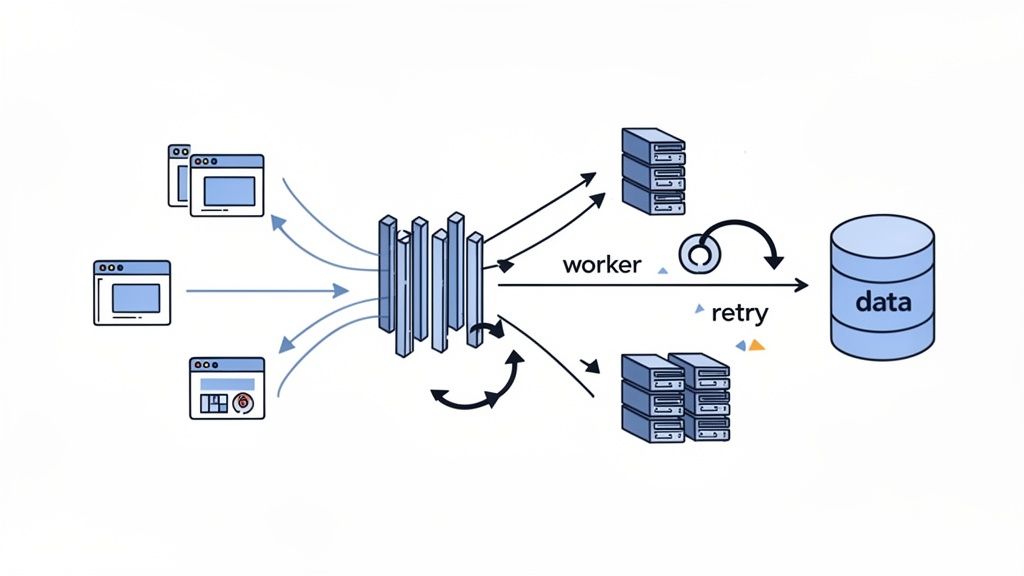
The first mental shift for scaling is to stop thinking one URL at a time. The secret is concurrency—running many scraping tasks in parallel. This is how you dramatically boost your throughput and shrink a massive job from days down to just a few hours.
This parallel approach is now the industry standard. Web scraping has become a huge part of the internet, with the e-commerce and retail sectors alone making up about 48% of all users. The scale is staggering. With tens of billions of pages crawled daily, this activity now accounts for a massive 10.2% of all global web traffic, even with bot detection measures in place. If you're curious about the numbers, you can get a better sense from the current state of web crawling statistics.
Building Resilient Systems with Smart Retries
When you’re scraping at scale, failure isn't a possibility; it's a guarantee. Connections will drop, servers will throw temporary 5xx errors, and your proxies will eventually fail. A truly robust system doesn't crash when this happens—it adapts.
This is where smart retry logic becomes your best friend. Instead of hammering a struggling server by retrying a failed request immediately, you should use a strategy called exponential backoff. The idea is simple: you wait a short period before the first retry, then double that waiting time for each failure that follows. This gives the target server a moment to breathe and seriously increases your chances of success on the next try.
Your goal is to build a system that heals itself. When a request fails, it shouldn't be a critical error; it should be a routine event that your system is designed to handle gracefully.
Managing Your Scraping Pace and Data Flow
Firing off thousands of parallel requests is powerful, but it's also the fastest way to overwhelm a server and get your entire operation rate-limited if you're not careful. This is where request queuing and throttling save the day. A queuing system acts as a buffer, holding all your target URLs and feeding them to your scraper workers at a controlled, manageable pace.
Throttling lets you cap the number of requests you send to a specific domain per second or minute. This isn’t just about being a good internet citizen; it’s a critical tactic to avoid overwhelming a website’s servers, which is a surefire way to get your IPs permanently blocked. Understanding these limits is key. Scrappey's own documentation on managing concurrency limits is a great resource for learning how to scrape responsibly.
Your data storage strategy needs to evolve, too. A simple CSV file might work for a few thousand records, but it becomes a nightmare at scale. For bigger projects, you’ll need to look at more robust solutions:
-
Relational Databases (SQL): Tools like PostgreSQL or MySQL are perfect for structured data with clear relationships, like product info from an e-commerce site.
-
NoSQL Databases: Options like MongoDB are fantastic for less-structured data or when you expect the schema to change over time, giving you much more flexibility.
-
Cloud Storage: Services such as Amazon S3 or Google Cloud Storage offer a cheap and highly scalable way to dump raw HTML or JSON output before it gets processed.
Ultimately, scaling your data extraction is about shifting your mindset from writing a single script to engineering a resilient, multi-part system. If that sounds like a lot to manage, a managed scraping API can be a game-changer. These services handle all the concurrency, retries, and queueing for you, often delivering clean, structured data right to you—letting you focus purely on the results.
Ethical and Legal Guidelines for Web Scraping
Getting the data is just the technical part of the challenge. The real test is understanding where the ethical and legal lines are drawn. This isn’t formal legal advice, but think of it as a field guide to building data extraction projects that are respectful, sustainable, and keep you out of trouble.
Before you write a single line of code, your first stop should always be the robots.txt file. You can find it at the root of almost any website (like website.com/robots.txt). This simple text file is where site owners tell bots which parts of the site they'd rather you not visit. It's not legally binding, but ignoring it is a huge red flag in the scraping world.
Pay close attention to any Crawl-delay directive, too. This tells you how many seconds to wait between requests. Following it is just good manners and prevents you from accidentally overwhelming their server.
Understanding the Legal Framework
The legal side of scraping can feel murky, but it usually boils down to a few key ideas. The big one you'll hear about is the Computer Fraud and Abuse Act (CFAA), which was designed to stop unauthorized access to computer systems. Luckily, recent court rulings have made it clearer that scraping publicly available data—the kind anyone can see without a password—generally doesn't violate the CFAA.
The other major piece of the puzzle is a site's Terms of Service (ToS). These documents almost always include clauses that forbid scraping. While breaking a ToS isn't a crime, it can be seen as a breach of contract. This could lead to a civil lawsuit or, more commonly, just getting your IP address blocked for good.
As a rule of thumb, if you have to log in to see the data, you shouldn't be scraping it without explicit permission. Sticking to public information dramatically lowers your risk profile.
Best Practices for Responsible Scraping
Staying on the right side of the line often just comes down to common sense. These practices don't just reduce your legal risks; they also make your scrapers more resilient and less likely to get shut down.
-
Avoid Personally Identifiable Information (PII): Just don't do it. Scraping sensitive data like emails, phone numbers, or financial details is a minefield of legal and ethical problems. The regulations around PII are strict and the penalties are severe.
-
Identify Your Scraper: Be transparent. Set a clear User-Agent string that explains who you are and why you're there. Something like MyAwesomeProduct-Bot/1.0 (+http://myawesomeproduct.com/bot) lets administrators know who to contact if there's a problem.
-
Scrape at a Reasonable Rate: Don't hammer the server with a firehose of requests. A good scraper paces itself. Introduce delays between your requests to avoid disrupting the website for actual users.
-
Cache Your Data: If you're debugging your script, there's no need to hit the live server a hundred times. Scrape the page once, save the HTML to a local file, and do your testing there. It's faster for you and polite to them.
By sticking to these guidelines, you can build powerful tools for gathering data while being a good citizen of the web. It’s all about respecting the resources you're using.
Answering Your Web Scraping Questions
When you're getting started with web scraping, you'll find the same questions tend to crop up. Let's tackle some of the most common ones I hear from developers to help you clear those early hurdles and build a solid foundation.
What Is the Best Programming Language for Web Scraping
If you ask ten developers, nine will probably say Python. It's the king of web scraping, and for good reason. The syntax is clean and easy to learn, but the real magic is its incredible ecosystem of data extraction libraries.
Tools like Requests make firing off HTTP requests feel effortless. Once you have the HTML, libraries like BeautifulSoup or Lxml let you parse and navigate even the messiest codebases.
For modern, JavaScript-heavy sites, you can turn to Selenium or Playwright to automate a real browser and see the page just like a user would. And for serious, large-scale projects, the Scrapy framework is a complete, batteries-included toolkit for building powerful crawlers.
While other languages are perfectly capable—Node.js with Puppeteer is a fantastic choice—Python's blend of simplicity, community support, and mature libraries makes it the default for most scrapers.
How Do I Extract Data from a Table on a Website
Grabbing data from an HTML table is one of the most common tasks you'll face, and luckily, it's usually pretty straightforward. The whole process really breaks down into three parts.
First, you fetch the page's HTML. A simple GET request using a library like Python's Requests is all you need. With the raw HTML in hand, you'll then use a parser like BeautifulSoup to turn it into a navigable object.
From there, you just need to target the <table> element and loop through its rows (<tr>) and cells (<td>). A typical workflow is to find the table by its ID or class, iterate through all <tr> tags inside its <tbody>, and then pull the text from each <td> in the row. It's a great habit to pop this data into a structured format, like a list of dictionaries, where each dictionary represents a single row.
Heads up: If a table's data is loaded dynamically with JavaScript, a simple HTTP request won't see it. For those cases, you'll need to use a browser automation tool like Selenium or a scraping API that can fully render the page before you try to access the table content.
Is It Legal to Extract Data from Any Website
This is where things get a bit gray. The legality of web scraping isn't black and white; it really depends on what you're scraping, how you're scraping it, and the website's rules. Web scraping itself is not illegal, but you have to respect certain boundaries.
Scraping public data that isn't copyrighted or personal is generally a low-risk activity. The real trouble starts when you violate a site's Terms of Service, which often explicitly forbid scraping. Doing so could open you up to legal challenges from the website's owner.
To stay on the right side of the line, always follow these ground rules:
-
Check robots.txt: This file is the website's instruction manual for bots. Respect it.
-
Scrape responsibly: Don't hammer the server with requests. Be a good internet citizen.
-
Avoid personal data: Never scrape personally identifiable information (PII) without explicit consent.
-
Steer clear of logins: Scraping content behind an authentication wall is a huge red flag.
Just remember, this isn't legal advice. If you're working on a large-scale commercial project, it's always smart to consult with a legal professional.
How Can I Reduce Blocked Requests While Scraping
Reducing blocked requests is one of the biggest challenges in web scraping. The core strategy is to distribute load responsibly and send consistent, well-formed requests on the sites you're authorized to access.
It's not about one single trick, but a combination of techniques that work together to keep your requests reliable.
-
Use Rotating Proxies: This is non-negotiable for any serious project. Spreading your requests across thousands of different IP addresses keeps per-IP volume low and reduces rate-limited or blocked requests.
-
Rotate User Agents: Cycle through different User-Agent headers with every request so your headers stay consistent with the connection each request is sent from.
-
Set Realistic Headers: Go beyond the User-Agent. Make sure your requests include other common headers like Accept-Language and Referer so they're complete and well-formed.
-
Manage Cookies & Sessions: Proper cookie handling is key for maintaining a consistent session, especially on sites that track user activity or maintain state across pages.
-
Implement Smart Delays: Introduce random, varied delays between your requests to respect rate limits and avoid overwhelming the target server.
Juggling all of this yourself can get complicated fast. This is where scraping APIs really shine—they are built to handle all this complexity for you, giving you a much more reliable way to scrape at scale with fewer blocked requests.
Ready to extract data with fewer blocked requests? Scrappey handles proxy rotation, verification handling, and browser configuration for you. Turn complex websites into simple API calls and focus on the data, not the roadblocks—for the sites you're authorized to access. Start scraping with Scrappey today!