
How to Build a Web Scraper That Actually Works
Before you even think about writing a line of code, you need a solid plan. Seriously. The difference between a scraper that runs for years and one that breaks the moment a website changes its layout is all in the design. This is where you bake resilience and scalability into your project right from the start.
A quick note on authorized use: this guide assumes you are collecting public data you have permission to access, in line with each site's terms and applicable law.
Designing a Scraper for the Modern Web
Jumping straight into coding is a classic mistake, and it almost always leads to a brittle, nightmarish-to-maintain scraper. Instead, let's start by architecting a system that can actually handle the wild complexities of today's web. This isn't just about grabbing some HTML; it's about creating a modular pipeline that can adapt, scale, and recover when things inevitably go wrong.
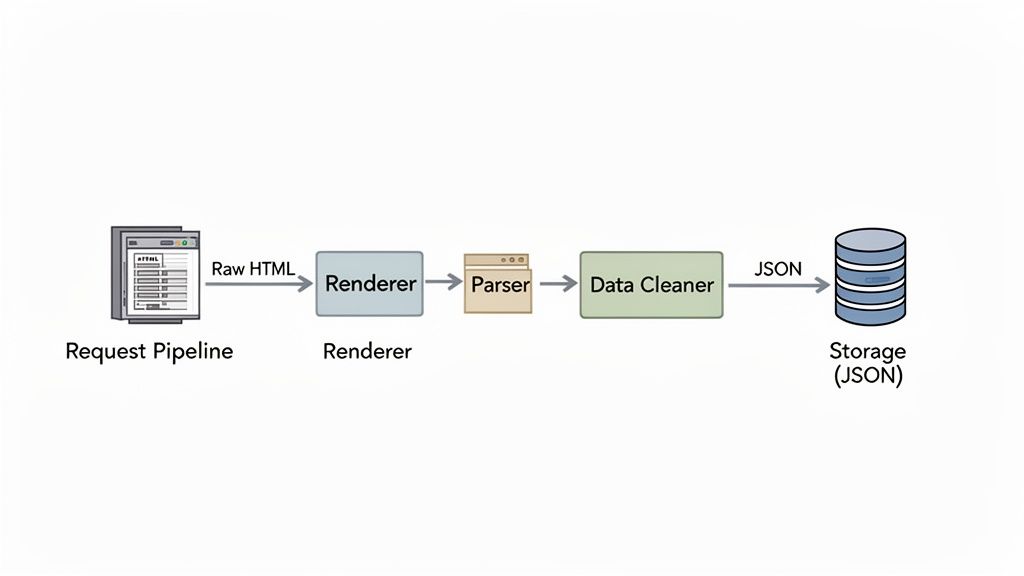
A production-grade scraper isn’t a single, monolithic script. It's a collection of distinct parts working in harmony. Each piece has a specific job, from fetching the raw data to parsing it, cleaning it, and finally storing it. This separation makes your scraper way easier to debug, update, and manage down the road.
Mapping the Data Flow
First up, map out the entire data journey. Visualize how information will flow from the target website all the way to its final destination, whether that's a database, a data warehouse, or just a simple JSON file. This simple exercise helps you spot potential bottlenecks and weird edge cases before they become real headaches.
This flow breaks down the core process into three main stages: design, fetch, and store.
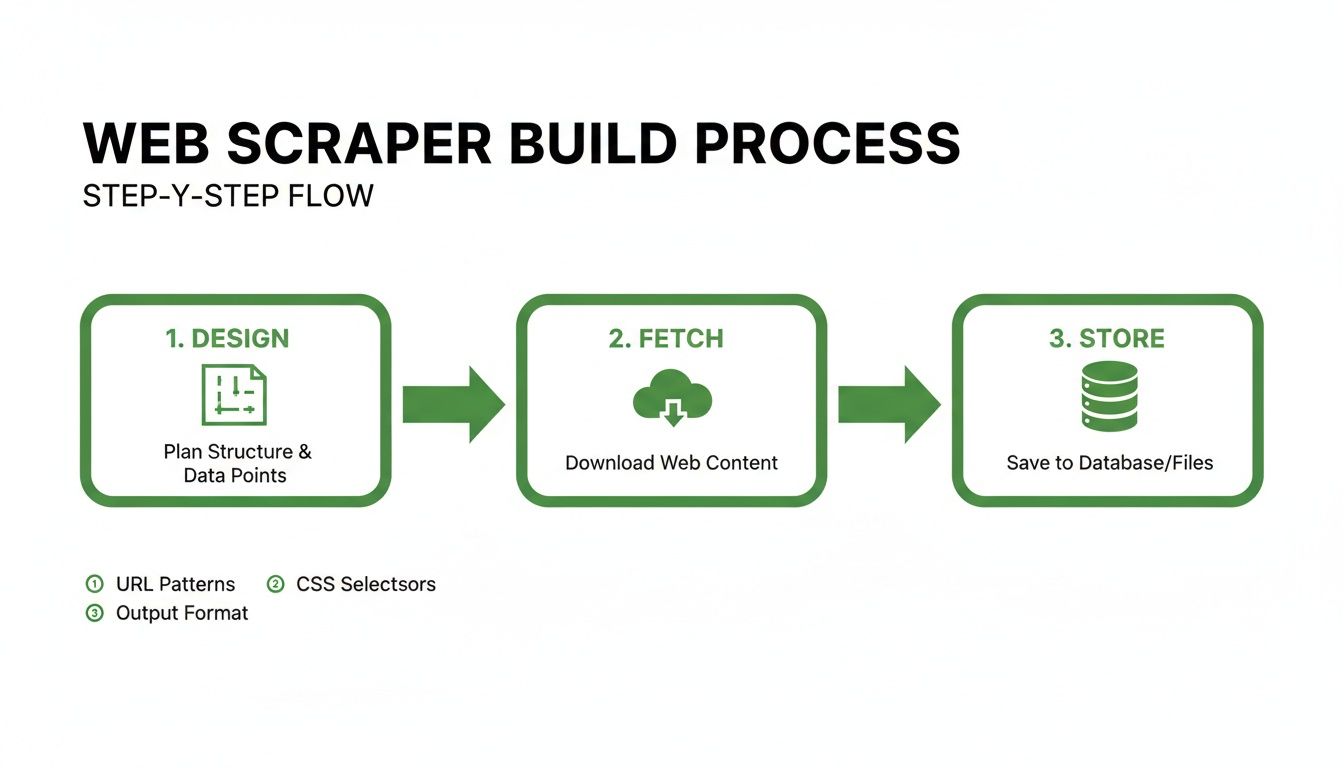
This visual just reinforces the idea that a successful project depends on a logical, step-by-step workflow. Get the design right, and the fetching and storing stages become infinitely more reliable.
The aim here is to create a predictable and repeatable process. Think about these key stages:
-
Target Identification: Get super specific about what data points you need. Are you after the product name, price, and stock status? Or something else entirely?
-
Fetching Logic: How will you get the content? For some sites, a simple HTTP request is all you need. For others, especially those heavy on JavaScript, you'll need a headless browser. Check out our complete 2025 Puppeteer and Playwright comparison guide to figure out which browser automation tool is right for you.
-
Parsing Strategy: Plan how you’ll pull the target data from the raw HTML. This usually means identifying the right CSS selectors or XPath expressions.
-
Data Cleaning: Raw data is messy. Outline the steps you'll take to standardize and format everything you extract.
-
Storage: Where will the data live? Choose a format and location that fits your project, whether it's a CSV, a NoSQL database, or something bigger.
A well-architected scraper anticipates change. Websites evolve, and your design should allow you to swap out a parser or update fetching logic without rewriting the entire application. Modularity is your best defense against a constantly shifting digital environment.
Core Architectural Components
To build something that lasts, your architecture needs a few key components. Each one plays a critical role in making sure the scraper runs efficiently and reliably, especially as you scale up. This structured approach isn't just a "nice-to-have" anymore; as more companies rely on this tech, it's becoming a necessity. In fact, by the end of 2023, over 65% of global enterprises had adopted web scraping software for real-time analytics, showing just how central it is for competitive intelligence.
Here’s a breakdown of the essential architectural components for any serious web scraper.
Core Components of a Production Web Scraper
| Component | Function | Why It's Critical |
|---|---|---|
| URL Queue | Manages the list of URLs to be scraped. | Prevents duplicate requests and allows for pausing and resuming scraping jobs without losing progress. It's the foundation of a scalable system. |
| Fetcher/Downloader | Retrieves the raw content (HTML, JSON, etc.) from the web. | This layer handles the complexities of network requests, including proxy rotation, user-agent management, and handling different content types. |
| Parser | Extracts structured data from the raw content using selectors. | This is where the magic happens. A good parser is robust enough to handle minor HTML changes and isolates the extraction logic from the rest of the system. |
| Data Processor/Cleaner | Cleans, validates, and normalizes the extracted data. | Raw scraped data is often inconsistent. This component ensures data quality and standardization before it hits your database. |
| Scheduler | Triggers scraping jobs at scheduled intervals. | For ongoing data needs, a scheduler automates the entire process, ensuring your data is always up-to-date without manual intervention. |
| Storage Layer | Persists the cleaned data to a database, file, or data warehouse. | This is the final destination. A flexible storage layer allows you to easily plug into different systems, from simple CSV files to large-scale cloud databases. |
Each of these components works together to create a robust pipeline. By thinking about your scraper in these terms from the beginning, you're setting yourself up for a project that's not only successful but also easy to maintain and scale over time.
Fetching Web Content From Any Site
Alright, you've got your architectural blueprint. Now for the fun part: actually grabbing the web pages. This is where your scraper makes first contact, requesting content from your target site. The path you choose here dictates your scraper’s power, cost, and overall speed.
The most straightforward way to start is with a direct HTTP request. Using a library like Python's requests, you can ask for a webpage and get the raw HTML back. This method is a dream for static websites where everything you need is served up in that initial response. It's fast, light, and incredibly efficient for the right targets.
But let's be real, the modern web is rarely that simple. A massive number of sites use JavaScript to pull in content after the page first loads. Think product listings, search results, or user comments that pop into view. A simple HTTP request won't ever see that data because it can't run JavaScript; it only gets the initial, often empty, HTML shell.
Handling JavaScript-Rendered Content
This is where headless browsers enter the picture. A headless browser is basically a web browser without the visual interface, controlled entirely by code. Tools like Playwright or Puppeteer let your scraper fire up a full browser, navigate to a page, wait for all the JavaScript to do its thing, and then snatch the final, fully-rendered HTML.
This technique is powerful because it mirrors what a real user sees. Your scraper gets the complete Document Object Model (DOM), meaning you can access every piece of dynamically loaded data. The trade-off? It’s a whole lot slower and chews through way more resources than a simple request.
Choosing the right tool for the job is everything.
-
Go with simple HTTP requests when: The data you need is right there in the page source (just right-click and "View Page Source" in your browser). Perfect for blogs, articles, and many basic e-commerce sites.
-
Bring in a headless browser when: The data only materializes after the page loads, usually signaled by loading spinners or content fading in. This is a must for single-page applications (SPAs) and interactive dashboards.
Always start with a simple HTTP request. Only bring out the big guns (a headless browser) if you've confirmed the data is loaded dynamically. This "start simple" philosophy will save you a ton of processing time and complexity down the road.
The Growing Challenge of In-House Scraping
This very choice between methods highlights a core headache for developers. Trying to maintain an in-house solution means constant firefighting, from managing pools of headless browsers to effectively rotating proxies. The sheer complexity is a big reason the global web scraping market is booming, valued at USD 754.17 million and projected to hit USD 2,870.33 million by 2034. For those of us building custom scrapers, this explosion shows just how many engineering hours get sunk into solving JavaScript rendering and other roadblocks. You can dig into more details about the web scraping market on market.us.
Simplifying Fetching with an API
There's another way that gives you the best of both worlds: a dedicated scraping API like Scrappey. Instead of wrestling with your own infrastructure for rendering pages, you just make a single API call. You tell it the URL and whether it needs to render JavaScript.
The service handles the heavy lifting behind the scenes—launching a browser, managing proxies, and working through bot detection systems—before sending you back the clean, fully-rendered HTML. This frees you up to focus on what actually matters: parsing and using the data. You get the accuracy of a headless browser without the performance hit and maintenance overhead, a real advantage when building a scraper for any complex, modern website.
Working With Bot Detection Systems and Proxies
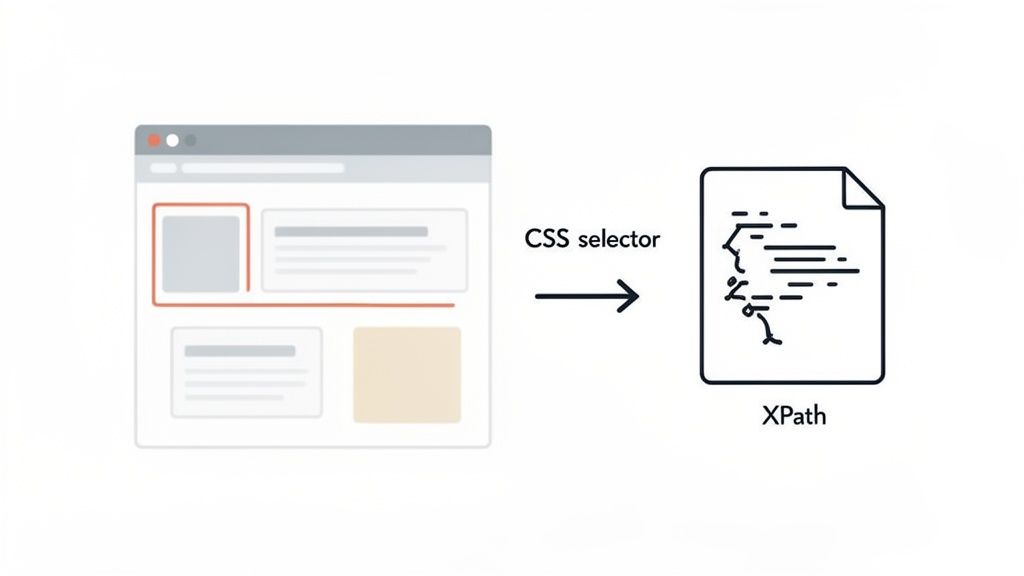
Sooner or later, most scrapers start running into failed requests—HTTP 403s, HTTP 429s, and unexpected challenge pages. It’s one of the most common reasons a project stalls. When you send a lot of automated requests, bot detection systems may flag traffic that looks inconsistent or malformed. The fix isn’t brute force; it’s sending clean, well-formed, consistent requests at a reasonable pace.
This is where rotating proxies become a valuable tool. A proxy server acts as an intermediary, routing your request through a different IP address. When you use a pool of rotating proxies, requests are distributed across multiple IPs, which helps you stay within per-IP rate limits and improves geo-accuracy when a site serves region-specific content.
The Right Proxy for the Job
Not all proxies are created equal, and picking the right one is critical. The main types have different use cases, performance, and costs. Knowing the difference is key to building a scraper that reliably gets the data it needs with fewer failed requests.
When you're deciding on a proxy, you're really balancing cost against your reliability needs. Here's a quick breakdown of what you'll encounter.
Proxy Types Comparison for Web Scraping
| Proxy Type | Best For | Performance | Cost Level |
|---|---|---|---|
| Datacenter Proxies | Lightweight targets, high-volume tasks | Very Fast | Low |
| Residential Proxies | E-commerce, social media, sites with strict rate limits | Good | Medium |
| Mobile Proxies | Mobile-first apps, the most demanding targets | Moderate | High |
Datacenter proxies are your starting point—fast, cheap, and a good fit for lightweight targets. But if you start seeing frequent HTTP 429s or challenge pages, it’s worth moving up. Residential and mobile proxies are an investment in reliability, distributing requests across realistic IP ranges so you stay within per-IP rate limits.
The proxy you choose directly impacts your scraper's success rate. Start with datacenter proxies for lightweight targets, but be ready to upgrade to residential or mobile proxies as soon as you encounter frequent failed requests. It's a practical investment in reliability.
Moving Beyond Just Proxies
Rotating IPs alone isn’t always enough. Bot detection systems also look at whether your requests are well-formed and consistent. The goal is to build reliable, well-behaved automation: send realistic, consistent HTTP headers so your requests look like normal, complete browser traffic rather than a partial or malformed request.
A crucial piece of this puzzle is User-Agent rotation. The User-Agent is a string in the HTTP header that tells the server which browser and operating system you're using. Sending a single stale or non-standard value across thousands of requests is a common source of failures. The practical approach is to keep a list of common, up-to-date User-Agents (like recent versions of Chrome on Windows or Safari on macOS) and cycle through them with each request.
Along the same lines, customizing other HTTP headers makes your requests more complete and consistent. Real browsers send a whole suite of headers, like Accept-Language, Accept-Encoding, and Referer. A scraper that only sends a User-Agent sends an incomplete header set. By including these headers and making sure their values are realistic and consistent with each other, your requests are better formed and less likely to fail.
The Reality of Modern Bot Detection
Bot detection has become standard across the web. The demand for web scraper software is surging, with North America projected to see a 13.4% CAGR through 2033. With malicious bots making up a staggering 37% of all web traffic, sites invest heavily in verification systems, and naive scrapers that send malformed or inconsistent traffic see high failure rates within hours.
This is why it helps to understand how these systems work. Getting a handle on how to secure web applications gives you useful context for building requests that are clean and well-formed.
For those who'd rather not manage this infrastructure, platforms like Scrappey offer a simpler path. We manage the proxy pools, keep user agents current, work through bot detection challenges, and handle headers for you. You can see how this all works in our guide on advanced session handling techniques. It lets you focus on the data, not the plumbing.
Extracting and Structuring Your Data
You’ve successfully fetched a webpage—that’s a huge first step. But what you have is a messy soup of raw HTML, a jumble of tags and text. The real gold is turning that chaos into clean, structured data you can actually work with. This is where parsing comes in: the art of pinpointing and pulling out the exact information you need.
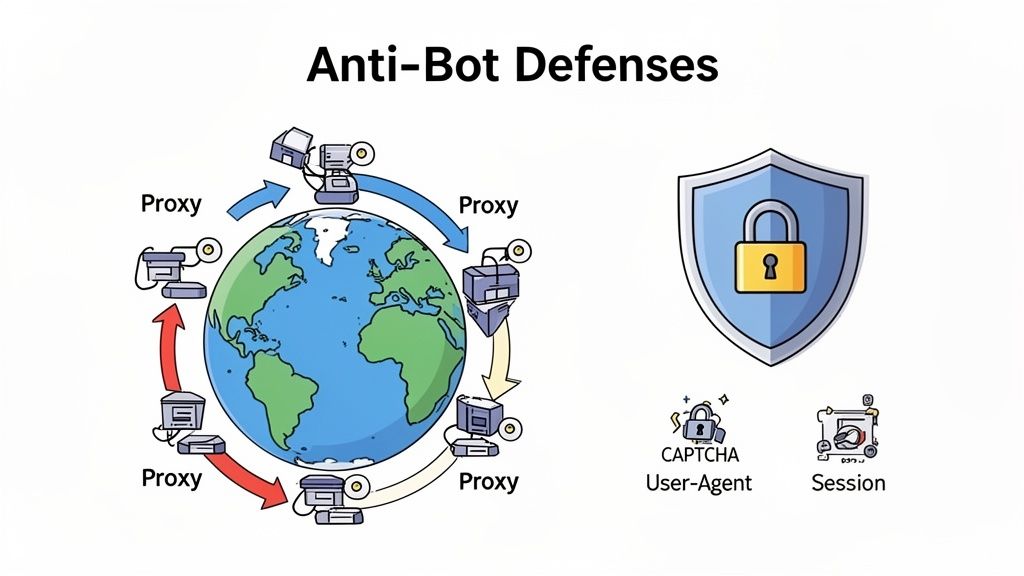
This process transforms that tangled HTML into an organized format like JSON, perfect for databases, analysis, or feeding into an application. Think of it as translating a foreign language into one your systems can understand fluently.
Choosing Your Parsing Tools
To navigate the maze of an HTML document, you’ll need a good parsing library. For Python developers, BeautifulSoup is a classic choice. It’s known for its incredibly friendly syntax that makes finding elements feel natural and intuitive.
Once you have your library, your main tools for targeting elements are CSS selectors and XPath. Both are powerful ways to write expressions that locate any piece of content within an HTML document.
-
CSS Selectors: If you’ve ever touched web design, you'll feel right at home. They use a straightforward syntax to grab elements by their tag, class (.product-title), or ID (#main-image).
-
XPath: While the syntax is a bit more complex, XPath is a powerhouse. It can select elements based on their text content or navigate the document tree in ways CSS just can’t, like selecting a parent element from a child.
For example, a CSS selector to get a price might be span.price-tag. The XPath equivalent could be //div[@id='price-container']/span, giving you more structural context. Learning both gives you the flexibility to tackle pretty much any website layout you run into.
Writing Resilient Selectors
Websites change—it's a fact of life. A selector that works perfectly today might break tomorrow after a developer pushes a minor layout update. That's why writing resilient selectors is a crucial skill when you build a web scraper meant to run for the long haul.
Avoid relying on brittle, auto-generated selectors like div > div > section > div:nth-child(2) > h2. Instead, aim for something more durable.
-
Prioritize IDs and unique classes: Look for stable identifiers like id="product-name" or a descriptive class like class="review-author". These are far less likely to change than an element's position on the page.
-
Use attribute selectors: Keep an eye out for custom data attributes, such as data-testid="price". Developers often add these for testing, and they tend to be more stable than purely visual classes.
-
Combine selectors: Chain multiple conditions together for a more precise and robust selector. For instance, article.review[data-review-id] targets an <article> that must have the review class and a data-review-id attribute.
The goal is to create selectors that are specific enough to get the right data but general enough to survive minor HTML tweaks. Focus on what the data is (e.g., a product title) rather than where it is on the page.
The Importance of Data Cleaning
Once you've extracted your data, it will almost never be perfect. You'll find prices with currency symbols ($19.99), dates in weird formats (Oct 5, 2024 vs. 10-05-2024), and pesky extra whitespace. A dedicated data cleaning step isn't just nice to have; it's non-negotiable for reliable output.
This stage is all about standardization. You’ll be stripping currency symbols from numbers, converting all dates to a standard ISO 8601 format, trimming whitespace, and deciding how to handle missing values. This ensures your final dataset is consistent and ready for use without needing someone to manually fix it later.
An Alternative: Pre-Structured Data
Manually writing and maintaining parsers is a massive engineering effort. This is where a service like Scrappey can completely change your workflow. Instead of fetching raw HTML and parsing it yourself, you can hit an API that delivers pre-structured data directly to you.
You just provide the URL and specify the data you need. The service handles all the fetching, rendering, and parsing behind the scenes, returning a clean JSON object. This approach completely eliminates the need to write and debug selectors, saving you countless hours and letting you focus entirely on using the data.
That simple script whirring away on your laptop? It's a great start, but it's not going to survive in the wild for any serious project. To build a scraper that reliably delivers data day in and day out, you have to think bigger. You need to engineer a tough, automated pipeline that can shrug off real-world curveballs like network hiccups, rate limits, and the constant demand for fresh data.
Going from a manual script to a production-grade pipeline is all about adding layers of resilience and automation. This infrastructure is what separates a weekend project from a professional data acquisition tool. The end goal is a hands-off system that just works—recovering from common failures and scaling up as your data appetite grows. For truly massive or complex projects, this is where specialized roles like a Senior Web Scraping Engineer become absolutely essential.
Implementing Smart Retries and Concurrency
Let's be real: networks are flaky. Your scraper will inevitably hit temporary glitches like timeouts or weird server errors. A naive script would just crash and burn. A resilient one knows how to try again. This is where smart retries come into the picture.
But don't just hammer the server with immediate retries—that's a great way to make a struggling server even angrier. Instead, you need to implement exponential backoff. This strategy means waiting progressively longer between each retry attempt. Maybe you wait 1 second after the first failure, 2 seconds after the second, 4 after the third, and so on. This simple trick gives the target server a moment to breathe and dramatically increases your odds of getting that data.
At the same time, you have to control your request rate. Sending hundreds of parallel requests at a site is the fastest way to trip rate limits and rack up HTTP 429s. Concurrency controls are non-negotiable for managing your request volume.
-
Request Throttling: The simplest approach. Just limit your scraper to a set number of requests per second or minute. This is basic web etiquette, keeps you within the site's rate limits, and reduces failed requests.
-
Concurrent Worker Pools: A more sophisticated method. Use a pool of workers (whether they're threads or async tasks) to manage requests in parallel. By capping the pool size, you guarantee you never exceed a safe number of simultaneous connections. It's also good practice to honor any Retry-After header the server sends back.
A well-behaved scraper is a reliable scraper. Implementing exponential backoff for retries and strictly controlling your concurrency isn't just about being polite—it's a core strategy for staying within rate limits, reducing failed requests, and ensuring long-term, reliable access to the data you're authorized to collect.
Scheduling Jobs and Delivering Data
Most scraping projects aren't one-and-done deals. You're probably tracking prices daily, monitoring stock levels hourly, or pulling news articles every few minutes. Firing up your script by hand just isn't going to scale.
Automating this is pretty straightforward with job schedulers. On any Linux server, a simple cron job is the battle-tested way to trigger your script at precise intervals. If your workflow gets more complicated, tools like Apache Airflow or Prefect offer incredible power for defining dependencies, handling failures, and visualizing your entire pipeline.
Once the data is scraped, where does it go? You could have your scraper write directly into a database, but a much more flexible and robust approach is to use webhooks.
A webhook is just an automated message sent from one app to another. When your scraping job finishes, it can simply package up the collected data and send it via an HTTP POST request to a specific URL you've set up. This completely decouples your scraper from the rest of your application stack. Your API can then catch this data in real-time to trigger alerts, kick off other workflows, or just save it to the database. It’s a far more scalable pattern than tightly coupling your scraper to one specific destination.
Monitoring and Logging Everything
When your scraper is running silently on a server somewhere, you lose all visibility. What happens when it fails in the middle of the night? Without proper monitoring and logging, you might not realize for days that your data has gone stale.
Robust logging isn't a "nice-to-have"—it's a must. Your scraper should be logging every key event:
-
Job Start/End: When did the job kick off and when did it finish?
-
Successes and Failures: Log every single URL, noting if it succeeded or failed, and why.
-
Key Metrics: Track vital stats like total items scraped, request latency, and the number of retries it took for each request.
-
Critical Errors: Log any unexpected crashes or exceptions immediately.
Don't just write these logs to a file that nobody will ever read. Send them to a centralized logging platform like Datadog, Logstash, or Sentry. These services let you search your logs, build dashboards to visualize your scraper's health, and—most importantly—set up automated alerts. An alert can ping you on Slack or email the moment a job fails or the error rate spikes, letting you jump on the problem before it actually becomes a problem.
Staying Ethical and Legally Compliant
Building a slick web scraper is one thing, but using it responsibly is a whole different ball game. The legal side of web scraping can feel a bit murky sometimes, but if you stick to some solid ethical practices, you'll keep your project out of hot water.
The golden rule? Be a good internet citizen. Your scraper should never act like a malicious bot that brings a site to its knees.
A simple but non-negotiable first step is checking a website’s robots.txt file. You can usually find it at domain.com/robots.txt. This little text file is where the site owner lays down the ground rules for crawlers, telling them which pages are off-limits. You have to respect those rules, period.
Navigating Public Versus Private Data
You absolutely have to know the difference between public and private data. As a rule of thumb, you should only ever scrape information that’s publicly available to any visitor without needing a login.
The second your scraper needs a username and password, you’re in a high-risk zone. Data behind a login wall isn't public, and using a bot to get it almost always violates a site's terms of service. This is a fast track to getting your accounts and IPs banned—or worse, facing legal action.
Bottom line: if you need to log in to see the data, don't scrape it. Unless you have explicit, written permission from the website owner, just stay away from authenticated content.
Ethical Scraping Best Practices
Beyond following robots.txt, a few other good habits show you're scraping in good faith. These aren't complicated, but they go a long way in preventing blocks and showing respect for the sites you're gathering data from.
-
Identify Yourself: Don't be anonymous. Set a clear and descriptive User-Agent string in your request headers. Including something like your company name or a contact email lets admins know who you are and what you're doing.
-
Throttle Your Requests: Don't slam a server with hundreds of requests a second. That’s a denial-of-service attack, not scraping. Build a reasonable delay between your requests to avoid overwhelming the site's infrastructure.
-
Scrape During Off-Peak Hours: Be considerate. If you can, schedule your scrapers to run late at night or during other low-traffic times. This minimizes your impact on the site’s performance for its human users.
Also, be aware of data privacy regulations like GDPR and CCPA, especially if you're touching any information that could be considered personal. For a deeper dive into the legal nuances and recent court cases, check out this in-depth legal guide to web scraping in 2025. Following these guidelines is the best way to keep your project on the right side of the law.
Frequently Asked Questions
When you're diving into web scraping, a few questions always seem to pop up. Let's tackle some of the most common ones with practical answers, based on real-world experience.
Should I Build a Scraper Myself or Use a Service
Look, the classic "build vs. buy" debate really comes down to your project's scale, the complexity of your target sites, and the resources you have on hand. If you’re just pulling data from a simple, static website with almost no protections, a DIY scraper can work just fine. You get total control, which is great.
But let's be realistic. The moment you need to scale, deal with JavaScript-heavy sites, or handle sophisticated bot detection systems, the DIY route becomes a massive headache. A service like Scrappey is built to manage that complexity for you. For any business-critical data, a dedicated API is almost always the more reliable and cost-effective choice in the long run.
When speed and data quality are non-negotiable, using a service frees up your engineers to focus on what to do with the data, not just how to get it. That shift alone can be a huge competitive advantage.
What Is the Best Language to Build a Web Scraper
Python is king in the web scraping world, and for good reason. It has an incredible arsenal of libraries like Requests, BeautifulSoup, and Scrapy that do a lot of the heavy lifting for you. Plus, Python's clean syntax makes your scripts easier to write and, more importantly, easier to maintain down the line.
That said, Node.js (with tools like Puppeteer and Cheerio) is a fantastic alternative, especially for sites that are basically single-page applications. Its asynchronous nature is a perfect match for handling dynamic content. Honestly, the "best" language is usually the one your team already knows, but Python's massive community and battle-tested tools give it a serious edge for most scraping jobs.
Can I Scrape Data That Requires a Login
Technically, yes, it's possible by managing sessions and cookies. But you're walking into a minefield of huge legal and ethical risks. You’d be accessing private data, which is almost certainly a violation of the website’s terms of service.
Don't even think about it unless you have explicit, written permission from the site owner. To stay safe, avoid legal trouble, and not get permanently banned, stick to scraping publicly available information only. It's just not worth the risk.
Ready to build a web scraper without the overhead of managing proxies and headless browsers? Scrappey takes care of the entire backend, so you can just focus on the data. Get started for free at Scrappey.com and start collecting the data you're authorized to access in minutes.