
Automate Data Extraction: Scalable Pipelines for Web Data Insights
Automating data extraction simply means setting up software to automatically find and pull specific information from places like websites, PDFs, or other documents. The goal is to take that raw information and instantly convert it into a neat, structured format like JSON or CSV.
This whole process replaces the old way of doing things—slow, error-prone manual work—with a system that's fast, scalable, and remarkably accurate. It allows businesses to gather large-scale data for things like competitor analysis, price monitoring, or lead generation, all without needing someone to constantly babysit the process.
Why Automated Data Extraction Matters
In a world completely driven by data, manual copy-pasting is a massive bottleneck. It’s not just slow; it’s expensive, riddled with human error, and absolutely impossible to scale. Automated data extraction tears down these barriers, completely changing how organizations gather intelligence.
By setting up resilient data pipelines, you can consistently collect information from thousands of sources around the clock. You’re effectively turning the chaotic, unstructured mess of the web into a clean, actionable asset for your business.
This shift from manual labor to smart systems gives you a fundamental competitive advantage. Instead of dedicating entire teams to the soul-crushing task of data entry, you can free up their talent to actually analyze the insights that automation uncovers. That’s the real value here: spend less time collecting data and more time using it.
The Business Impact of Automation
The benefits go way beyond just being more efficient. Automating this process directly fuels better strategic decisions by delivering timely, accurate, and comprehensive datasets that were once completely out of reach.
The proof is in the numbers. The global web scraping market, a core piece of this puzzle, is on track to explode from USD 754.17 million to an incredible USD 2,870.33 million by 2034. That's not just growth; it's a massive industry-wide shift as companies finally recognize automation as a non-negotiable tool for staying competitive.
Here’s where you’ll really feel the impact:
-
Enhanced Accuracy: Automated systems apply the same rules every single time, wiping out the typos and mix-ups that plague manual work.
-
Increased Speed: A task that takes a human hours or even days can be done by an automated system in minutes. This opens the door to near real-time data collection.
-
Significant Cost Reduction: Less manual labor means lower operational costs. It’s a direct hit to your bottom line.
-
Scalability on Demand: An automated pipeline can jump from scraping a few hundred data points to millions without needing a proportional increase in resources. It handles huge volumes effortlessly.
Moving Beyond Simple Scripts
A lot of developers get their start with simple, homegrown scripts. They work for small, one-off tasks, but they’re incredibly fragile. The second a website changes its layout, the script breaks, and you’re back to square one.
A modern, professional approach involves building—or using—a resilient system designed to handle the messy realities of the web. We’re talking about managing rotating proxies, dealing with dynamic JavaScript-heavy sites, and automatically retrying failed requests so well-formed, authorized workflows stay reliable. And when a site does ask you to confirm a real person is involved with a CAPTCHA, the right move is to respect that signal—slow down, reduce concurrency, and back off—rather than push through it.
Understanding automated data extraction is even more powerful when you see it as part of the bigger picture of AI automation. This context helps frame it not just as a technical task, but as a core piece of a larger strategy to make your entire business run smarter.
The real goal is to build an asset, not just a tool. A well-architected data extraction pipeline becomes a reliable source of truth that fuels analytics, powers applications, and informs critical business decisions without needing constant firefighting.
Comparing In-House vs Platform-Based Automation
So, should you build it yourself or use a managed service? It's a classic build-vs-buy dilemma. Building in-house gives you total control, but it also means you're responsible for every single piece of the puzzle—from proxies to parsers to maintenance. Using a platform like Scrappey offloads all that complexity so you can just focus on the data.
Here's a quick breakdown to help you decide:
| Feature | In-House Scraper | Managed Platform (e.g., Scrappey) |
|---|---|---|
| Initial Setup | High. Requires significant development time & expertise. | Low. Get started quickly with an API call or client library. |
| Infrastructure | You manage servers, proxies, and scaling. | Fully managed. Handles all infrastructure automatically. |
| Reliability Plumbing | You build and maintain proxy rotation, JS rendering, and retries yourself. | Built-in. Manages proxies, renders JS, and retries failed requests so fewer well-formed, authorized requests fail. |
| Maintenance | Ongoing. Constant updates needed for site changes. | Minimal. The platform adapts to changes for you. |
| Cost | High upfront and ongoing operational costs. | Predictable, pay-as-you-go pricing. |
| Scalability | Complex to build and maintain at scale. | Designed for massive scale from day one. |
Ultimately, the choice depends on your team's resources, expertise, and how much of your time you want to dedicate to building and maintaining infrastructure versus actually using the data you collect.
Mastering this process is a huge step, but doing it right also means operating within clear legal lines. To get a handle on the rules of the road, I highly recommend reading our detailed legal guide to web scraping in 2025.
Designing a Resilient Extraction Pipeline
When you’re looking to automate data extraction, you’re not just writing a script—you’re designing an entire architecture. The best pipelines are built to be resilient. This means they’re smart enough to anticipate and gracefully handle the inevitable hiccups that come with scraping at scale, like network failures, website changes, or getting blocked. It's a mental shift from thinking about a simple, linear process to building a modular, rock-solid workflow.
At its heart, a tough pipeline is made of a few key, interconnected parts: a request manager, a rendering engine, a parser, and a data processor. Each has a critical job to do. The request manager juggles URLs and proxies, the rendering engine figures out how to load pages, the parser pulls out the data you need, and the processor cleans it all up for delivery. The real secret to long-term success is treating these as separate, swappable components.
This flowchart really captures the journey from fragile manual work to a robust, automated pipeline.
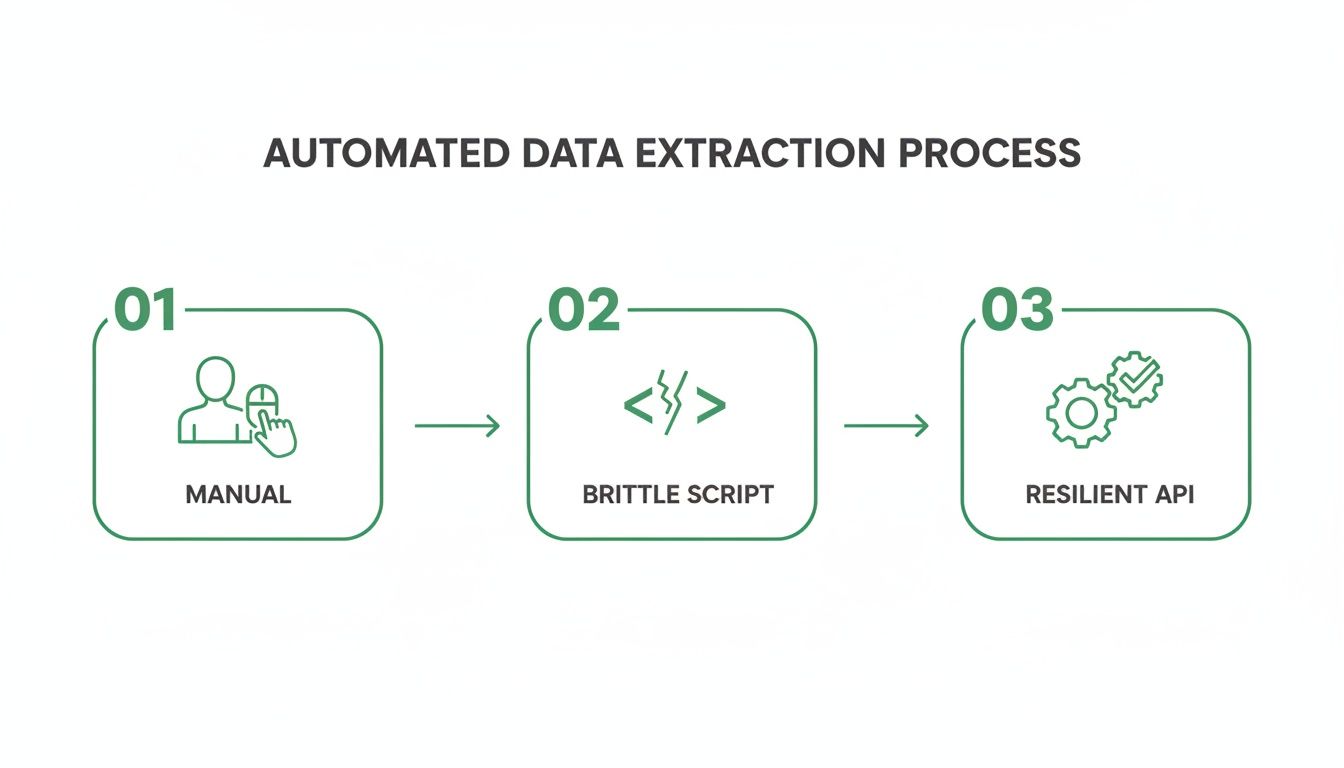
It’s a perfect visual of the move away from slow, error-prone manual clicking, past brittle scripts that break with the slightest website tweak, and toward a resilient, API-driven system that can actually scale.
Selecting the Right Rendering Method
One of your first big architectural choices is deciding how you'll actually get the web page content. The path you choose—a simple HTTP request versus a full headless browser—has a massive impact on your cost, speed, and overall success rate.
-
Simple HTTP Requests: This is the fast and lean approach. It's absolutely perfect for static sites where all the data you need is right there in the initial HTML source. Think classic forums, simple blogs, or basic product pages.
-
Headless Browser Rendering: You'll need this for modern, dynamic websites built with JavaScript frameworks like React or Angular. A headless browser (like Chromium) actually runs the page's JavaScript and renders the complete DOM. This is non-negotiable for scraping content that only shows up after a user clicks something or an API call finishes in the background, like on e-commerce sites with dynamic pricing.
Platforms like Scrappey often make this decision for you. They can automatically detect if a page needs JavaScript to render and will only spin up a headless browser when necessary. This hybrid approach saves you money and boosts performance, so you’re not overpaying for simple pages. You can get more of the nitty-gritty in our guide on building a web scraping API.
Intelligent Proxy and Session Management
Trying to send thousands of requests from a single IP address is a rookie mistake and a surefire way to get your scraper shut down. A truly resilient pipeline needs smart proxy management to spread requests across a big, diverse pool of IP addresses, making it look like traffic from real users.
You’ve generally got two types of proxies to work with:
-
Datacenter Proxies: These are fast, cheap, and come from cloud hosting providers. They work great for targets with basic bot detection but are pretty easy for more advanced systems to spot and block.
-
Residential Proxies: These are IP addresses assigned by real Internet Service Providers (ISPs) to homes. They’re pricier, but they are incredibly effective at getting past blocks because their traffic looks exactly like a genuine user.
A best practice is to use a rotating pool that mixes both types. Use datacenter IPs for initial, low-risk requests and automatically switch to residential proxies when a request fails or is challenged. This tiered strategy balances cost with a high success rate.
Session management is just as crucial. If your task involves clicking through a multi-step process, you have to maintain a consistent session—same IP, same cookies. A good extraction platform will let you manage these sessions without a headache, ensuring your workflow doesn’t break halfway through.
Proactively Handling Bot Detection Measures
Modern websites have a whole arsenal of bot detection tools, from simple rate-limiting to tricky CAPTCHAs and browser fingerprinting. A resilient design doesn't just react to these roadblocks; it sees them coming. This proactive approach is what separates a professional pipeline from a hobbyist script.
Plugging in an automated Verification service is a common first step. But a more bulletproof strategy is to mimic human behavior so you don’t trigger CAPTCHAs in the first place. This means doing things like randomizing delays between requests, using realistic browser user-agents, and making sure your requests include the standard HTTP headers a normal browser would send.
The market for this kind of automation is exploding. It was valued at USD 782.5 million, is projected to hit USD 2.7 billion by 2035, and it's still growing. A huge use case is price monitoring, which can directly lift profit margins by 5-10% with smart repricing strategies. You can find more details in the full research on the web scraping software market.
Getting Your Hands Dirty with Code
Alright, let's move from diagrams and theory to where the magic really happens: the code. This is the point where our grand design for a resilient pipeline starts to take shape, turning into actual commands that go out and grab the data we need.
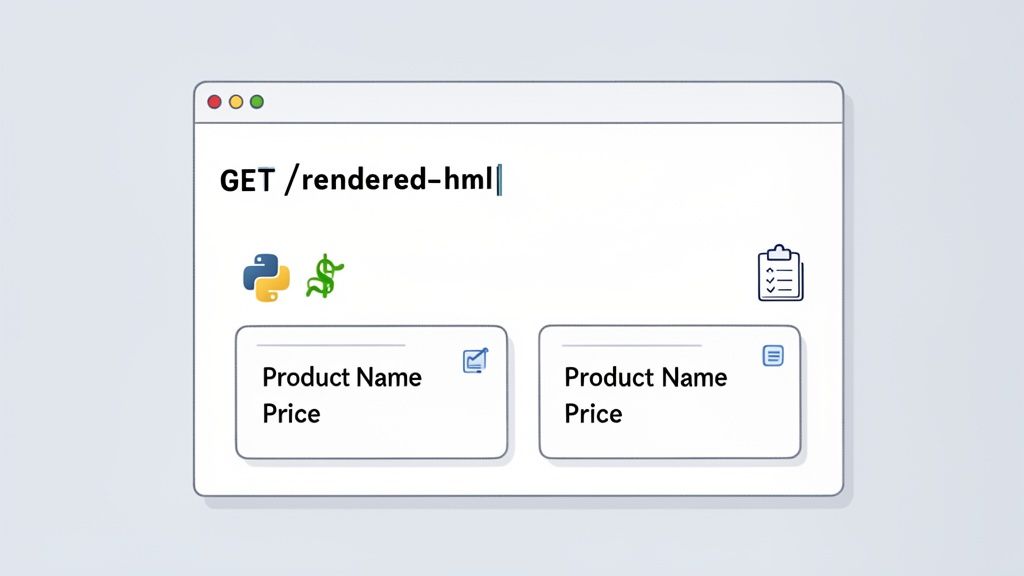
We'll kick things off by making a straightforward API call to a platform like Scrappey. Our target? A dynamic e-commerce product page. The goal is simple: retrieve its fully rendered HTML, something that’s often a huge headache if you try to do it from scratch.
This hands-on approach cuts through the complexity. You'll see exactly how to set up requests with key parameters like geo-targeting or session management. With just a few lines of code, you can sidestep common roadblocks that would otherwise take weeks to solve.
Making Your First API Request
So, picture this: you need to grab the price of a product from an e-commerce site. The catch? The price is loaded with JavaScript. A standard HTTP request is useless here because it only sees the initial source code, which is probably missing the price information you're after.
This is exactly why data extraction APIs are so valuable. We can make a simple call to the platform, and it’ll fire up a headless browser in the background to fully render all the JavaScript. Once it's done, the API sends back the complete, final HTML. No fuss, no muss.
Here's how you'd tackle this in Python with the requests library. Notice how we just pass our API key and the target URL as parameters.
import requests import json
Your Scrappey API key
API_KEY = "YOUR_API_KEY"
The e-commerce product page we want to scrape
TARGET_URL = "https://example-ecommerce.com/product/123"
Construct the payload for the Scrappey API
payload = { "cmd": "request.get", # request.get renders JavaScript in a real browser by default "url": TARGET_URL }
Make the POST request to the Scrappey API endpoint (API key goes in the query string)
response = requests.post(f"https://publisher.scrappey.com/api/v1?key={API_KEY}", json=payload)
Check if the request was successful
if response.status_code == 200: result = response.json()
The 'solution' key contains the response from the target site
html_content = result.get("solution", {}).get("response") print("Successfully fetched rendered HTML!")
Now, 'html_content' holds the full HTML we can parse
else: print(f"Request failed with status code: {response.status_code}") print(response.text)
And it’s not just a niche tool anymore. The web scraping industry recently blew past USD 1.03 billion and is on track to hit USD 2.00 billion by 2030. This boom is fueled by demand for advanced features like proxy management (used in 39.1% of projects) and API integrations (34.8%). Unsurprisingly, Python remains the top choice for nearly 70% of developers. You can read more about these web scraping market trends to see where things are headed.
Adding Advanced Parameters
Real-world scraping rarely stops at just grabbing basic HTML. You might need to check prices from a different country or keep a session consistent while navigating multiple pages. Thankfully, this is just a matter of adding a few extra parameters to your API call.
-
Geo-Targeting: Want to see the price for a customer in Germany? Just add a proxyCountry parameter: {"proxyCountry": "Germany"}.
-
Session Management: If you’re scraping something like a checkout process, you can create a session and reuse it. The first request would include {"session": "user123", "create_session": True}, and you'd use that same session ID for all following requests.
This kind of control is a game-changer. You get accurate, context-specific data without having to build or manage any of the complex infrastructure yourself.
Pro Tip: When you start scraping at scale, always begin with the simplest request possible (e.g., requestType: "request" for a fast, non-rendered fetch). Only turn on heavier features like full browser rendering or residential proxies if you find they're absolutely necessary. This little trick can save you a ton of money and speed up your requests.
From HTML to Actionable Data
Once you've got the rendered HTML, the next job is to pull out the specific pieces of information you need—product name, price, customer reviews, you name it. This is the perfect job for a parsing library like BeautifulSoup in Python or Cheerio in JavaScript.
Let's pick up where our Python example left off. With BeautifulSoup, we can use CSS selectors to pinpoint and extract the exact data we want from the HTML structure.
from bs4 import BeautifulSoup
Assuming 'html_content' is the HTML we got from the API
if html_content: soup = BeautifulSoup(html_content, "html.parser")
# Use CSS selectors to find the elements
# These selectors are examples and will vary by website
product_name_element = soup.select_one("h1.product-title")
price_element = soup.select_one("span.price-amount")

# Extract the text content from the elements
product_name = product_name_element.get_text(strip=True) if product_name_element else "Not Found"
price = price_element.get_text(strip=True) if price_element else "Not Found"

extracted_data = {
    "productName": product_name,
    "price": price
}

print(json.dumps(extracted_data, indent=2))
This snippet takes the HTML string and turns it into an object we can easily navigate. Then, it uses select_one() with CSS selectors to grab the <h1> tag with the product title and the <span> tag holding the price. If you want to get deeper into these parsing techniques, our guide on how to web scrape with Python is a great place to start.
By pairing a powerful extraction API with a simple parsing library, you've built a seriously robust and efficient workflow.
Automating Workflows with Scheduling and Error Handling
So, you’ve built a script that can fetch data. That’s a great first step, but it’s not true automation. To really make your data extraction pipeline work for you, it needs to run on its own, handle the inevitable hiccups, and recover gracefully without you needing to step in.
This is where the real work begins. We’re talking about the operational side of things: scheduling, error handling, and concurrency. This layer is what turns a simple script into a dependable, enterprise-grade pipeline that works tirelessly in the background, whether it’s pulling fresh prices every hour or generating new leads once a day.
Setting Up Reliable Scheduling
Hands-off automation starts with a solid schedule. You need a trigger that reliably kicks off your extraction jobs at just the right intervals. The tool you pick will probably depend on the tech you're already using.
-
Cron Jobs: If you're working with server-based tasks, you can't go wrong with the classic Linux cron utility. It’s been battle-tested for decades and is perfect for running a script on a simple schedule. For example, 0 3 * * * will run your job at 3 AM every single day.
-
Cloud-Based Schedulers: For serverless or more intricate setups, cloud platforms offer some powerful options. Think AWS EventBridge or Lambda triggers. These can start your extraction functions based on a schedule or another event, and they come with great scalability and logging right out of the box.
If your scripts live on compute resources like EC2 instances, you’ll want to optimize their uptime to keep costs down. A great way to do this is to learn how to automate AWS EC2 start-stop schedules. This way, you’re only paying for the horsepower when your jobs are actually running.
Managing Concurrency and Throughput
Once your jobs are firing on schedule, the next big challenge is speed. Sending requests one after another is painfully slow and just plain inefficient. The secret to gathering data quickly is concurrency—running multiple requests in parallel.
But be careful. Cranking up the concurrency without a plan is a recipe for disaster. Firing too many requests at once can easily overwhelm a target server, getting your IP temporarily blocked or, worse, permanently banned. It’s all about finding that sweet spot.
I always recommend starting low, maybe with 5-10 concurrent workers, and slowly ramping up while keeping a close eye on your success rate. A sudden spike in failed requests is your cue to back off.
A pro tip is to use a dynamic concurrency limit. If your pipeline starts seeing a higher error rate, have it automatically dial back the number of parallel requests. Once things stabilize and the success rate recovers, it can slowly ramp back up.
Implementing Robust Error Handling and Retries
Let’s be real: failure is a normal, expected part of web scraping. Servers crash, networks get flaky, and websites roll out new bot detection defenses without warning. A resilient pipeline doesn't ignore these problems; it anticipates them with smart error handling and intelligent retry logic.
A common mistake is to just immediately retry a failed request. This often makes the situation worse, especially if the server is already overloaded.
Instead, you should implement an exponential backoff strategy. If a request fails, wait a second before trying again. If it fails a second time, wait two seconds, then four, and so on, up to a reasonable maximum. This simple approach gives temporary issues time to sort themselves out.
To make things easier, here's a quick guide for implementing effective retry logic in your pipelines.
Error Handling Strategies for Automated Pipelines
A quick reference guide for implementing effective retry and error management logic in your data extraction workflows.
| Error Type | Detection Method | Recommended Action | Example |
|---|---|---|---|
| Network Timeout | Connection timing out before a response | Retry with exponential backoff; check proxy health. | Your script waits too long for the server to respond. |
| HTTP 429 | Status code 429 Too Many Requests | Immediately slow down; apply a longer backoff delay. | You've hit the target's rate limit. |
| HTTP 5xx | Server error codes (e.g., 503 Service Unavailable) | It's a temporary server issue; retry after a longer delay. | The website's server is down for maintenance. |
| CAPTCHA/Block | HTML of response contains a block or challenge page | Rotate your proxy and User-Agent; re-queue the task. | The website thinks you're a bot and is blocking you. |
By building out these operational components—scheduling, smart concurrency, and resilient error handling—you create a system that can truly automate data extraction at scale and with confidence.
Turning Raw Data into Actionable Insights
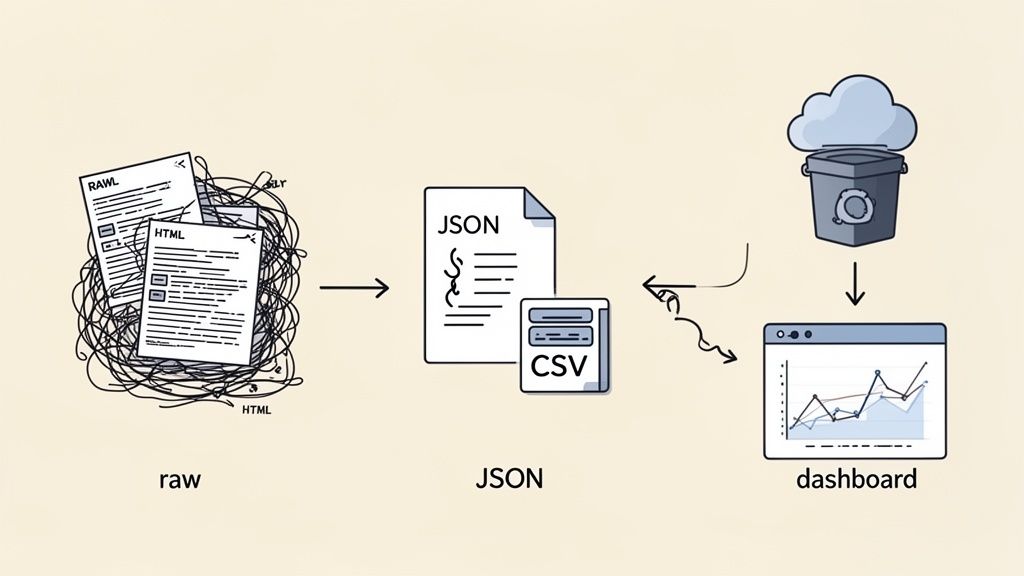
Pulling down raw data is just the start. That messy HTML you've collected is essentially worthless until it’s cleaned, structured, and shipped off to a system that can actually use it. This final stretch—transformation and delivery—is where you turn digital noise into a valuable asset.
The big goal here is consistency. Websites are constantly changing their layouts, and data formats can be all over the place. Your internal systems, however, need clean, predictable information. For any serious effort to automate data extraction, converting that scraped data into a standardized format like JSON or CSV isn't just a good idea; it's non-negotiable.
Structuring and Cleaning Your Data
Once your parser has ripped the raw values from a page, the real work begins. You have to sanitize them. This goes beyond just cramming them into a JSON object; it's about refining the data to make sure it’s high-quality and genuinely usable.
Imagine scraping a product price that comes out as "$ 19.99 (USD)". For any analytics platform, that string is pure junk. A proper transformation step would intelligently strip out the currency symbols and text, then convert the value into a numeric float like 19.99. It’s a small step, but it's what makes the data ready for real calculations and analysis.
Some common data cleaning tasks you'll run into:
-
Normalizing Dates: Converting a mess of formats like "Oct 5, 2024" or "2024/10/05" into a single, standard ISO 8601 format (2024-10-05T00:00:00Z).
-
Trimming Whitespace: Getting rid of pesky leading or trailing spaces from text fields that love to break database lookups.
-
Handling Null Values: Making a call on how to represent missing data—is it null, an empty string "", or some other specific placeholder?
The most resilient data pipelines I've built always define a strict schema for their output. Think of this schema as a contract. It guarantees that every piece of data you deliver—whether it's a product name, price, or review count—will always have the same field name and data type, no matter how chaotic the source website gets.
Real-Time Delivery with Webhooks
For situations where you need information right now—like price change alerts or stock monitoring—webhooks are your best friend. Instead of having your application constantly knocking on the door asking for new data, a webhook actively pushes the information to your designated endpoint the second it's ready.
This "push" model is incredibly efficient. Your extraction platform handles all the heavy lifting, and your application just sits back and listens for incoming HTTP POST requests. When a webhook fires, it sends a neat JSON payload with the freshly scraped and transformed data straight to your system. This is how you get true real-time integration into your business workflows.
Batch Delivery to Cloud Storage
Not all data needs to be delivered in a flash. For large-scale analytics, deep market research, or feeding machine learning models, batch delivery is often far more practical. In this setup, your pipeline gathers and transforms data over a set period—maybe every 24 hours—and then drops it all off as a single, consolidated file.
A common and highly effective approach is to send these batches straight to a cloud storage service.
-
Amazon S3: The go-to choice for its massive scalability and durability. You can easily set up your pipeline to dump daily CSV or JSON files into a designated S3 bucket.
-
Google Cloud Storage: Offers similar muscle and plays nicely with other Google Cloud tools like BigQuery, making large-scale data analysis a breeze.
From there, your structured data can be loaded into a data warehouse, an analytics platform, or a business intelligence tool. This completes the journey, finally turning raw web content into the kind of structured insights that drive smart business decisions.
Scaling Your Operation and Maintaining Compliance
Going from a small pilot project that scrapes a few hundred pages to a massive operation handling millions of requests a day is a monumental leap. This is where the rubber really meets the road, and your pipeline's design gets put to the ultimate test. To pull this off, you have to stop thinking about individual scripts and start thinking like an architect of a distributed, resilient ecosystem.
The biggest headache you'll face when scaling is managing your resources and spreading the workload effectively. This is way more than just spinning up more servers; it’s about smart, intelligent load balancing. Your system needs to be able to divvy up scraping tasks across a whole fleet of machines and proxy pools, making sure no single part of the system becomes a bottleneck. As your request volume explodes, so does your risk of getting detected, which makes smart resource management absolutely critical for survival.
Monitoring Your Key Performance Indicators
You can't fix what you can't see. As you scale up, a solid monitoring system becomes your command center. It gives you the real-time visibility you need to keep your pipeline running smoothly and efficiently. Without it, you're essentially flying blind, completely unaware of problems until they snowball into a catastrophic failure.
Start by getting a few essential metrics up on a dashboard. These numbers will tell you the story of your pipeline’s health at a glance.
-
Success Rate: This is the big one—the percentage of requests that come back with good data versus those that fail. A sudden nosedive here is the clearest signal you can get that something is broken, whether it's a website change or a fresh block.
-
Request Latency: How long is it taking to get a response? If this number starts creeping up, it could point to network problems or even the target site intentionally slowing you down.
-
Cost Per Request: As you start using the heavy-duty features like residential proxies or full JavaScript rendering, keeping an eye on costs is essential to make sure your operation stays in the black.
-
Error Code Distribution: Are you suddenly seeing a ton of 404s (Not Found) or 429s (Too Many Requests)? This breakdown helps you diagnose the root cause of failures in seconds.
Just tracking these isn't enough; you need to set up alerts. For example, an alert that fires when your success rate drops below 90% for more than five minutes can give you the precious head start you need to jump on a problem before it gets out of hand.
Navigating Legal and Ethical Waters
As your data extraction operation grows, so does your visibility—and your responsibility. Operating legally and ethically isn't just about dodging lawsuits; it's about building a sustainable, long-term operation that respects data owners and maintains a good reputation. Believe me, ignoring the rules is the fastest way to get your entire infrastructure blacklisted for good.
Your first port of call should always be the website's robots.txt file. This is a simple text file, usually sitting at the root of a domain, that lays out which parts of the site the owner doesn't want bots to access. While it's not a legally binding contract, respecting it is rule number one of good scraping etiquette.
A Note on Responsible Scraping: Always identify your scraper with a clear, honest User-Agent string (e.g., "MyCompanyPriceMonitor/1.0"). This kind of transparency shows good faith and gives website admins a way to contact you if your scraper is causing problems. It opens a door for a conversation instead of an immediate, permanent block.
Beyond robots.txt, you absolutely have to read a site’s Terms of Service (ToS). These documents often have specific clauses about automated access. While the legal ground for ToS can be a bit murky, openly violating them can get you blocked or even land you in legal hot water. It’s critical to know the rules of the road for every site you target.
Finally, you have to be mindful of data privacy laws like GDPR and CCPA, especially if you’re collecting any personally identifiable information (PII). Make sure you have a clear, legal basis for collecting and processing that kind of data. Responsible scraping isn't just a technical challenge—it's the very foundation of long-term success.
Ready to build a scalable and compliant data extraction pipeline without the headache? Scrappey handles the infrastructure, proxies, rendering, and retries so you can focus on the data. Start building for free today and see how easy scaling can be.