
A Java Developer's Guide: scrape website java with JSoup, Selenium, and APIs
Before you can scrape a website with Java, you’ve got to pick the right tool for the job. This decision boils down to one simple question: is the website static or dynamic? Get this wrong, and you'll either over-engineer your solution or hit a brick wall. For straightforward, static HTML pages, Jsoup is your fastest, most lightweight option. But the moment you encounter a modern, JavaScript-heavy site, you'll need a full-blown browser automation tool like Selenium or Playwright.
A quick note on authorized use: this guide assumes you are collecting public data you have permission to access, in line with each site's terms and applicable law.
Choosing the Right Java Scraping Toolkit
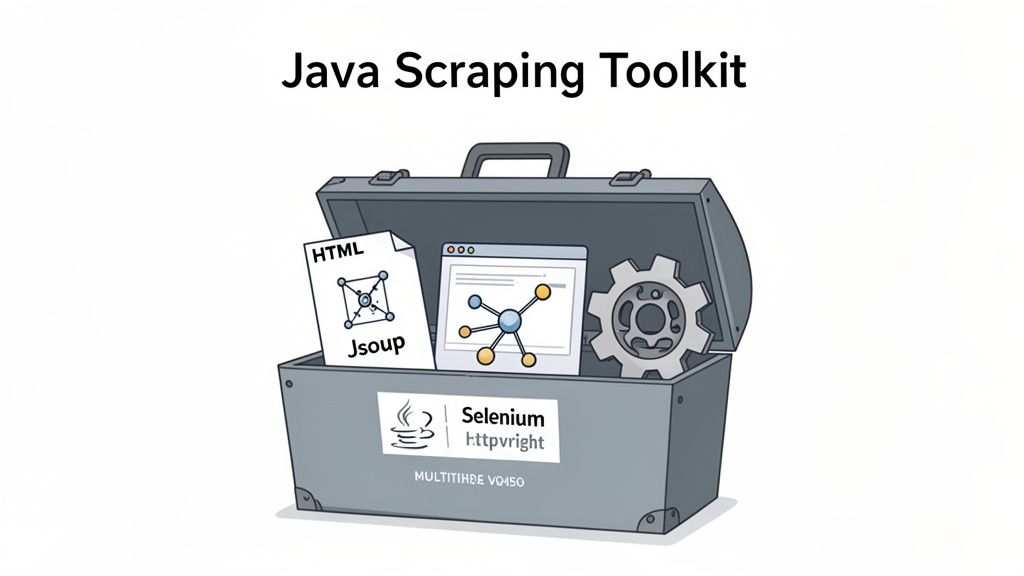
When you decide to build a scraper in Java, you're tapping into a seriously powerful and mature ecosystem. It's an excellent choice for creating scalable data extraction pipelines thanks to its performance, strong typing, and fantastic support for concurrency. You can build anything from a quick script to an enterprise-grade data operation.
But your first move is crucial. It all hinges on whether the website loads its important data with the initial HTML document or uses JavaScript to render content after the page loads. Your answer to that question will shape your entire approach.
The Static vs. Dynamic Divide
Most developers dip their toes into scraping with static websites. These are the simple pages where all the content you need is right there in the initial HTML source code—think of a basic blog post or a no-frills product page. For these jobs, a simple HTML parsing library is all you need.
Dynamic websites, however, are the modern standard. These sites use JavaScript frameworks like React or Angular to fetch and display data after the initial page has already loaded. To scrape them, you need a tool that runs a real browser and executes all that JavaScript.
A rookie mistake I see all the time is firing up a heavy-duty tool like Selenium for a simple static site. It just adds unnecessary complexity and overhead. Always check the page’s network traffic first to see if the data you’re after is available in the initial “document” request.
Your Core Library Options
Making the right choice from the start will save you countless hours of refactoring down the road. Let's break down the main libraries you'll be working with so you can understand their strengths and weaknesses.
Your Java Web Scraping Library Options
Here’s a quick comparison of the most popular Java libraries for scraping static vs. dynamic websites to help you choose the right tool for your project.
| Library | Primary Use Case | Handles JavaScript? | Best For |
|---|---|---|---|
| Jsoup | Parsing static HTML | No | Fast and simple data extraction from server-rendered pages, API responses, or local HTML files. |
| Selenium | Browser Automation | Yes | Scraping complex, dynamic websites that require user interactions like clicking, scrolling, and form submission. |
| Playwright | Modern Browser Automation | Yes | A newer alternative to Selenium, offering a more modern API and improved performance for JavaScript-heavy sites. |
| HttpClient | Making HTTP Requests | No | Used as a foundation to fetch the raw HTML from a server, which is then passed to a parser like Jsoup. |
This table should give you a solid starting point. For simple tasks, stick with Jsoup and HttpClient. For the complex, interactive sites that dominate the web today, Selenium or Playwright will be your best friends.
In the grand scheme of web scraping, Java holds its own. The global market, valued at around 1.03 billion**, is on track to hit **2 billion by 2030. In North America, where over 35% of the market is concentrated, companies are constantly using Java scrapers for price monitoring—a sector that has seen a 25% spike in scraping activity thanks to dynamic pricing. You can dig into the full web scraping market report to get a better handle on these trends.
Extracting Data from Static Sites with Jsoup
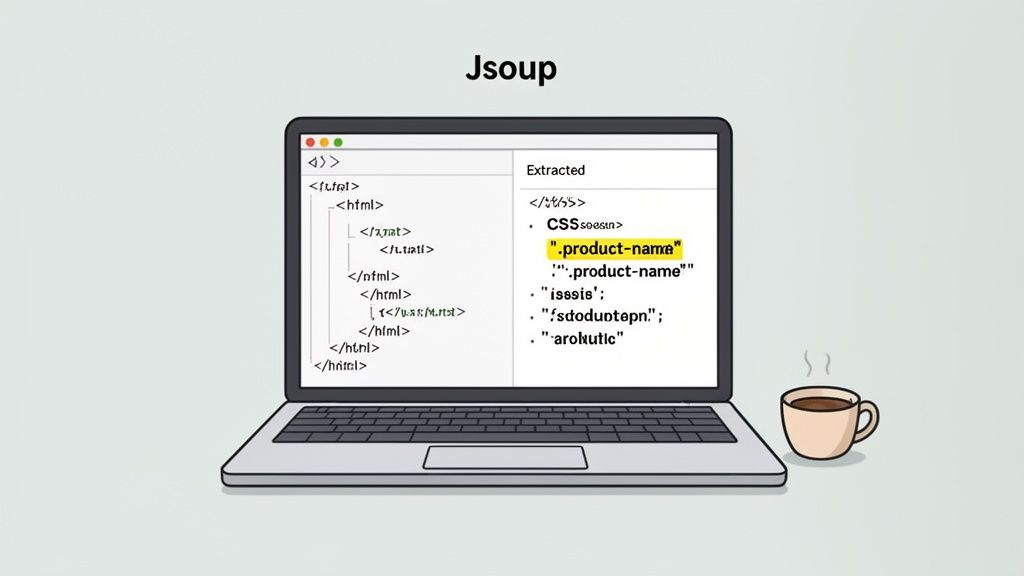
When you're scraping websites with Java, your bread and butter will be static HTML pages. These are the classic web pages where all the content is baked into the initial server response—no fancy client-side JavaScript needed to render the good stuff. For these jobs, Jsoup is your best friend. It’s lightweight, incredibly fast, and has a wonderfully intuitive API for parsing HTML.
What makes Jsoup so effective is that it does one thing exceptionally well: it turns raw, messy HTML into a clean, traversable Document Object Model (DOM). This lets you navigate the page's structure and pluck out specific data using CSS selectors, the same way you would in your browser's developer tools.
Getting Jsoup into Your Project
Getting started is a breeze with a build tool like Maven or Gradle. You just need to add a single dependency to your pom.xml, and you'll have the entire Jsoup library ready to go.
Here's the snippet you'll need:
Once Maven pulls this in, you're all set to write some scraping code. The core of Jsoup revolves around the connect() method to point it at a URL, and the get() method to fetch the page and return a parsed Document object. It handles the entire HTTP request and parsing process in a single, elegant line of code.
Fetching and Parsing HTML
Let's say you want to scrape product titles from a simple e-commerce category page. Your first move is to tell Jsoup where to look.
import org.jsoup.Jsoup; import org.jsoup.nodes.Document; import java.io.IOException;
public class JsoupScraper { public static void main(String[] args) { String url = "https://example-ecommerce-site.com/products"; try { Document doc = Jsoup.connect(url).get(); System.out.println("Page Title: " + doc.title()); } catch (IOException e) { System.err.println("Error fetching the URL: " + e.getMessage()); } } }
This tiny bit of code connects to the URL, grabs its complete HTML, and prints the page title. That try-catch block is absolutely essential for handling network hiccups like timeouts or 404 errors. You'd be surprised how many developers forget this, ending up with brittle scripts that fall over at the first sign of trouble.
A personal rule I live by: always wrap network calls in solid error handling. A website might be down for a minute or your connection could flicker. A resilient scraper plans for these issues and handles them gracefully instead of just crashing.
Pinpointing Data with CSS Selectors
With the HTML parsed into a Document object, the real fun begins. Now you can use CSS selectors to zero in on the exact elements you want. This is where opening your browser's DevTools becomes second nature. Inspect the page, find the classes or IDs on the elements holding your data, and use them to build your Jsoup query.
For instance, if all our product titles are wrapped in <h3> tags with a class of product-title, we can extract them with a two-step process:
-
Select the Elements: Use the doc.select() method with your CSS query. It returns an Elements collection—basically, a list of all matching Element objects.
-
Iterate and Extract: Loop through the collection and use methods like .text() to get the content from each element.
Let's expand on the last example to grab all the product titles:
import org.jsoup.Jsoup; import org.jsoup.nodes.Document; import org.jsoup.nodes.Element; import org.jsoup.select.Elements; import java.io.IOException;
// ... inside the try block Document doc = Jsoup.connect(url).get(); Elements productTitles = doc.select("h3.product-title");
System.out.println("Found " + productTitles.size() + " products:"); for (Element title : productTitles) { System.out.println("- " + title.text()); }
This approach is the foundation of most static scraping tasks. You can get fancy with more complex selectors to navigate nested elements, pull attributes like href from links, or scrape entire tables. You'll quickly find that a surprising number of websites don't actually need JavaScript to display their core data, a topic we cover in more detail here: https://wiki.scrappey.com/why-you-probably-dont-need-javascript-with-a-scraper.
Scraping Dynamic Content with Selenium and Playwright
Jsoup is great, but it hits a wall with modern websites. So many sites today don't just send you a neat package of HTML. Instead, they serve a bare-bones skeleton and then use JavaScript to pull in the real content from APIs, rendering everything right in your browser. If you send a simple HTTP request to one of these pages, you'll get that skeleton back, completely missing the data you're after.
To scrape these sites, you need a tool that can actually run a browser, execute the JavaScript, and see the fully-rendered page the same way a real browser does.
This is where browser automation frameworks come in. For Java developers, the two heavyweights in this space are Selenium and Playwright. These aren't just fetching HTML; they're firing up a real browser instance (often in "headless" mode so you don't see the UI), letting all the scripts run, and then giving your code access to the fully-rendered page.
Selenium: The Established Standard
Selenium has been the undisputed king of browser automation for well over a decade. Its age is its strength—it boasts a massive community, tons of documentation, and an API that's stable and well-understood by millions. Getting it into a Java project is a piece of cake; just add the selenium-java dependency to your Maven or Gradle file.
The central piece of the Selenium puzzle is the WebDriver. It’s the bridge that lets your Java code talk to the browser. You'll typically create an instance of ChromeDriver or FirefoxDriver, tweak its settings (like running it headless), and you're ready to go.
Now, one of the biggest rookie mistakes when scraping dynamic content is a timing issue. You navigate to a page and immediately try to grab an element, but it hasn't been created yet by the JavaScript. Boom: NoSuchElementException.
To handle this, Selenium gives us explicit waits. Instead of just pausing your script with a blind Thread.sleep(), you tell WebDriver to wait until a certain condition is met—like an element finally becoming visible on the page.
Let's say you're trying to scrape product reviews that only load after a short delay:
WebDriver driver = new ChromeDriver(); driver.get("https://example.com/product-reviews");
WebDriverWait wait = new WebDriverWait(driver, Duration.ofSeconds(10)); List reviews = wait.until( ExpectedConditions.visibilityOfAllElementsLocatedBy(By.cssSelector("div.review-text")) );
for (WebElement review : reviews) { System.out.println(review.getText()); } driver.quit();
This snippet tells Selenium, "Wait up to 10 seconds for those review elements to show up before you do anything else." It makes your scraper dramatically more reliable than just guessing with a fixed delay.
Playwright: The Modern Contender
Playwright is the newer kid on the block from Microsoft, and it's been turning a lot of heads with its slick, modern API and impressive performance. While Selenium was originally built for testing, Playwright was designed for robust automation from day one, which gives it some nice perks. If you're weighing your options, check out this comprehensive comparison of Playwright and Selenium to see which is a better fit.
One of Playwright's most-loved features is its auto-waiting capability. Most Playwright actions, like clicking an element or getting its text, will automatically wait for the element to be ready. This often gets rid of the need for explicit waits entirely, making your code cleaner and easier to read.
Here’s that same review-scraping task, but this time with Playwright for Java:
try (Playwright playwright = Playwright.create()) { Browser browser = playwright.chromium().launch(); Page page = browser.newPage(); page.navigate("https://example.com/product-reviews");
// Playwright automatically waits for the element to be visible
Locator reviewLocator = page.locator("div.review-text");
for (String reviewText : reviewLocator.allTextContents()) {
    System.out.println(reviewText);
}
browser.close();
}
See how much simpler that is? Playwright handles the waiting behind the scenes. It's a modern touch that's winning over developers for new projects.
In the world of enterprise-level scraping, the choice of tools often reflects broader industry trends. Java captures 18% of this pie in large enterprises, where its JVM stability is perfect for handling massive scales. Unsurprisingly, the Java staple Selenium powers 34.8% of all browser automation workflows, though Playwright is quickly gaining ground with 15% traction for its skill with dynamic JS rendering. This trend is driven by necessity, as scraping now drives 45% of SEO intelligence in Western Europe and has boosted e-tailer conversions by 22% in South America. Discover more insights about the web scraping software market on researchnester.com.
Handling User Interactions
Often, just waiting for elements to load isn't enough. The data you need might be hidden behind a "Load More" button, buried deep down an infinite-scroll feed, or only revealed after you fill out a form.
Both Selenium and Playwright are built for this kind of interaction:
-
Scrolling: You can easily execute a snippet of JavaScript to scroll the window down, triggering those infinite-scroll loaders.
-
Clicking: Both frameworks have a .click() method to simulate a user clicking anything you can target, from pagination buttons to dropdown menus.
-
Form Filling: Locating input fields and typing into them is straightforward with .sendKeys() (Selenium) or .fill() (Playwright).
Ultimately, the choice between Selenium and Playwright often boils down to your team's familiarity and the project's specific needs. Selenium is the battle-hardened veteran you can always count on. Playwright offers a more modern, streamlined experience that can speed up development. Either way, getting comfortable with a browser automation tool is a non-negotiable skill for any developer serious about web scraping in Java.
Building Reliable Scrapers at Scale
If you think writing the code to fetch and parse a webpage is the hard part, you're in for a surprise. Once you try to scrape a website in Java at any real scale, you'll find the true challenge isn't the code—it's building automation that's well-behaved and reliable. Success at scale is less about slick parsing algorithms and more about sending clean, consistent, properly paced requests so you stay within rate limits and keep your failure rate low.
The first issue most developers hit is HTTP 429 (Too Many Requests). When a server sees hundreds of requests firing off from the same IP address in minutes, it rate-limits that traffic. The fix is twofold: pace your requests sensibly, and distribute them across a pool of IP addresses using a rotating proxy service. Spreading traffic across many IPs keeps you under per-IP rate limits and improves geographic accuracy, which means fewer failed requests overall.
The diagram below shows the typical flow for scraping dynamic pages, which almost always demand this kind of careful request management.
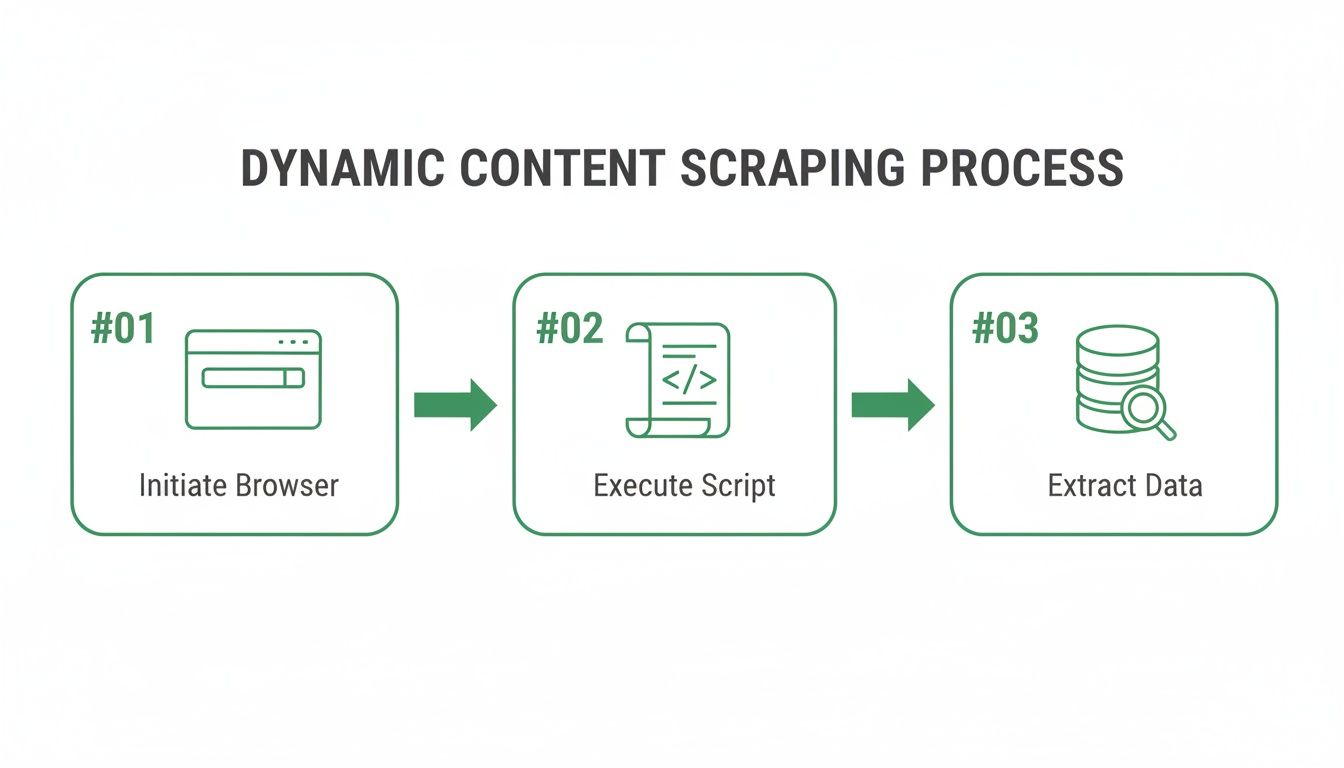
This process really drives home why browser automation is a must for JavaScript-heavy sites—the exact places where bot detection systems are most active.
Integrating Rotating Proxies in Java
Good news is, setting up a proxy with Java's HttpClient or even a browser automation tool like Selenium is pretty straightforward. You just configure your client to route its traffic through the proxy server's address and port.
When you're ready to scale, you need a plan for staying within rate limits, distributing requests across IPs, and handling bot detection systems gracefully. A quality proxy service handles the IP rotation for you. Your code just hits a single endpoint, and the service juggles a large pool of IPs on the backend.
Managing Sessions for Multi-Page Flows
Some scraping jobs span several pages — pagination, a location selector, or a multi-step public flow — and the server expects a consistent session across them. In Java, that means accepting the cookies the server sets and sending them back on subsequent requests so the session stays coherent and your requests stay well-formed.
Data that sits behind a login is a different matter. That content generally isn't public, and reaching it with automation usually conflicts with a site's terms of service. The right move is to use the site's official API or an authorized data-access arrangement rather than scripting a login — and to keep your own scraping focused on publicly available pages you have permission to collect.
Implementing Robust Error Handling and Retries
Let's be real: network requests fail. Servers have hiccups, connections time out, and you'll occasionally see an HTTP 429 or 503 even with proxies in place. A scraper that falls apart after one failed request is just a toy. The professional approach is to build in a retry mechanism with exponential backoff, and to honor any Retry-After header the server sends.
Here's the basic idea:
-
If a request fails with a temporary error (like a 503 Service Unavailable or a 429), don't immediately try again. If the response includes a Retry-After header, wait at least that long.
-
Wait for a short, slightly randomized interval, maybe 1-2 seconds.
-
If that attempt also fails, double the waiting time before you go again.
-
Always cap the number of retries so you don't get stuck in an endless loop.
This strategy keeps you from hammering a server that's already struggling and makes it much more likely that one of your later attempts will get through once the temporary issue resolves.
The difference between a hobbyist script and a production-grade data pipeline often comes down to error handling. Planning for failure with strategies like exponential backoff is what makes a scraper reliable and resilient over the long term.
Boosting Speed with Concurrency
Scraping one page at a time is painfully slow. Luckily, Java's multi-threading support is fantastic, making it easy to speed things up by fetching multiple pages at the same time. The ExecutorService in Java's java.util.concurrent package is your best friend here.
You can create a fixed-size thread pool and then submit each URL you need to scrape as its own task. The ExecutorService handles all the thread management, running several scraping jobs in parallel. This can easily turn a multi-hour job into a multi-minute one.
But with great power comes great responsibility. Firing hundreds of concurrent requests can overload a website's server and looks indistinguishable from a denial-of-service event. It's crucial to cap your thread pool at a reasonable size (think 5-10 threads) so you stay within the site's rate limits and keep your failure rate low. The sweet spot is combining a small, concurrent thread pool with controlled pacing and a good rotating proxy service—you get speed while remaining a well-behaved client.
Scaling Your Scraper with the Scrappey API
So, you’ve decided to scrape a website in Java. You can write the code, sure, but what about all the other stuff? I’m talking about managing rotating proxies, handling bot detection systems, and wrestling with JavaScript rendering. This infrastructure isn't just complex; it’s a massive time sink that needs constant babysitting.
Honestly, why build all that yourself when you can outsource the heavy lifting?
This is exactly where a service like the Scrappey API comes into play. Instead of getting tangled up in browser automation or managing proxy lists, you just make a single, clean API call from your Java application. Scrappey takes care of the headless browser, proxy rotation, and retries on its end, sending back the clean HTML you actually want.
This approach cleans up your codebase in a hurry. You can literally replace hundreds of lines of messy Selenium or Playwright logic with just a few lines of standard HTTP client code. That means you get to focus on what really matters—pulling value from the data, not maintaining the plumbing that fetches it.
Why Outsource Your Scraping Infrastructure?
Trying to manage a big scraping operation in-house is a serious engineering headache. The costs and complexities stack up fast, and before you know it, you’re spending more time on maintenance than on your actual business goals.
Just think about the tasks you get to offload by using a scraping API:
-
Proxy Management: Forget about sourcing, testing, and rotating thousands of IPs. You get instant access to a massive, managed proxy pool that just works.
-
Headless Browser Maintenance: No more dealing with random browser updates, driver incompatibilities, or the insane memory overhead of running tons of browser instances.
-
Session Handling: The service keeps up with the latest bot detection systems, handling JavaScript challenges and consistent browser headers so you don’t have to.
-
Retry Handling: Verification challenges are handled by the service, a job that would otherwise demand expensive third-party integrations.
By handing off these responsibilities, you turn a complicated infrastructure problem into a simple API integration. Your team can move faster, slash maintenance overhead, and build a much more reliable data pipeline.
The screenshot below gives you a peek at Scrappey's developer-focused dashboard.
It’s clear the platform is designed to abstract away the messy infrastructure of web scraping behind a clean, simple API endpoint for developers like us.
Making an API Request in Java
Plugging Scrappey into your Java project is about as easy as it gets. You can use any standard HTTP client, like Java 11’s built-in HttpClient, to hit the API endpoint. All you have to do is pass your API key and the target URL as parameters.
The service does its magic and sends back a JSON object. Inside, you’ll find the page's HTML, status codes, and other useful bits of metadata. This predictable, structured response makes parsing the results incredibly simple.
One of the biggest wins of using a scraping API is reliability. Instead of your scrapers breaking every time a website changes its layout or verification logic, the API provider takes on the burden of adapting. This leads to higher uptime and more consistent data delivery.
Here’s a complete, ready-to-run Java example showing how to call the Scrappey API and parse the response. This snippet uses the popular OkHttp library because it's so clean and straightforward.
import okhttp3.OkHttpClient; import okhttp3.Request; import okhttp3.RequestBody; import okhttp3.MediaType; import okhttp3.Response; import org.json.JSONObject; import java.io.IOException;
public class ScrappeyApiExample { public static void main(String[] args) { String apiKey = "YOUR_API_KEY"; // Replace with your actual key String targetUrl = "https://example.com/products"; String scrappeyUrl = "https://publisher.scrappey.com/api/v1?key=" + apiKey;
    OkHttpClient client = new OkHttpClient();

    // Scrappey expects a POST with a JSON body: { "cmd": "request.get", "url": "..." }
    MediaType JSON = MediaType.parse("application/json");
    String jsonBody = new JSONObject()
            .put("cmd", "request.get")
            .put("url", targetUrl)
            .toString();

    Request request = new Request.Builder()
            .url(scrappeyUrl)
            .post(RequestBody.create(jsonBody, JSON))
            .build();

    try (Response response = client.newCall(request).execute()) {
        if (!response.isSuccessful()) {
            throw new IOException("Unexpected code " + response);
        }

        String jsonData = response.body().string();
        JSONObject jsonObject = new JSONObject(jsonData);

        // Extract the HTML solution from the JSON response
        String htmlContent = jsonObject.getJSONObject("solution").getString("response");

        System.out.println("Successfully fetched HTML of length: " + htmlContent.length());
        // Now you can pass this 'htmlContent' string to Jsoup for parsing
        // Document doc = Jsoup.parse(htmlContent);

    } catch (IOException e) {
        e.printStackTrace();
    }
}
}
This code is clean, concise, and pretty much production-ready. It completely removes the need for any browser automation on your side. If you're looking for ideas on how to apply this to different scenarios, you can find more inspiration by checking out some example use cases for scraping APIs. This approach frees you up to build powerful data applications without getting stuck in the weeds of web scraping mechanics.
Common Questions About Java Web Scraping
As you get your hands dirty with projects to scrape a website in Java, you’ll inevitably run into the same questions that pop up for every developer. Whether you're navigating the legal considerations, figuring out login forms, or working with sites that have bot detection systems in place, clear answers are what you need to build scrapers that are both effective and responsible. Let's tackle the queries I see most often.
Is It Legal to Scrape a Website with Java?
This is the big one, and the answer isn't a simple yes or no—it's nuanced. Generally speaking, scraping data that's publicly available is legal in many places. But a few key factors can change the game. First, you absolutely must respect the website's robots.txt file, which is the official rulebook for automated bots and crawlers.
On top of that, a site's terms of service will often restrict or prohibit scraping. While how enforceable those terms are can be a gray area, ignoring them can carry real legal and access consequences. The most critical lines not to cross are scraping personal data, copyrighted content, or anything behind a login wall unless you have explicit permission.
A good rule of thumb for ethical scraping is pretty simple: do no harm. Always keep your request rate low enough that you don't overwhelm the website's servers. If your scraper starts looking like a denial-of-service attack, you've gone too far. When in doubt, talking to a legal professional is always your best bet.
What About Data That Requires a Login?
Data behind a login generally isn't public, and using automation to reach it often conflicts with a site's terms of service and can carry legal risk. Rather than scripting a login flow, the responsible path is to use the site's official API or request an authorized data-access arrangement. Keep your own scraping focused on publicly available pages you have permission to collect.
What Is the Best Way to Build Reliable Requests?
There’s no single trick to keeping your failure rate low against sites with bot detection systems; it takes a multi-layered approach. A solid strategy combines several techniques that make your scraper a clean, consistent, well-behaved client.
Start with a pool of high-quality rotating residential proxies. This is the most effective way to stay within per-IP rate limits and avoid HTTP 429 responses, since it distributes your requests across many addresses instead of hammering one.
After that, pay close attention to your request headers.
-
Use Realistic User-Agents: Don't send an empty or obviously scripted user-agent. Keep a list of current, common browser user-agents so your requests are well-formed and consistent.
-
Send Complete, Consistent Headers: Make sure your requests include the standard headers a real browser sends, like Accept-Language, Accept-Encoding, and Referer. Well-formed requests are processed more reliably.
-
Pace Your Requests: Don't fire off requests like a machine gun. Add sensible delays between requests and honor any Retry-After header so you stay within the site's rate limits.
For sites with tough JavaScript challenges, a simple HTTP client just won't cut it. That's when you reach for a headless browser with Selenium or Playwright. Or, you could let a dedicated scraping API handle that complexity for you, which dramatically simplifies your code. If a site presents a CAPTCHA, treat it as a signal to slow down, and consider requesting official API access for the data you need.
Ready to stop managing proxies and bot detection by hand? Scrappey handles the entire scraping infrastructure for you, delivering clean data through a simple API call. Get started for free at scrappey.com and start collecting the data you're authorized to access.